EasyManua.ls Logo

Haemonetics ACP 215 - Service Manual

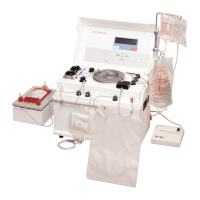
Haemonetics ACP 215
186 pages
Print Icon
To Next Page IconTo Next Page
Loading...
HAEMONETICS CORPORATION
400 Wood Road, Braintree, MA
02184, USA
0123
Service Manual
SM-ACP215-01-EN(AB)
January 2016

Table of Contents

Questions and Answers

  • K
    kimberly42Sep 9, 2025
    What should I do if the Haemonetics ACP 215 shows a CALIBRATION CRC FAILURE?
    • A
      Anne DavisSep 9, 2025
      If the Haemonetics Laboratory Equipment shows a CALIBRATION CRC FAILURE: 1. Recalibrate the A/D, and centrifuge. 2. Replace CPU PCB. Using Utilities, calibrate all components under A/D, and centrifuge and configure the language. Reset protocol parameters (MODIFY PROGRAM) if parameters were different from default values.
  • E
    Emily HullAug 23, 2025
    What to do if the Haemonetics ACP 215 displays a CPU OPERATION ERROR?
    • E
      Emily WilliamsAug 23, 2025
      If the Haemonetics Laboratory Equipment displays a CPU OPERATION ERROR, replace the CPU PCB. Then, using Utilities, calibrate all components under A/D and CENTRIFUGE, and configure the language. Finally, reset protocol parameters (MODIFY PROGRAM) if parameters were different from the default values.
  • K
    Kevin WebbSep 2, 2025
    What to do if the Haemonetics ACP 215 displays SOLUTIONS AIR DETECTOR FAULT?
    • S
      Shawn GomezSep 2, 2025
      If the Haemonetics Laboratory Equipment displays a SOLUTIONS AIR DETECTOR FAULT: 1. Use air detector test in Diagnostics to verify problem. 2. Refer to system schematic and check, repair, or replace all electrical connections associated with the SLAD. 3. Replace SLAD air detector. 4. Replace CPU PCB. Using Utilities, calibrate all components under A/D, and centrifuge and configure the language. Reset protocol parameters (MODIFY PROGRAM) if parameters were different from default values.
  • A
    Anna LaraSep 1, 2025
    How to fix a ORANGE VALVE CURRENT FAULT in Haemonetics ACP 215?
    • K
      Keith MeyerSep 1, 2025
      To address a ORANGE VALVE CURRENT FAULT in Haemonetics Laboratory Equipment: 1. In diagnostics, check that the valve feedback is being displayed by the CPU. 2. If not, swap values to determine if the problem follows the valve. 3. If it does, replace the valve. 4. If not, replace ADD valve PCB. 5. Replace CPU PCB. Using Utilities, calibrate all components under A/D, and centrifuge, and configure the language. Reset protocol parameters (MODIFY PROGRAM) if parameters were different from default values.
  • S
    Stephanie LunaAug 31, 2025
    How to fix a YELLOW VALVE CURRENT FAULT in Haemonetics ACP 215 Laboratory Equipment?
    • L
      Lori EllisAug 31, 2025
      To address a YELLOW VALVE CURRENT FAULT in Haemonetics Laboratory Equipment: 1. In Diagnostics, check that the valve feedback is being displayed by the CPU. 2. If not, swap values to determine if the problem follows the valve. 3. If it does, replace the valve. 4. If not, replace driver PCB. 5. Replace CPU PCB. Using Utilities, calibrate all components under A/D, and centrifuge, and configure the language. Reset protocol parameters (MODIFY PROGRAM) if parameters were different from default values.
  • M
    Michael RamirezAug 30, 2025
    How to fix a BLUE VALVE CURRENT FAULT in Haemonetics ACP 215?
    • J
      Jessica ReedAug 30, 2025
      To address a BLUE VALVE CURRENT FAULT in Haemonetics Laboratory Equipment: 1. In Diagnostics, check that the valve feedback is being displayed by the CPU. 2. If not, swap values to determine if the problem follows the valve. 3. If it does, replace the valve. 4. If not, replace driver PCB. 5. Replace CPU PCB. Using Utilities, calibrate all components under A/D, and centrifuge, and configure the language. Reset protocol parameters (MODIFY PROGRAM) if parameters were different from default values.
  • A
    Amy JohnsonAug 29, 2025
    How to fix a GREEN VALVE CURRENT FAULT in Haemonetics ACP 215 Laboratory Equipment?
    • P
      Patricia JacobsAug 29, 2025
      To address a GREEN VALVE CURRENT FAULT in Haemonetics Laboratory Equipment: 1. In Diagnostics, check that the valve feedback is being displayed by the CPU. 2. If not, swap values to determine if the problem follows the valve. 3. If it does, replace the valve. 4. If not, replace ADD valve PCB. 5. Replace CPU PCB. Using Utilities, calibrate all components under A/D, and centrifuge, and configure the language. Reset protocol parameters (MODIFY PROGRAM) if parameters were different from default values.
  • C
    Connie OrtizAug 28, 2025
    How to fix a WHITE VALVE CURRENT FAULT in Haemonetics ACP 215?
    • P
      Patrick WrightAug 28, 2025
      To address a WHITE VALVE CURRENT FAULT in Haemonetics Laboratory Equipment: 1. In Diagnostics, check that the valve feedback is being displayed by the CPU. 2. If not, swap values to determine if the problem follows the valve. 3. If it does, replace the valve. 4. If not, replace driver PCB. 5. Replace CPU PCB. Using Utilities, calibrate all components under A/D, and centrifuge, and configure the language. Reset protocol parameters (MODIFY PROGRAM) if parameters were different from default values.
  • J
    Jeremy GarciaAug 27, 2025
    How to fix a RED VALVE CURRENT FAULT in Haemonetics Laboratory Equipment?
    • D
      Danielle BensonAug 27, 2025
      To address a RED VALVE CURRENT FAULT in Haemonetics Laboratory Equipment: 1. In Diagnostics, check that the valve feedback is being displayed by the CPU. 2. If not, swap values to determine if the problem follows the valve. 3. If it does, replace the valve. 4. If not, replace driver PCB. 5. Replace CPU PCB. Using Utilities, calibrate all components under A/D, and centrifuge, and configure the language. Reset protocol parameters (MODIFY PROGRAM) if parameters were different from default values.
  • S
    Sabrina WebsterAug 26, 2025
    What to do if the Haemonetics ACP 215 displays SPM OUT OF TOLERANCE?
    • R
      Ronald ThomasAug 26, 2025
      If the Haemonetics Laboratory Equipment displays SPM OUT OF TOLERANCE: 1. Refer to system schematic and check, repair, or replace all electrical connections associated with the SPM. 2. Measure DPM signal offset (at ambient pressure) at J105 pin 7 on the CPU PCB or check in diagnostics. If it is not 2.32–2.68 VDC or 1902–2194, replace DPM. Recalibrate DPM in A/D in Utilities. 3. Replace CPU PCB. Using Utilities, calibrate all components under A/D, and centrifuge, and configure the language. Reset protocol parameters (MODIFY PROGRAM) if parameters were different from default values.

Summary

Equipment Description for ACP 215

Key Hardware Components

Details major hardware components like air detectors, pumps, centrifuge, PCBs, and control panel.

Principles of Operation for ACP 215

System Start-up Tests

Details the various tests performed during device start-up, including RAM, CPU, and screen tests.

Utilities Mode and Configuration

Describes how to access and use the Utilities mode for calibration and configuration.

Preventive Maintenance and Installation Procedures

Functional and Component Testing

Details functional tests, pump/shaker checks, and rotor durometer and valve tests.

Calibration and Configuration Procedures

Device Calibration Procedures

Details calibration steps for pneumatic systems, line sensors, and A/D converters.

Disassembly Procedures for ACP 215

Internal Component Disassembly

Covers disassembly of card cages, PCBs, top deck, and related components.

Sub-assembly Disassembly

Details the removal of pumps, centrifuge, motor, detectors, and other key sub-assemblies.

Troubleshooting Common ACP 215 Issues

General Troubleshooting Approach

Provides tips for solving electrical, mechanical, and performance problems with the ACP 215.

Repair Parts List for ACP 215

Haemonetics ACP 215 Specifications

General IconGeneral
CategoryLaboratory Equipment
TypeAutomated Cell Processor
Automated ProcessingYes
Weight82 kg (181 lbs)
Power Requirements100-240 V, 50/60 Hz
ApplicationCell washing and concentration for transfusion medicine and cellular therapy
Processing VolumeUp to 600 mL
Processing TimeApproximately 15 minutes
Operating Temperature15°C to 30°C
Relative Humidity20-80% non-condensing

Related product manuals