EasyManua.ls Logo

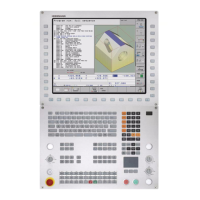
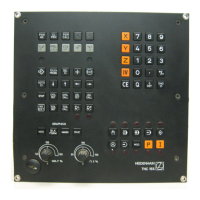
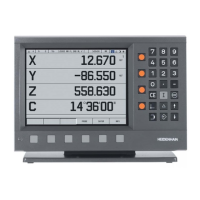
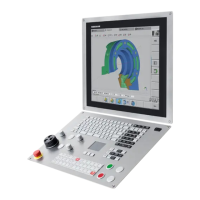
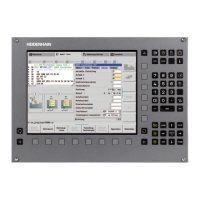
HEIDENHAIN ITNC 530 - Service Manual

HEIDENHAIN ITNC 530
696 pages
Print Icon
To Next Page IconTo Next Page
Loading...
July 2010
Service Manual
iTNC 530

Table of Contents

Other manuals for HEIDENHAIN ITNC 530

Questions and Answers

  • S
    Seth BurnsJul 26, 2025
    What to do if the motor encoder is loose on HEIDENHAIN ITNC 530?
    • A
      allencarolineJul 26, 2025
      If the motor encoder on your HEIDENHAIN Control Systems is loose, such as having a loose or defective coupling between the motor encoder housing and the motor housing, tighten or replace the coupling to ensure a secure connection.
  • V
    vpruittAug 8, 2025
    What to do if the interface is defective on HEIDENHAIN ITNC 530 Control Systems?
    • B
      Barbara CombsAug 8, 2025
      If the interface on the HEIDENHAIN Control Systems is defective, check and replace the defective interface if necessary.
  • К
    Куликов Александр АлександровичSep 5, 2025
    TOUCH PROBE

    Summary

    How to Use this Service Manual

    Safety

    Highlights the critical importance of reading safety precautions before servicing.

    Safety Precautions

    Overview

    Provides a summary of essential safety precautions for servicing the iTNC 530 control.

    Error Messages

    List of NC Error Messages

    Provides a filtered list of important NC error messages indicating technical defects.

    Procedures and Tips for Error Diagnosis

    Sequence for Finding Serious Electrical Errors

    Provides a systematic approach to identifying ground faults and short circuits.

    Sequence for Finding Errors in the Control Loop

    Details a procedure for diagnosing errors related to movement, acceleration, or standstill.

    Error Localization by Process of Interchange

    Explains the interchange method for diagnosing faulty components like servo amplifiers or motors.

    Error Localization by Process of Exclusion

    Describes how to deselect defective devices or axes to isolate the error's source.

    Integrated Diagnostic Functions and DriveDiag

    Activation and Operation

    Explains how to activate and operate the drive diagnosis and DriveDiag functions.

    For Error Diagnosis

    Refers to respective chapters for detailed use of diagnostic functions or DriveDiag.

    Integrated Oscilloscope

    Activation and Settings

    Details how to activate the oscilloscope and configure its settings.

    Recording and Adjusting the Signals

    Explains how to record signals and adjust vertical and horizontal resolution.

    For Error Diagnosis

    Explains triggering on error markers for diagnosing faults using the oscilloscope.

    PLC Diagnosis

    Possible Causes of Errors

    Lists general and PROFIBUS-specific possible causes for PLC errors.

    Diagnosis Tools in the PLC Mode

    Introduces diagnostic tools like TABLE, LOGIC diagram, TRACE, WATCH LIST, I/O-FORCE LIST, PROFIBUS diagnosis.

    Hard Disk and File Manager of the iTNC 530

    Test of Hard Disk

    Explains field tests for hard disk communication and indicates when HEIDENHAIN agency tests are needed.

    Data Backup

    Connection Setup

    Explains how to set up connections via Ethernet, RS-232-C, RS-422, and USB interfaces.

    Backup on an External Data Medium

    Guides on backing up control data to external media like service laptops.

    Restoring Data

    Provides instructions on restoring machine data from backups.

    Reloading the NC Software Used

    Preparations

    Covers essential preparations including hard disk tests and checking active software versions.

    Proceeding up to NC Software 34049 x-01 (Single-Processor Version)

    Details the procedure for reloading NC software for single-processor versions prior to 34049x-02.

    Loading of Service Packs

    Introduction

    Explains service packs for correcting NC software errors and their loading process.

    Checking the Enables on the iTNC 530

    Examination

    Details how to check enables using diagnosis tools like DriveDiag, PLC-TRACE, or PLC-TABLE.

    Power Supply

    Power Supply for the iTNC 530

    Describes the power supply components for the iTNC 530, including inverters and supply units.

    Power Supply for Control-Is-Ready Signal

    Explains the 24 Vdc power supply for the control-is-ready signal and troubleshooting.

    Encoder Interface

    Position Encoders

    Introduces position encoders, their types, inputs, monitoring functions, and parameters.

    Speed Encoders

    Details speed encoders, their inputs, monitoring, assignment in machine parameters, and types.

    Reference Run

    Definition

    Explains the concept of reference run, reference marks, machine datum, and spindle preset.

    Interface to the Drives

    Digital PWM Interface

    Introduces digital PWM interfaces for controlling servo amplifiers and lists motor types.

    Analog Speed Command Interface

    Details the analog speed command interface for operating analog axes and spindles.

    Machine Operating Panel

    Handwheel

    Error Location on Portable Handwheel with HR 420 Display

    Guides through diagnosing errors on HR 420 portable handwheels, including power supply checks.

    Touch Probe

    Connector Designation and Layout

    Encoders

    Provides information on position and speed encoders, including adapter details.

    Exchange of HEIDENHAIN Components

    Important Information

    Highlights safety precautions and the importance of using original HEIDENHAIN components.

    Exchange of the MC 422

    Provides a detailed procedure for exchanging the MC 422, including backup and preparation.

    Exchange of the Drive Assembly

    Guides on exchanging the drive assembly, including backup and removal/installation steps.

    Exchange of the MC 422 B, MC 422 C, MC 420

    Details the procedure for exchanging MC 422 B, MC 422 C, and MC 420 units.

    Exchange of the HDR

    Explains the process of exchanging the Hard Disk Removable (HDR), including backup and transport.

    Exchange of the CC

    Provides instructions for exchanging the Controller Computer (CC) unit.

    Measuring, Testing and Inspection Equipment

    Machine Parameter

    The Machine Parameter Editor

    Explains how to use the MP list, access subgroups, and edit parameters safely.

    List of Machine Parameters

    Lists machine parameters categorized by topic, including functions and SW version behavior.

    Annex: Principle of Function of the iTNC 530 Control

    The Control Loop

    Explains the control loop for analog and digital axes/spindles and cascade control.

    Annex: Monitoring Functions

    Introduction

    Describes the iTNC 530's comprehensive monitoring functions for safety and error detection.

    During Start-Up

    Details the EMERGENCY STOP test performed during control startup for safety.

    During Operation

    Lists positions and parameters monitored during operation, including axis, motor, and power supply status.

    HEIDENHAIN ITNC 530 Specifications

    General IconGeneral
    Control TypeCNC
    Look-aheadYes
    Spindle controlYes
    Touch probe cyclesYes
    Operating voltage24 V DC
    ProgrammingConversational and DIN/ISO programming
    InterpolationLinear, Circular, Helical
    Data InterfaceEthernet, USB, RS-232
    Memory1 GB
    Programming LanguageHEIDENHAIN plain language
    Operating ModesManual, Automatic, MDA
    Software OptionsVarious software options available

    Related product manuals