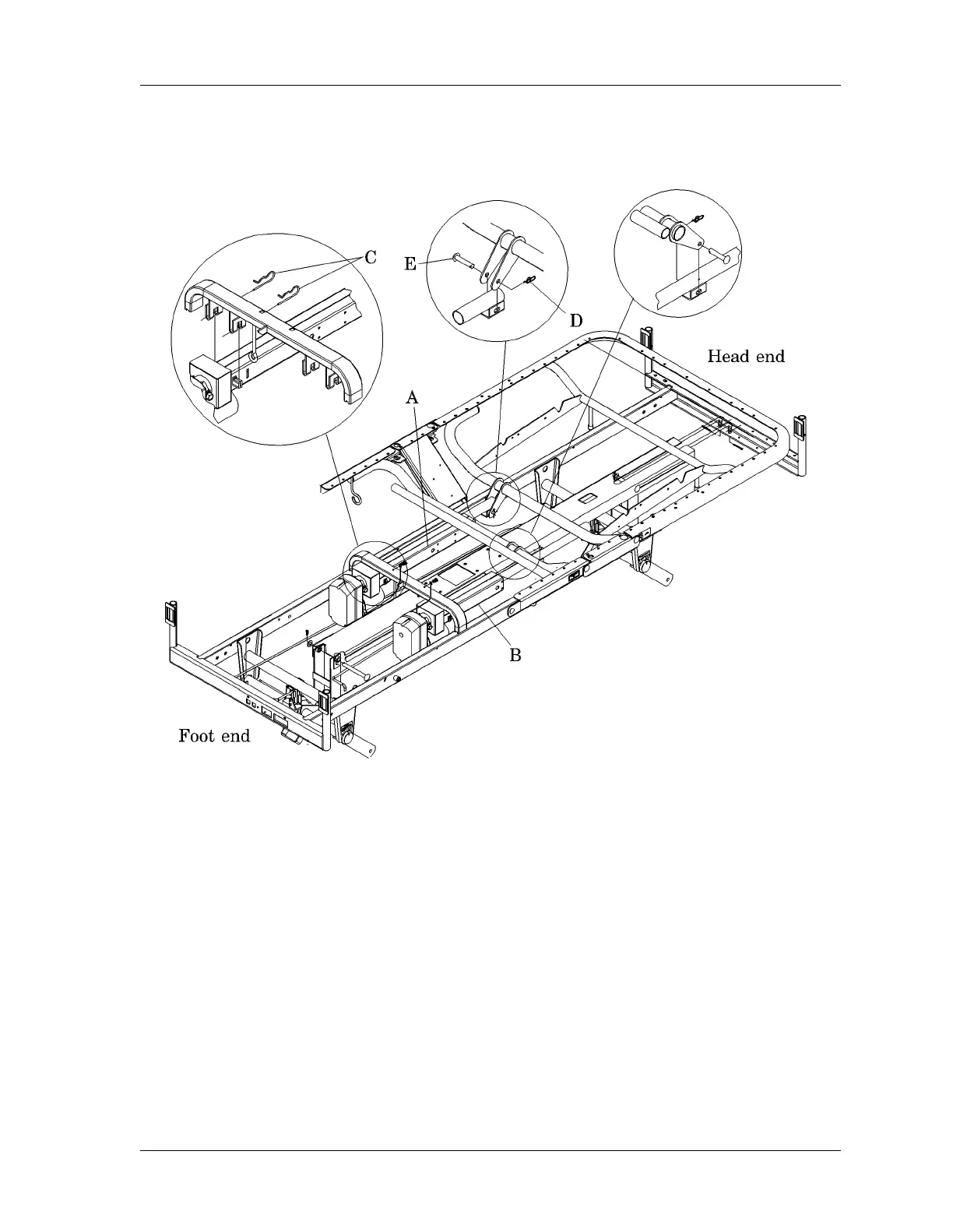
4.6 Head or Knee Drive Screw
Chapter 4: Removal, Replacement, and Adjustment Procedures
Page 4 - 22 Century+™ Bed Service Manual (man241)
Figure 4-6. Head or Knee Drive Screw
5. Using the needle nose pliers, remove the cotter pin (D) from the end of the
drive screw.
6. Remove the clevis pin (E) from the end of the head drive screw (A) or knee
drive screw (B), and remove the drive screw from the bed.
Replacement
1. Place the drive screw into position on the bed and secure the end of the
drive screw with the clevis pin (E).
2. Secure the clevis pin (E) with the cotter pin (D).
m241_127















 To Next Page