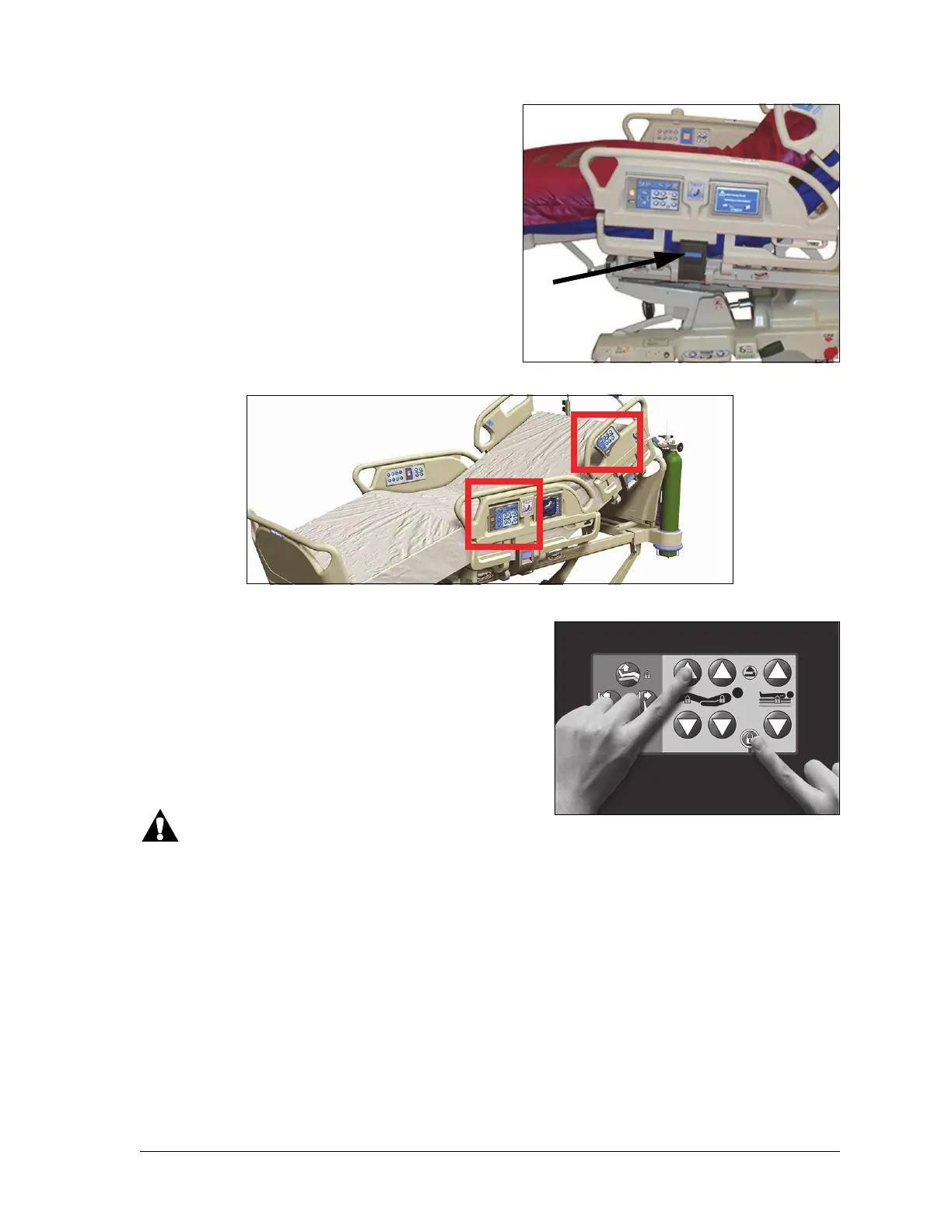
Caregiver Siderail Controls
16 Progressa® Bed Instructions for Use (171528 REV 9)
To Raise the Siderail
1. Pull the siderail up until it latches into the locked
position.
2. When you raise the siderails, a click will be heard
when it latches into the locked position.
3. Once the click is heard, gently pull on the siderail
to make sure it is latched properly.
To Lower the Siderail
1. Grasp the release handle and push up.
2. Lower the siderail.
SIDERAIL CONTROLS LOCATION
The Point-of-Care® Siderail controls are located on the outboard side of the siderails.
LOCKOUT CONTROLS
The Lockout controls are located on the intermediate
siderail caregiver control panel. The Lockout controls
disable the bed articulating functions. The Lockout controls
are used when it is necessary to prevent bed movement.
Emergency CPR will not be locked out. If CPR is activated,
any controls that are locked out will become unlocked.
Follow facility protocol for lock outs to reduce the likelihood
of unauthorized use of the bed controls.
Warning—Lock out all articulation controls when traction equipment is installed. Failure to do so could
cause patient injury.
To Activate
• At the same time press the Lockout control and the function control.
– A single beep sounds and the locked function indicator will stay on. Both patient and
caregiver controls are locked out.
– If the lock out procedure is done incorrectly, the bed will beep three times and a screen will
show on the GCI to show the correct procedure.
• The knee lockout will lock out the foot control. The foot Up/Down lockout will lock out the knee
control.
• The bed up down lockout will lock out Trendelenburg and Reverse Trendelenburg.
• Any lockout will also lock out all chair positions and bed flat.












 To Next Page