Graphical Caregiver Interface (GCI)® Controls
Progressa® Bed Instructions for Use (171528 REV 9) 31
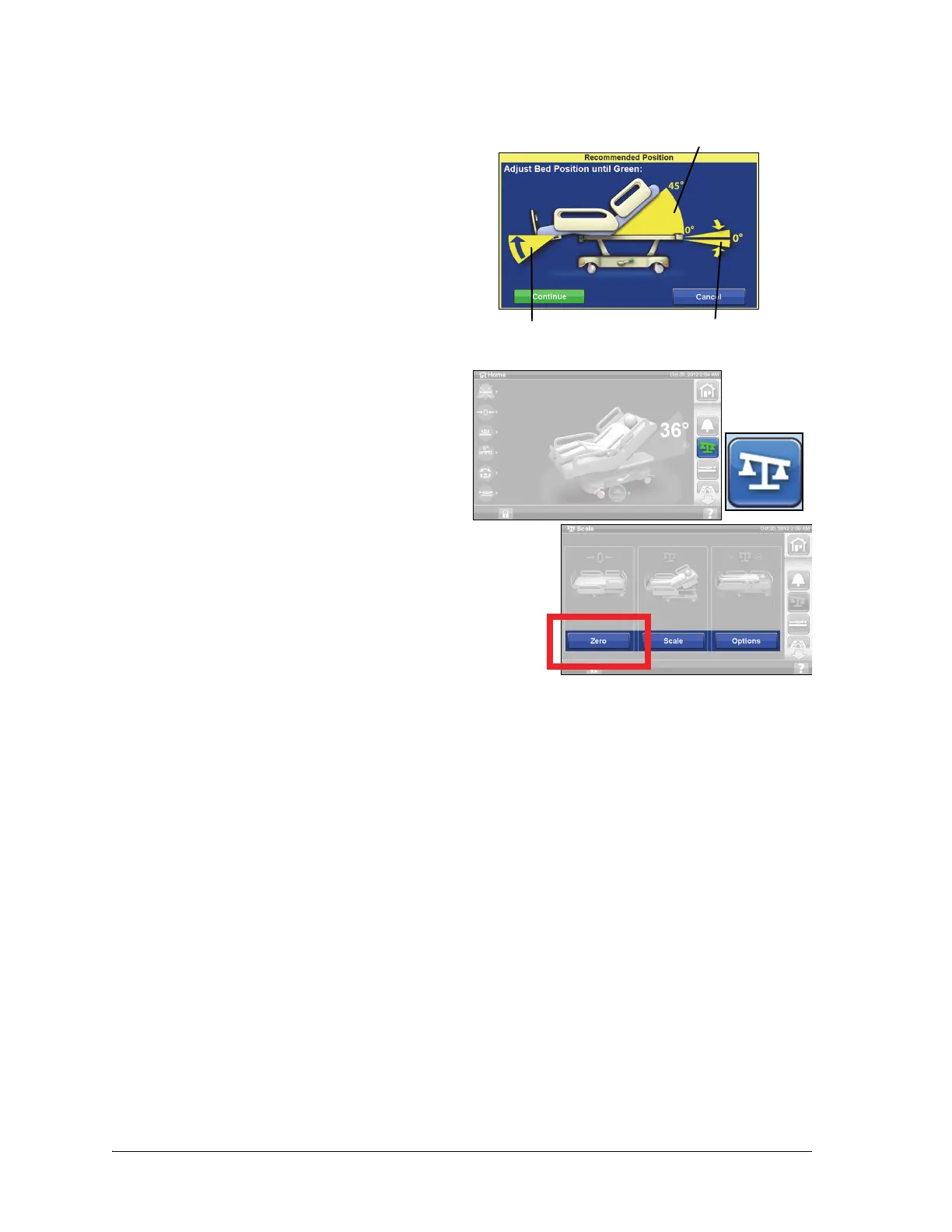
Recommended bed Position to Weigh a Patient and Required Bed Position to Zero
the Bed
• Head lower than 45°.
• Foot not more than 30° below horizontal.
• Trendelendburg/Reverse Trendelenburg less
than 2°.
Zero/New Patient
1. Make sure the patient is not on the bed.
2. Put the bed in the required position (refer to
“Recommended bed Position to Weigh a
Patient and Required Bed Position to Zero the
Bed” on page 31).
3. Press the Scale control on the GCI.
4. Press Zero.
5. Press:
– New Patient
• Erases Scale History (all previously
recorded patient weights will be
erased)
•Zeroes the scale
• Returns the surface to Normal mode
• Turns off all RemindMe reminders
or
– Zero
•Does not erase Scale History
•Zeroes the scale
6. Follow the on-screen instructions.
– If during Zero or New Patient, the “Not Required Position” message shows on the GCI,
adjust the bed as applicable.
Foot Up
Head Angle
Trendelenburg
Angle












 To Next Page