Surfaces
68 Progressa® Bed Instructions for Use (171528 REV 9)
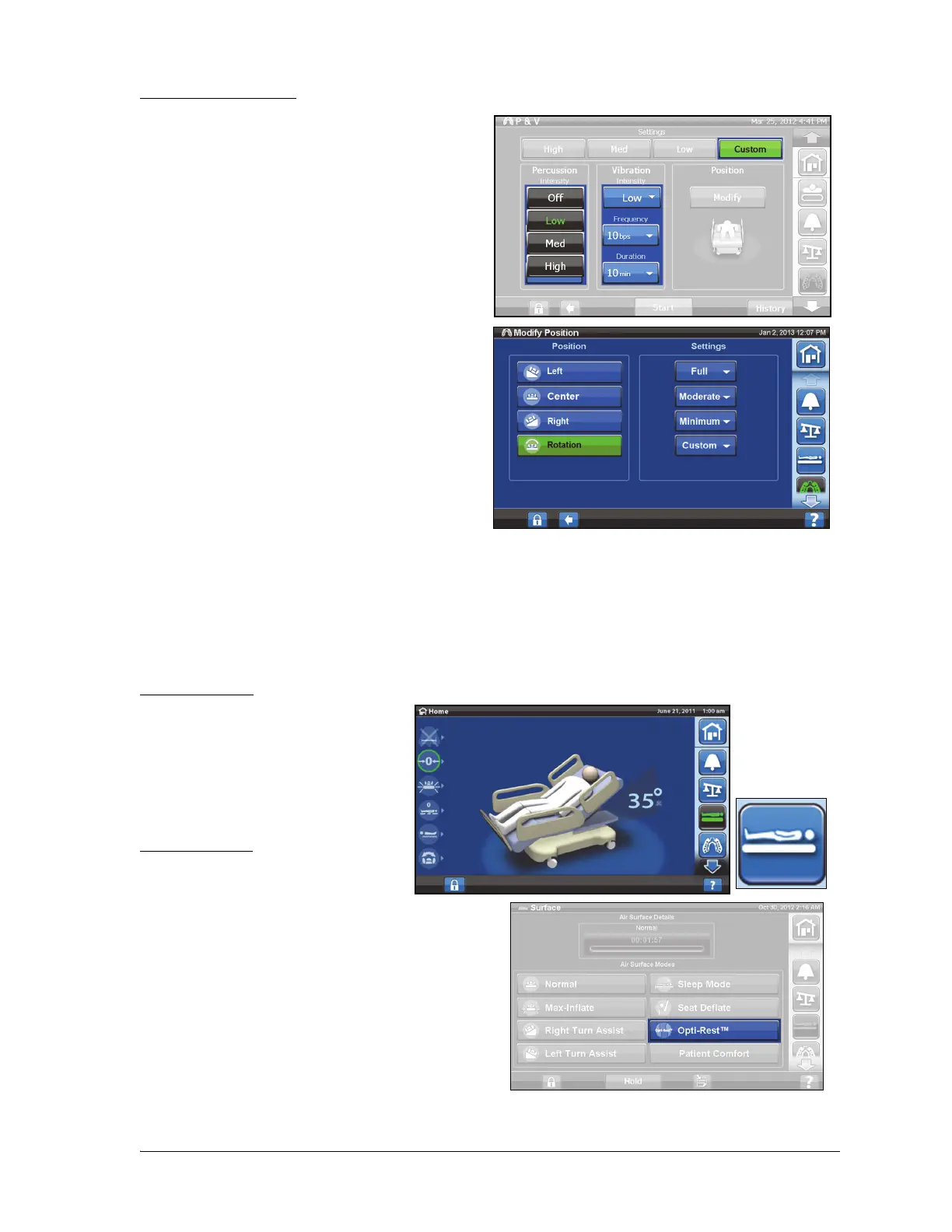
Set Custom Settings
1. Press Custom.
2. Press the applicable setting.
3. Change the setting as applicable.
4. Press Start when all settings are correct.
The following settings can be customized
• Position: Right/Left/Center or Rotation
• Turn %: For right and left position only
• Percussion/Vibration: Right/Left/Center or
Rotation
• Percussion frequency: 1 to 5 Beats per Sec
•Intensity: Low-Med-High
• Duration: 5 to 30 minutes, adjusted in
increments of 5 minutes.
• Vibration frequency: 5 - 25 Beats per Sec
(BPS)
• To operate Percussion and Vibration
separately, select Intensity Off for the therapy
that is not desired.
Opti-Rest
The Opti-Rest mode offers wave-like motions in the surface while maintaining pressure relief. It adjusts
the pressure in the chest, seat, and thigh zones producing a massaging wave-like action.
Start Opti-Rest
1. Press the Surface control on
the GCI.
2. Press Opti-Rest.
3. Opti-Rest is active when the
button turns green.
Stop Opti-Rest
1. Press the Surface control on
the GCI.
2. Press Normal control.












 To Next Page