EOS
|
HD OPERATION
47
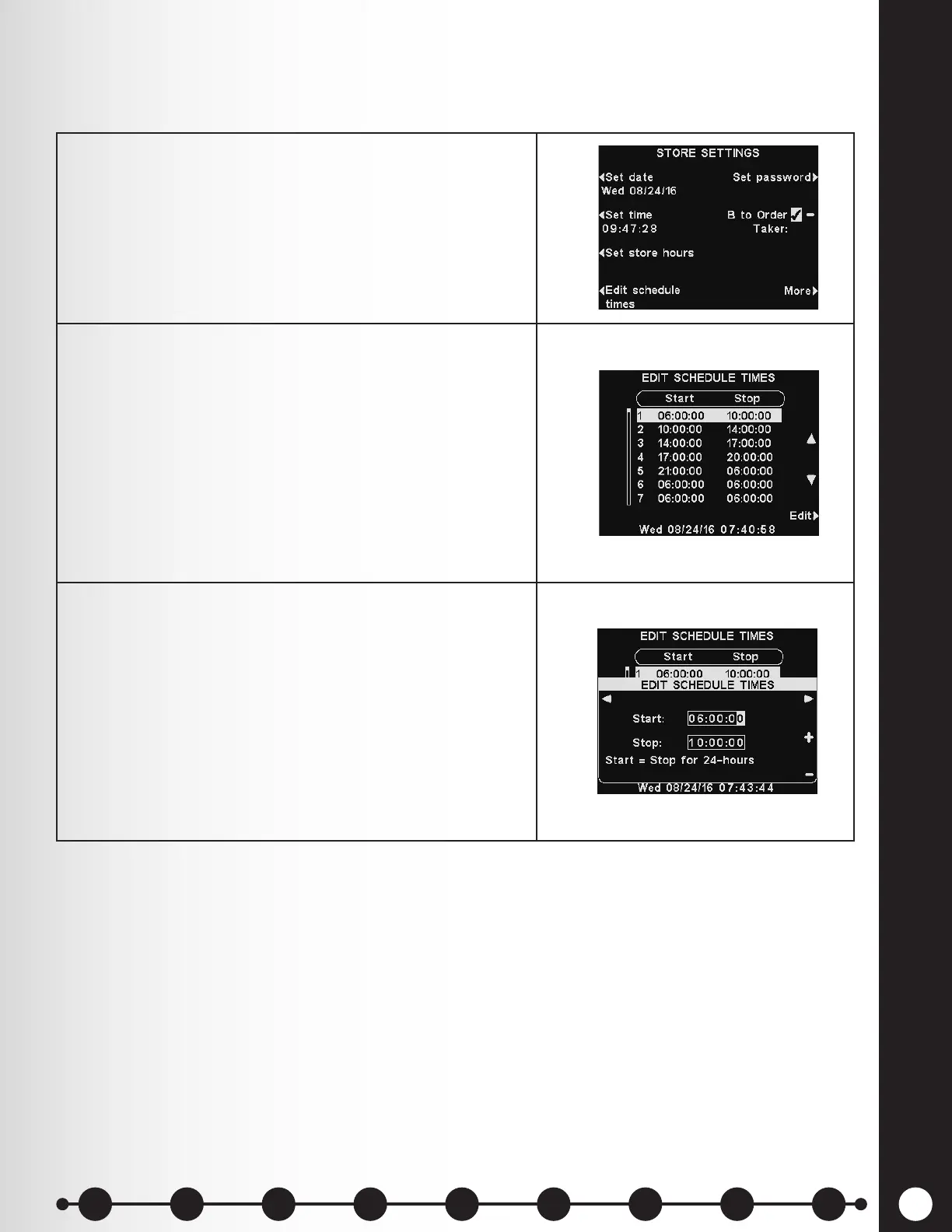
Edit Schedule Times
Up to 12 Schedule Times can be set to establish periods in which messages can be played from the
Message Center. Schedule Times can be edited as needed.
1. To make changes to the Schedule Times, press
the Edit schedule times button on the STORE
SETTINGS display.
The EDIT SCHEDULE TIMES display can also be
accessed through the MESSAGE CENTER.
2. On the EDIT SCHEDULE TIMES display, press the
▲(up) and ▼(down) buttons to move up and down the
list of time periods.
You can continue pressing the ▼ button past 7 until
you reach 12. When the time period you would like to
change is highlighted, press the Edit button.
Note: Changing these time periods will affect all
Message Center message schedules. Time periods for
Scheduled Outbound Volume Settings will not be
affected.
3. Use the ◄ and ► buttons to move the highlight in the
Start or Stop eld, and then use the + and − buttons
to change the highlighted numbers.
To move from one eld to the other, repeat pressing
the ◄ or ► button until the highlight moves beyond
the end of one eld and into the other.
If your store is open 24 hours, and you want a
schedule to run for 24 hours, set the Stop time the
same as the Start time. To save these settings, press
the Back button.
1 2 3 4 5 6 7 8 9
Introduction
EOS|HD
Equipment
EOS|HD
Operation
Audio Processing
Functions
Equipment Care
and Cleaning
Troubleshooting
Equipment
Specications
EOS|HD Message
Center Guide
Important
Notices



 To Next Page