7. Multi-function
handle
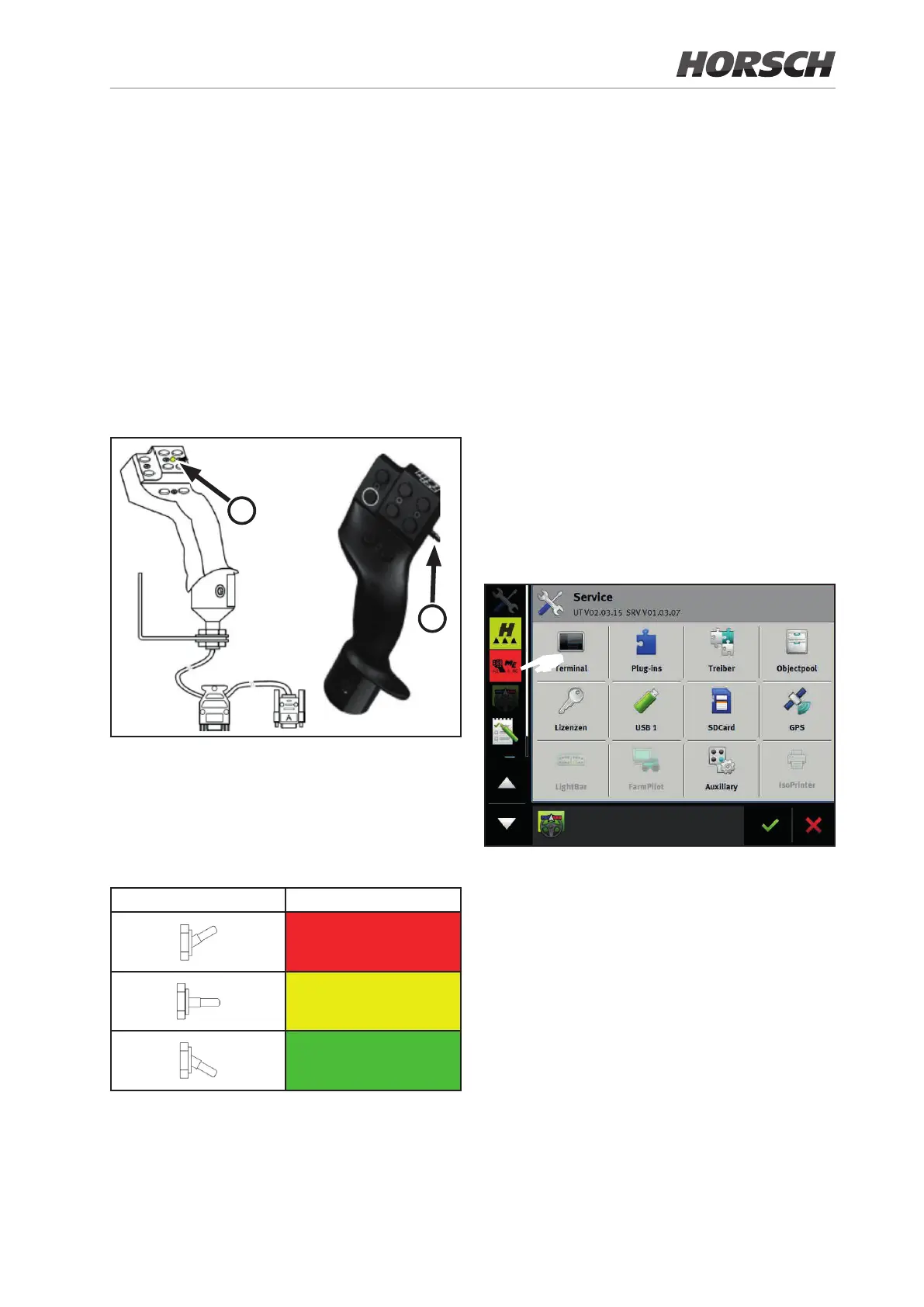
The multi-function handle is an ISOBUS-capable
operating element and can additionally be con-
nected to the terminal to ease operation.
It contains the functions most frequently needed
during operation. They can therefore be selected
easily, quickly and without visual contact.
The number of screens is reduced by using the
multi-function handle and thus provides a better
overview.
1
2
The multi-function handle has 8 buttons at the
front side and a switch (2) at the right side.
It allows changing between 3 levels. The cur-
rently set level is indicated on the front with a
colour LED (1).
Switch position LED coloured status
Red
Yellow
Green
7.1 Operation
¾ Set the switch on the side to the desired level
and hold it. The LED lights in the correspond-
ing colour.
¾ Press the button with the desired function.
¾ Release the button and switch to terminate
the activated work step.
7.2 as ISOBUS subscriber
7.2.1 The multi-function handle
is already registered as ISOBUS
subscriber
¾ The following gure shows that the multi-
function handle has already been registered
as ISOBUS subscriber.
F
109











 To Next Page