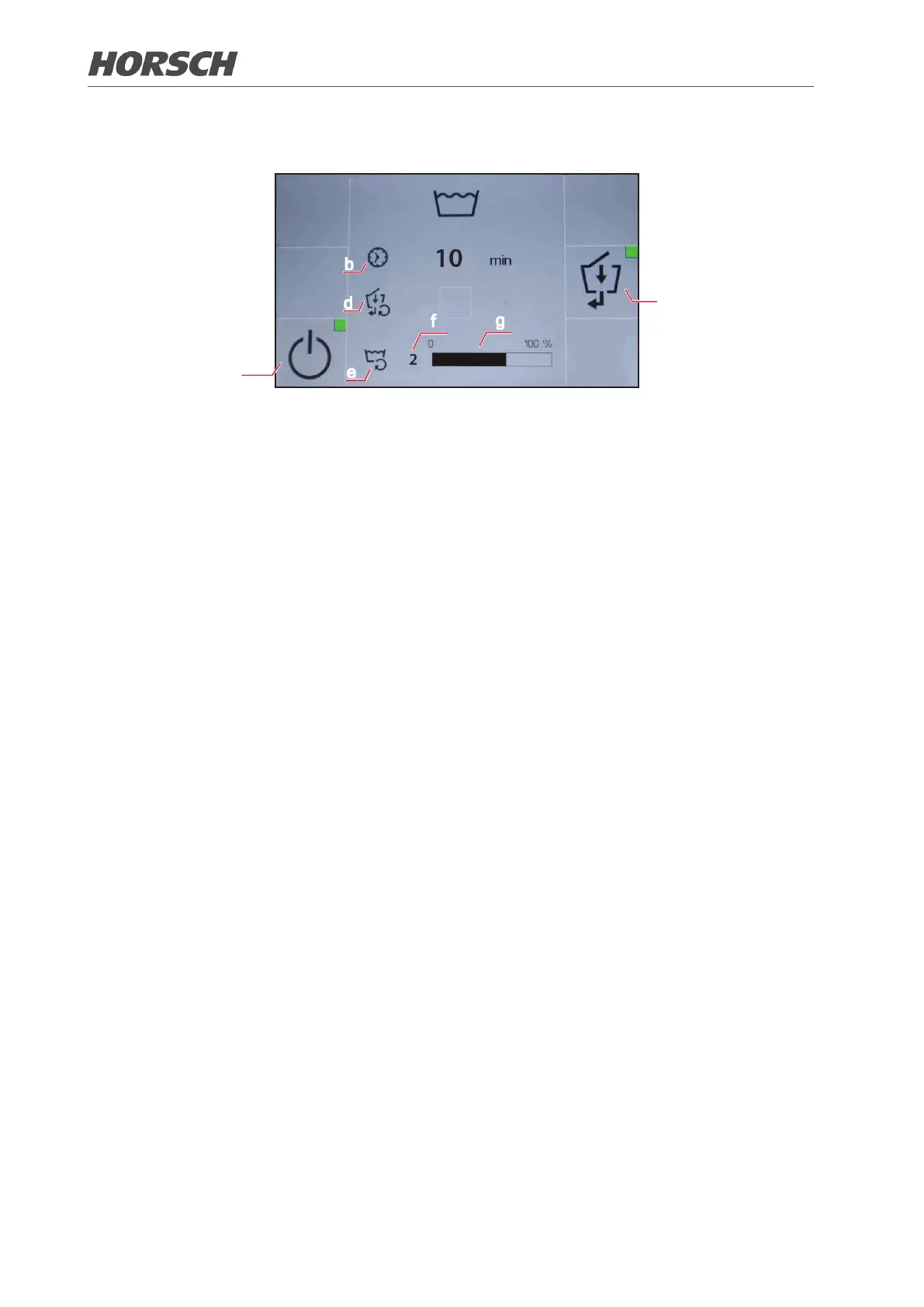
4.3 Washing program
b
d
c
e
f
a
g
The washing program can be used to ush and clean the pump and line system (e.g. by using
special cleaning agents).
(a) Start/stop the washing program. The green indicator dot lights throughout the process. The
program must be switched o again manually after thorough cleaning!
(b) Runtime of the washing program since activation.
(c) Activate/deactivate cleaning of illuviation valve. The green indicator dot lights throughout the
process. Deactivate the illuviation valve again after cleaning is completed!
(d) Status of cleaning the illuviation valve. A checkmark is placed behind the symbol when clean-
ing is nished.
(e) Cleaning cycle
(f) Number of cleaning cycles since activation of the washing program.
(g) Cleaning cycle status display.
94 95











 To Next Page