¾ Each border and edge nozzle must be selected
individually to clean it. The border or edge nozzle
can be selected per side.
¾ Spray-cleaning can be controlled via the applica-
tion quantity or the spraying pressure. The set
function is indicated by a green triangle below
the bar graph.
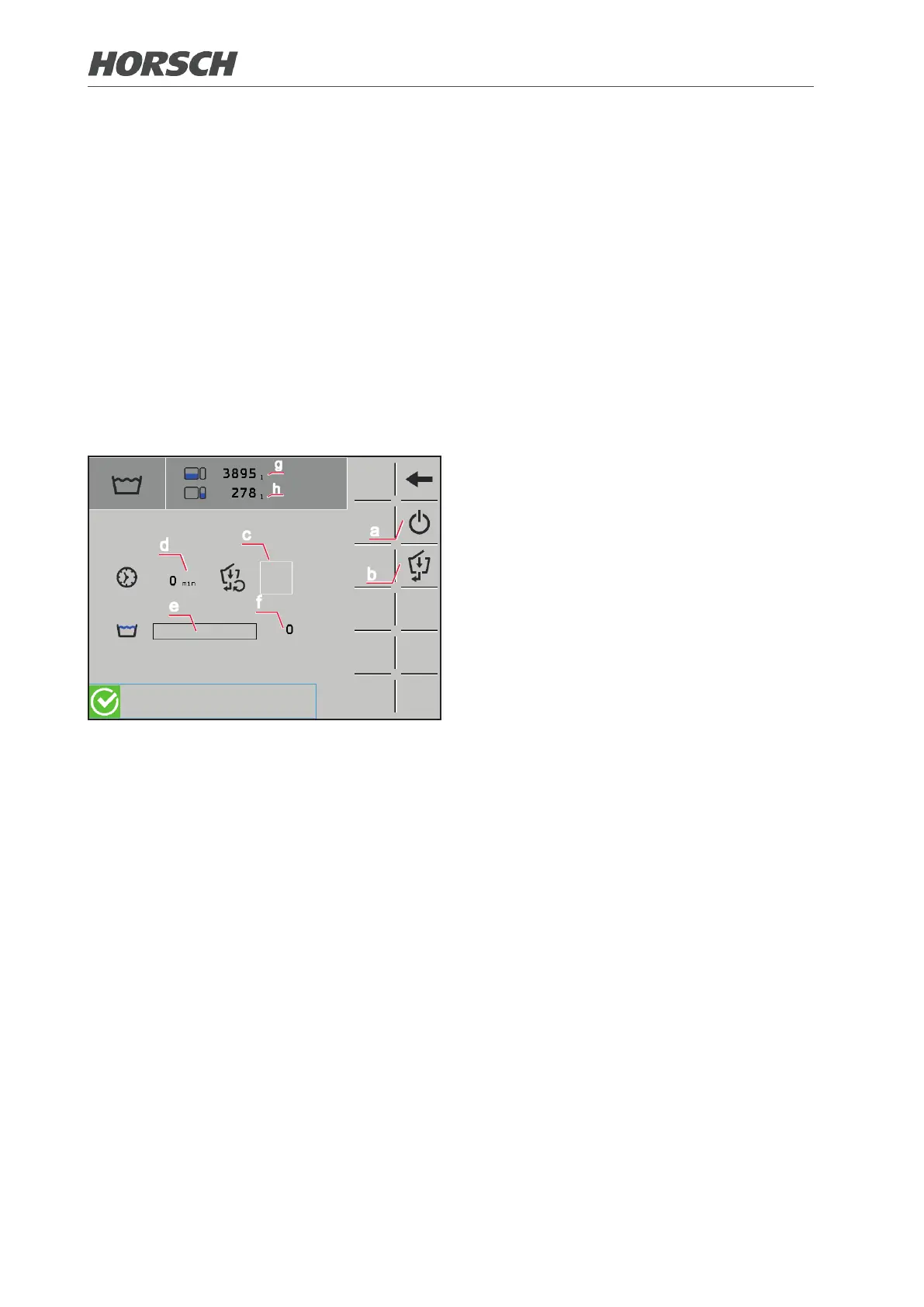
3.2.3.3 Washing program
d
c
e
f
b
a
g
h
The bars under the symbols show the status
of cleaning.
(a) Start/stop the washing program.
¾ The program must be switched o again
manually after thorough cleaning.
(b) Activate/deactivate cleaning of illuviation
valve
(c) Status of cleaning the illuviation valve
(d) Time since activation of the washing
program
(e) Current cleaning cycle status display
(f) Number of cleaning cycles since the ac-
tivation of the washing program
(g) Filling level spraying mixture container
(h) Filling level fresh water tank
20 21











 To Next Page