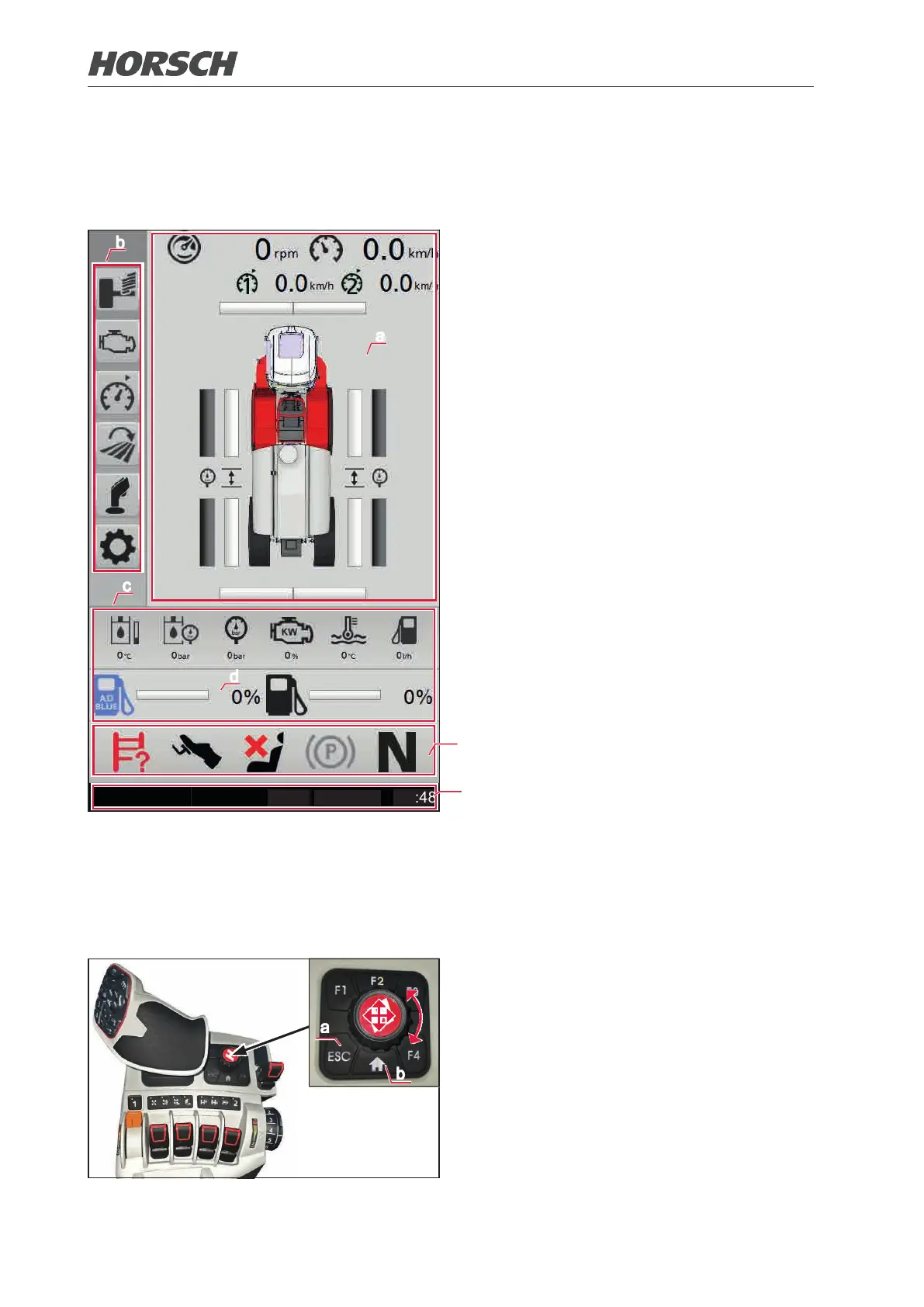
3.4 Machine terminal 6.300 PT / 7.300 PT / 8.300 PT
The terminal is located on the right A-pillar of the driver's cab. The main page shows the most
current data, the most important functions and settings for road or eld operation.
a
b
c
d
e
(a) Field mode/street mode display eld
(b) Submenu bar
(c) Vehicle data bar
(d) Tank bar
¾ Vehicle data bar and tank bar are overlaid
for error messages. An explanation of the
individual error messages can be found in the
Messages section.
¾ Error messages cycle slowly
¾ If all error messages were displayed, the
bars are displayed again for a few seconds
followed by the error messages
(e) Vehicle status bar
(f) General status bar
¾ Error messages are displayed here as well.
Refer to the Messages section in this regard.
0°C
30/08/2019
10:48
f
The menu of the machine terminal is operated via a rotary pushbutton. The functions are selected
by the movements Up, Down, Left, Right or by turning the button and conrmed by pressing the
button.
The ESC button (a) always returns you to the menu. The Home button (b) returns you to the main
overview of the machine terminal.
b
a
72 73











 To Next Page