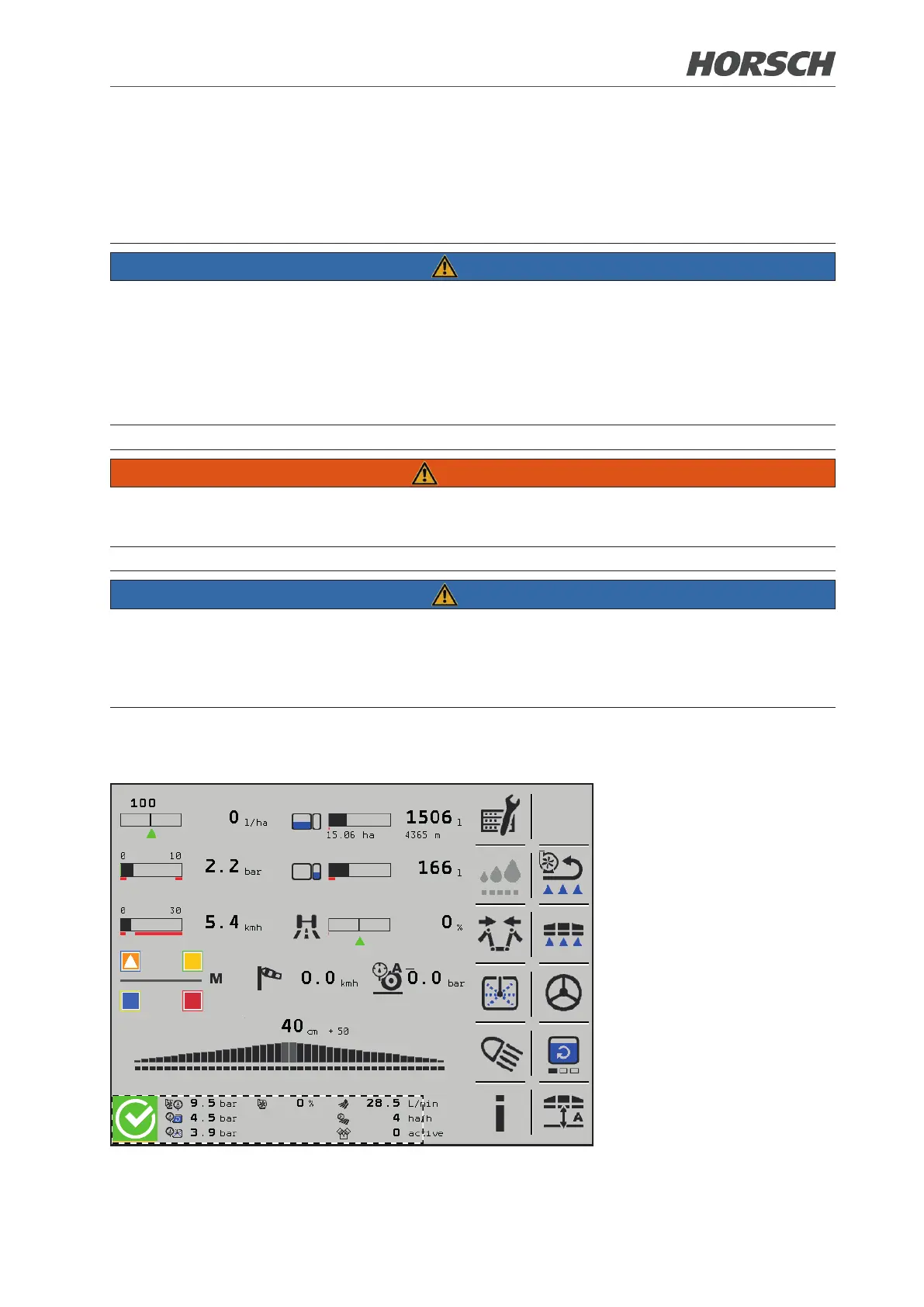
3. Main control terminal
The graphic user interface shows current settings and measuring values in spraying operation.
Adaptations can be made via touchscreen, rotary wheel or buttons.
NOTE
¾ Does not replace the operating instructions of the basic machine!
¾ Pay attention to the safety instructions and warnings in the operating instructions of the basic
machine!
¾ The operating instructions must always be carried along!
¾ Operators must have read and understood the complete operating instructions before working
with the machine!
WARNING
Risk of accident or tipping of the machine through uncontrolled movements. Rear axle steering
must always be locked during transport travel.
NOTE
¾ During use in the eld the machine is operated via the main page (working screen) and its
submenus.
¾ Submenus are located below certain functions of the working screen.
¾ Depending on the machine equipment some functions may not be present in main and submenus.
3.1 Main page sprayer implement
The main page shows the most important functions and settings for spraying operation.
MF 7











 To Next Page