i
k
g
h
l
d
e
f
m
n
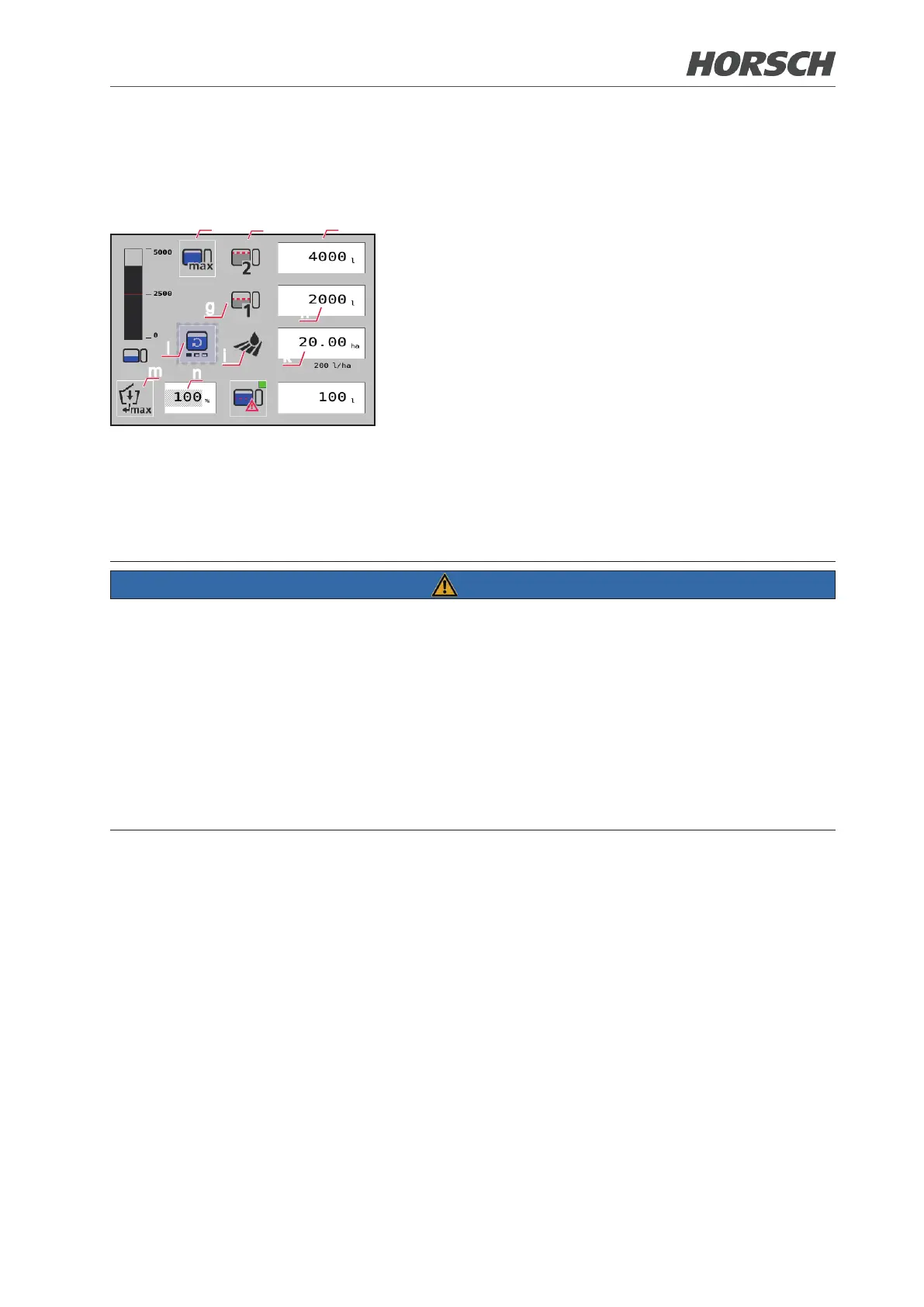
(i) Set area to be cultivated in hectare.
¾ The lling quantity (f) is calculated using the currently
set value and the placing quantity.
¾ Select the button and enter the area in the input
eld (k). The required lling quantity is displayed in
the input eld (f).
(l) Adjusting the intensity of the agitator.
¾ By touching the symbol the agitator can set to 4 in-
tensity levels. The agitator is switched one level
higher with each touch.
(m) Adjusting the volume of water to be directed to the
illuviation valve.
¾ Switching between User-dened (% value) and Max
(100%) is possible on the button (m). A % value
can only be set at User-dened!
¾ Select button (m) and enter the amount as percent-
age of the max. volume in the input eld (n).
NOTE
¾ If the value of lling limit 2 is greater than the rated volume of the spraying mixture container, a
message is displayed at the terminal and the lling limit is reduced to the rated volume.
¾ Filling stops at lling limit 1 (if a value is entered). Starting lling again lls the spraying mixture
container up to lling limit 2.
¾ When lling limit 1 is reached, the system automatically switches over to lling limit 2 if its value is
greater than the current lling limit or the current lling level of the spraying mixture container.
Starting lling again lls the spraying mixture container up to lling limit 2.
¾ If no value is entered at lling limit 1, lling runs up to the value of lling limit 2 and lling nishes.
¾ If the value of lling limit 1 is greater than the value of lling limit 2, lling runs up to the value of lling
limit 2 and lling nishes.
32 33











 To Next Page