F
a
b
F
F
F
F
c
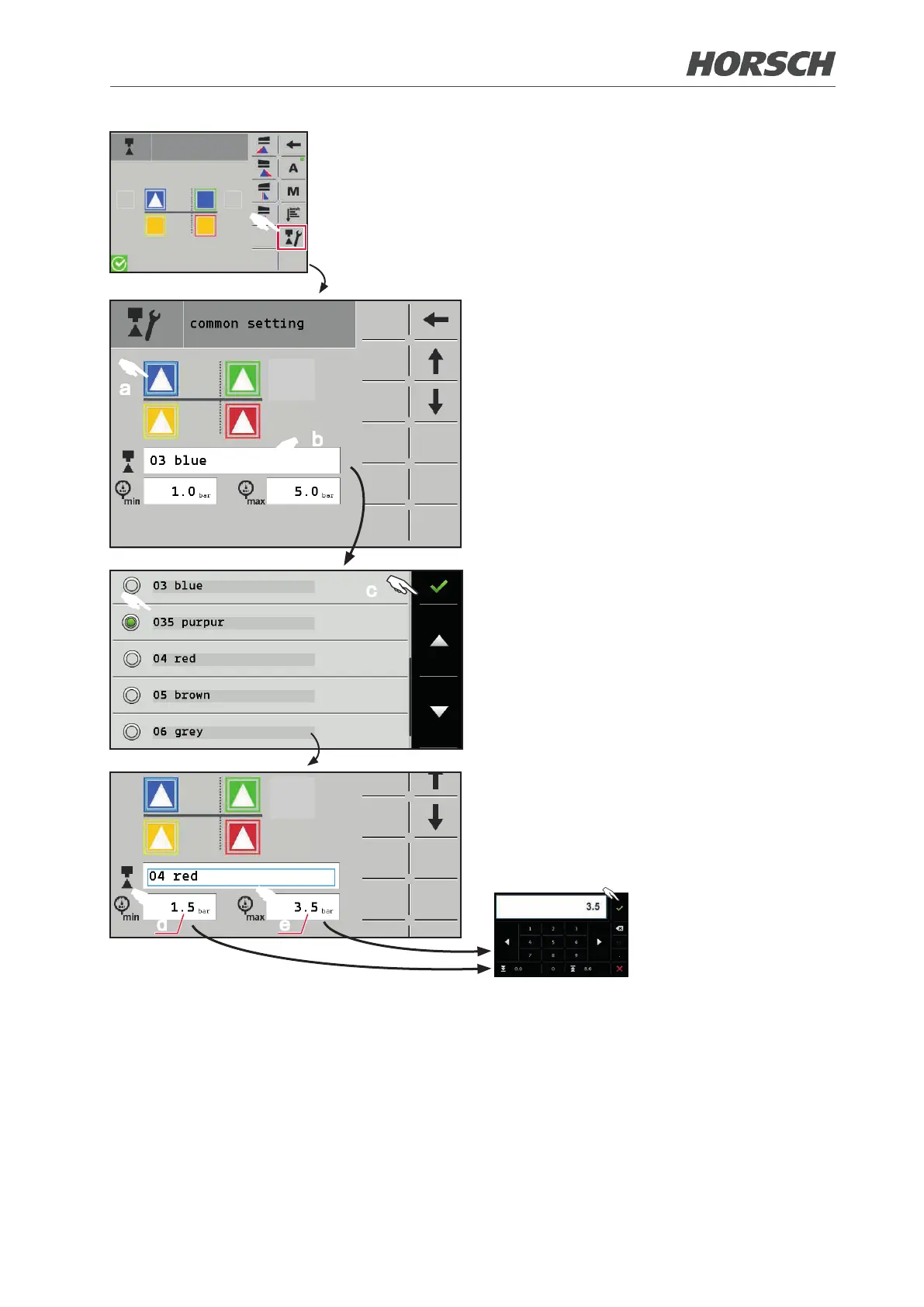
¾ Call up the "common setting" screen.
¾ Select the nozzle place (a). The selected
place will be framed.
¾ Touch the eld (b) and choose the selected
nozzle (diameter and colour) from the list.
Select "n/a" if no nozzle is installed.
¾ Conrm the selection with (c).
¾ Enter the maximum permissible pressures
for the nozzle (f) in elds (d) and (e). Note
the data sheet for the nozzle or the crop
protection ordinance to this end.
d e
F
f
F
F
40 41











 To Next Page