FULLTEST3
EN - 25
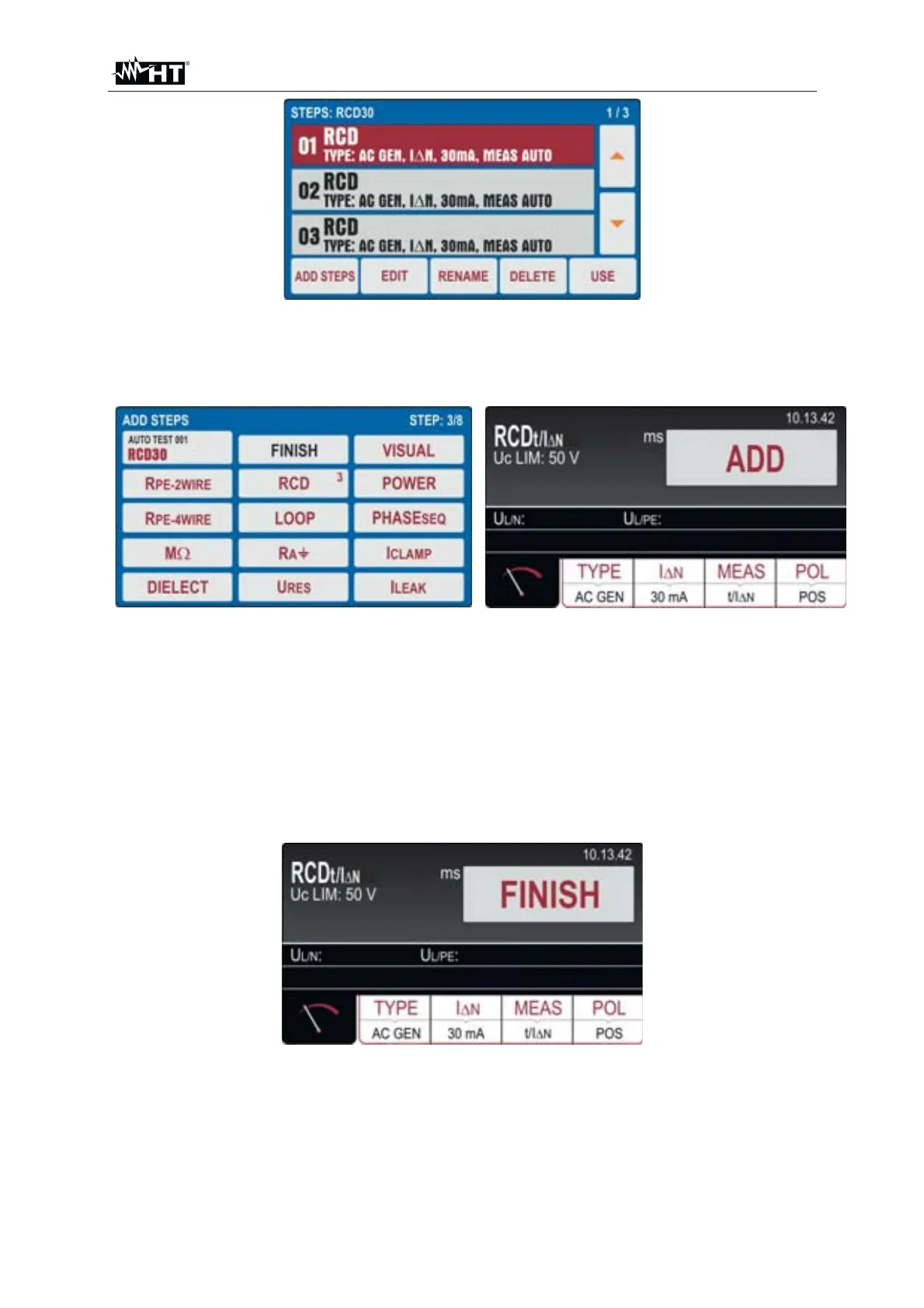
Fig. 20 : AUTOTEST Menu – Including tests inside an Autotest
5. Press the ADD STEPS key or touch the selected Autotest to add a test. The
instrument proposes the screen of Fig. 21 - left side
Fig. 21 : AUTOTEST Menu – Including tests inside an Autotest
6. Touch the test to be include (ex: RCD) noting the presence of the number of tests
currently included in the Autotest (ex: 3). The instrument shows the screen of the
selected function (see Fig. 21 - right side). Perform the desired programming and
touch the ADD key to add the test
7. Repeat the same steps to add up to 8 tests and touch the FINISH button (see Fig.
21 - left side) to finish the inclusion. Note the Autotest update
8. Touch the EDIT key to modify the parameters of the selected test. The following
screen is shown on the display
Fig. 22 : AUTOTEST Menu – Modified test to add the Autotest
9. Make the desired changes and touch the FINISH key to return to the previous
screen
10. Touch the RENAME key to rename the Autotest name
11. Touch the DELETE key to cancel the selected test within the Autotest
12. Touch the USE key to run the Autotest (see §)



 To Next Page