FULLTEST3
EN - 66
6.9. FUNCTIONAL TEST (POWER)
The instrument allows to perform routine functional tests on equipment directly
connected to the schuko test socket on the front panel (see Fig. 2 - part 25). In this
case the instrument supplies the UUT and measures its parameters: voltage, current,
active power, apparent power, power factor (PF) and leakage current on the plug.
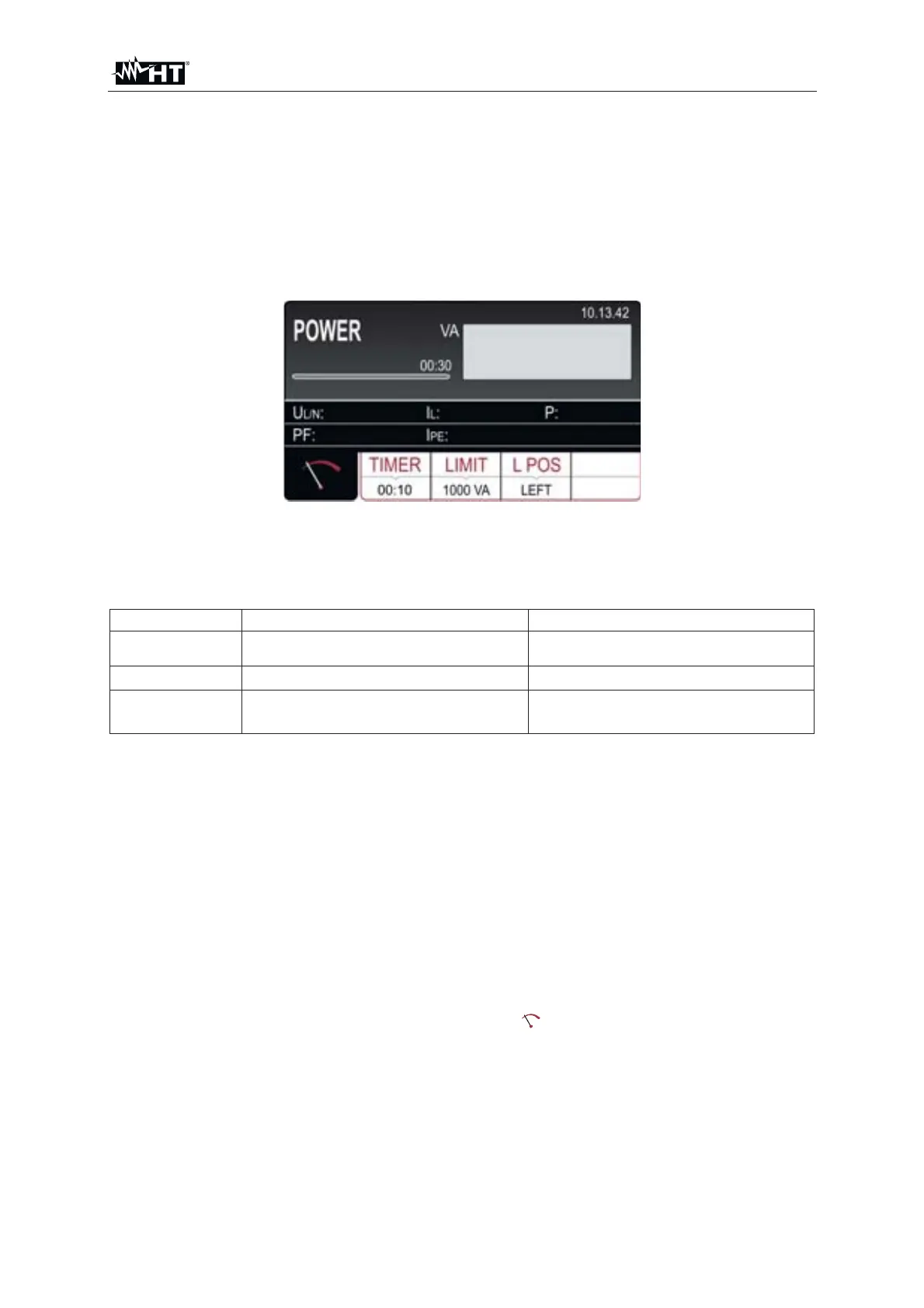
1. Press the FUNC key and select the POWER function. The following screen is
shown on the display
Fig. 62 : POWER initial screen
2. Select the test parameters on the instrument (see Table 11) and carry out the
desired setup
Parameter Description Value
TIMER Measurement time
5s y 60min, resolution 1s
LIMIT UUT apparent power limit value
6VA y 5.06kVA
L POS
Position of Phase terminal on the
schuko test socket
LEFT / RIGHT
Table 11 : Setup parameters of POWER function
3. Check selected measurement time and modify it if needed by pressing the TIMER
touch-screen key first. Four independent preset measurement times are available
for quicker operations. Select the closest one and modify it by using the + and ʊ
touch screen keys if needed
4. Check selected limit apparent power and modify it if needed by pressing the
LIMIT touch-screen key first. Four independent preset limit values are available
for quicker operations. Select the closest one and modify it by using the + and ʊ
touch screen keys if needed
5. Check selected position of phase terminal on schuko socket by pressing the L
POS touch-screen key. If LEFT position is selected then phase potential is
connected to the left terminal of schuko socket and vice versa
6. Select measurement screen by pressing the
touch-screen key and check all
settings again
7. Connect the UUT to schuko socket according to the below



 To Next Page