FULLTEST3
EN - 84
8.2.1. Barcode reader configuration
When using the Honeywell Voyager 1250G-2USB-1 barcode reader (optional
accessory FT3BARCR) for the first time, it must be configured as follows
1. Connect the barcode reader to the instrument
2. Switch on the instrument in order to assure proper power supply.
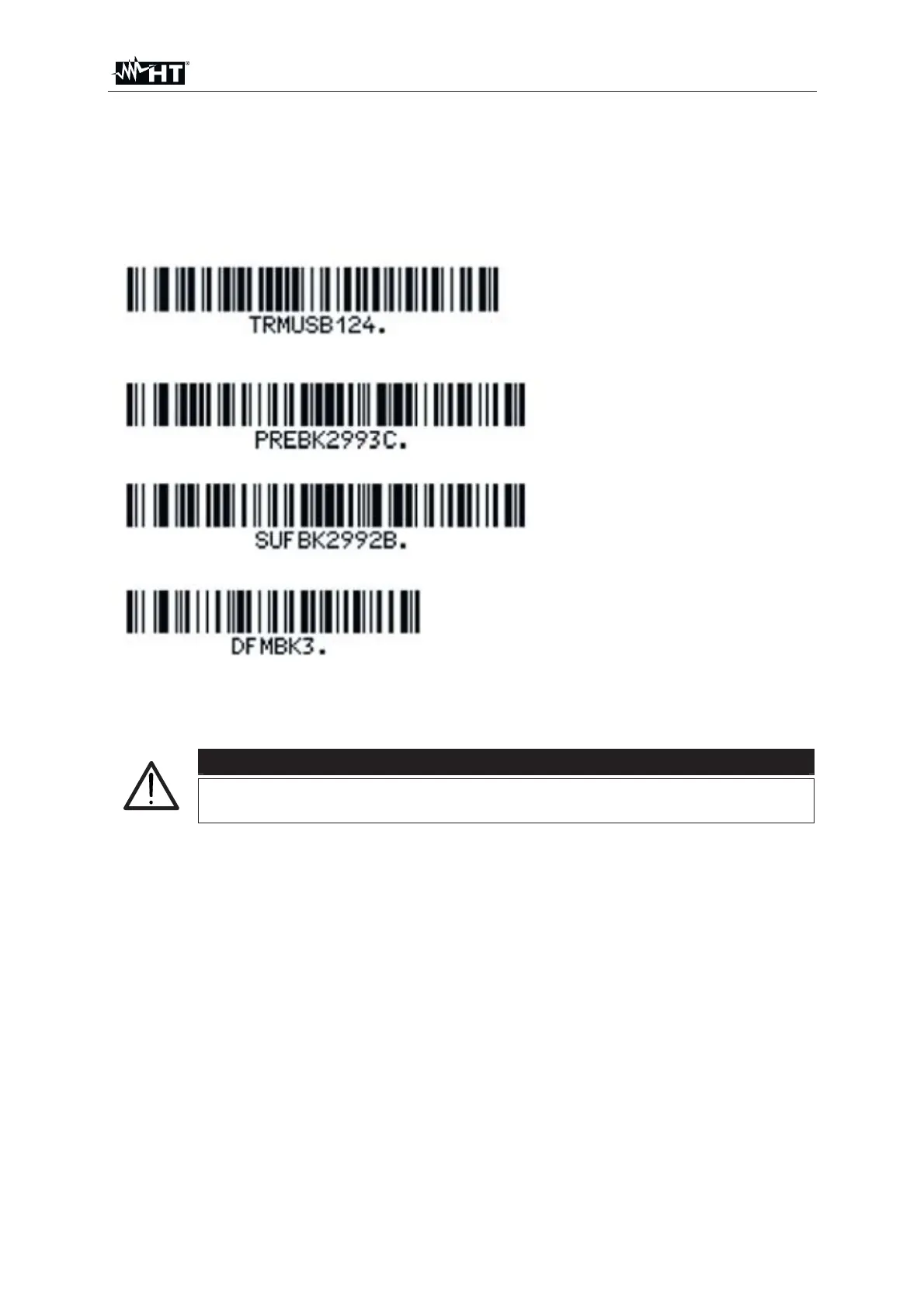
3. Start the initial configuration of the barcode reader by scanning the code below.
4. Set the prefix of the barcode reader by scanning the code below.
5. Set the suffix of the barcode reader by scanning the code below.
6. Finish the configuration of the barcode reader by scanning the code below.
7. Switch off and on again the instrument after scanning above mentioned codes,
the barcode reader and the instrument are then ready to be used
CAUTION
Use only the Barcode reader Honeywell type Voyager 1250G-2USB-
1 otherwise it may not be recognized by the instrument



 To Next Page