FULLTEST3
EN - 13
4.2. SWITCH ON THE INSTRUMENT
1. Connect the instrument to a 230V 50/60Hz mains socket with PE terminal
2. Switch on the instrument by press ON/OFF key (see Fig. 2 – part 5)
3. The instrument performs the firmware upload (approx. 30s) and the last used
measurement screen is shown at display. An acoustic sound will be given as soon
as the tester is ready for measurements.
CAUTION
In case energizing socket is not earthed properly PE
DISCONNECTED message will appear and the tester will not
perform any further operation. In this case switch off the tester
immediately and check the energizing socket
4.3. SELECTION MEASUREMENT FUNCTIONS
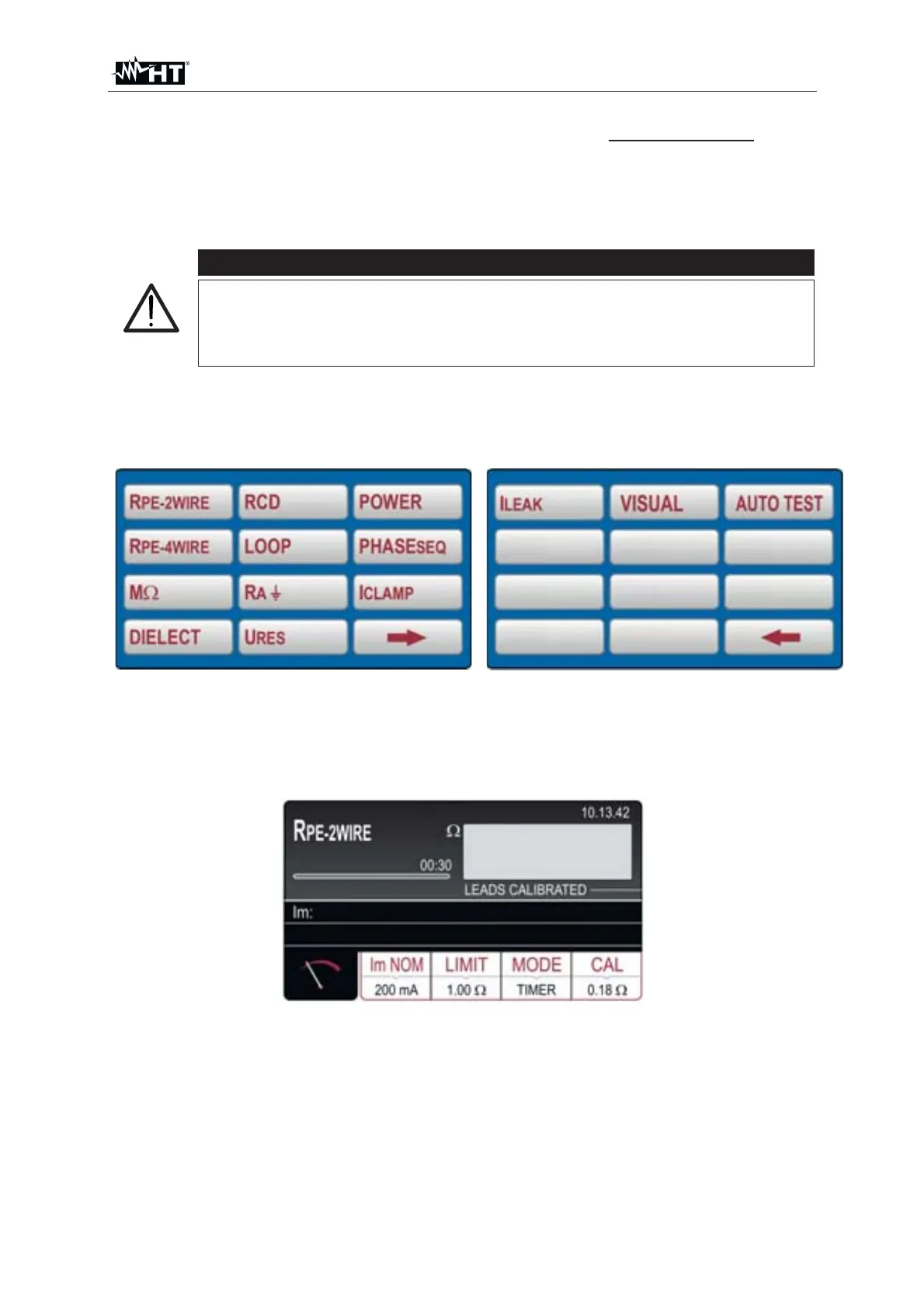
1. Press FUNC key. The below screens will appear.
Fig. 3 : Function selection screens
2. Select function by pressing appropriate touch-screen key. Basic measurement
screen of selected function will appear (e.g. R
PE-2WIRE basic measurement
screen below)
Fig. 4 : Basic measurement screen in R
PE-2WIRE function



 To Next Page