FULLTEST3
EN - 83
8. USE OF OPTIONAL ACCESSORIES
8.1. USE OF EXTERNAL KEYBOARD
The external USB keyboard (optional accessory FT3KBDEN) can be used if it is
necessary to enter data in the instrument's memory (customer, machine, location and
comments) in a simple and quick way.
1. Connect the USB keyboard to the USB2 or USB3 inputs (see Fig. 2 - part 10)
2. The instrument emits 3 acoustic signals to confirm the accessory recognition
8.2. USE OF BARCODE READER
The USB barcode reader (optional accessory FT3BARCR) can be used when it is
necessary to insert a new customer in memory to perform the job in a simple and
quick way.
1. Connect the barcode reader to the USB2 or USB3 inputs (see Fig. 2 - part 10)
2. The instrument emits 3 acoustic signals to confirm the accessory recognition
3. Perform the measurement
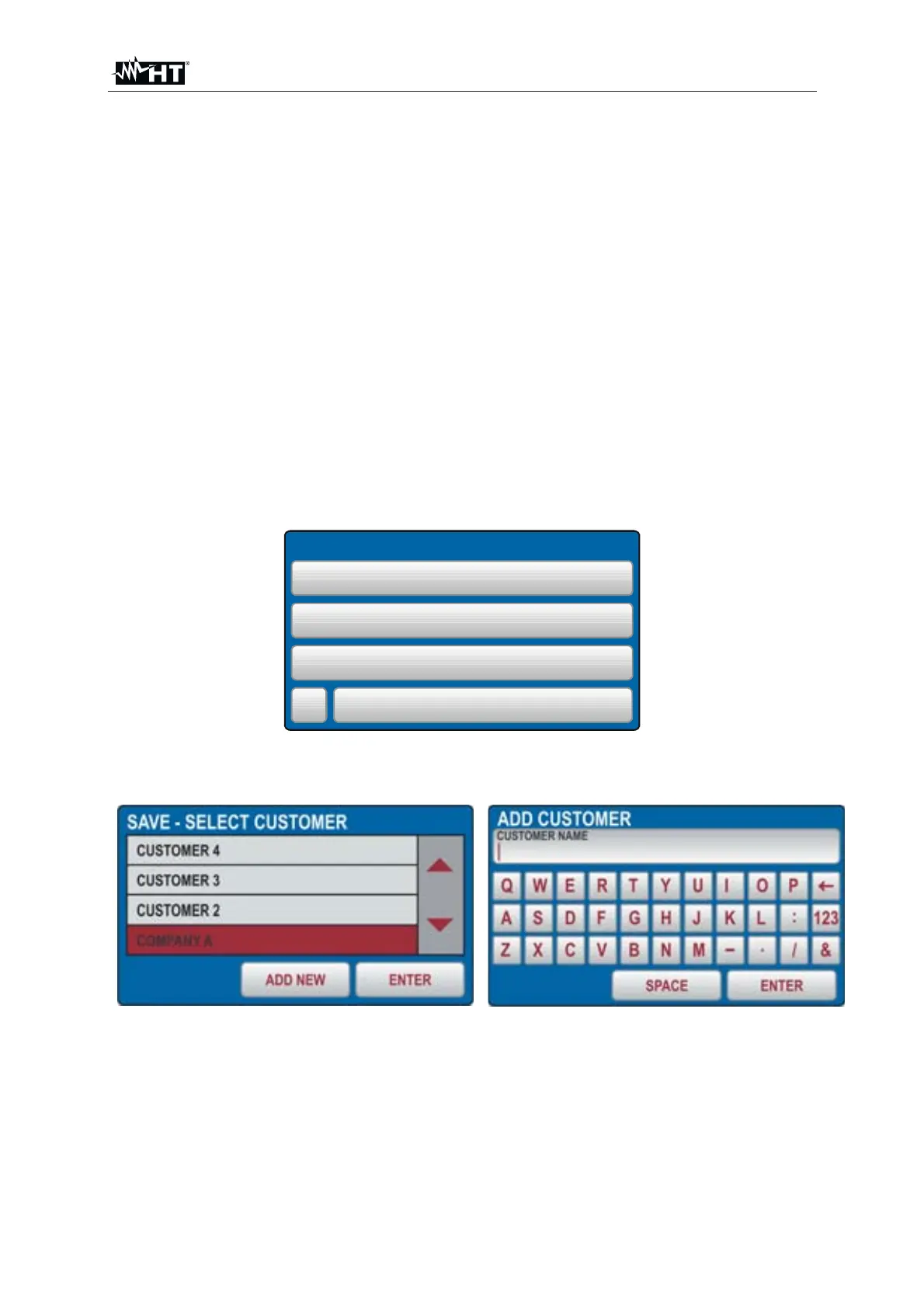
4. Press the SAVE hard key, the followed screen is shown:
SAVE
CUSTOMER
COMPANY A
LOCATION
ROMA
MACHINE
No
PLASTIC INJECTION MACHINE
003
DEVICE SERVICED
COMMENT
Fig. 88 : Measure with barcode reader – Saving data
5. Press the CUSTOMER touch-screen key, the followed screen is shown:
Fig. 89 : Measure with barcode reader – Customer selection
6. Press the ADD NEW soft key if you need to enter a new customer. The screen of
Fig. 89 - right side is shown on the display
7. Scan the customer's label (barcode) using the USB barcode reader. The
customer name will be entered and the display will return to the previous menu
8. Modify or enter the other two save levels (LOCATION and MACHINE) as well as
COMMENT manually if needed, then confirm save operation by pressing the
SAVE hard key again



 To Next Page