FULLTEST3
EN - 69
6.10. PHASE SEQUENCE TEST (PHASESEQ)
The instrument allows to perform the phase sequence sense test in a three-phase
system with the traditional 3-wire method.
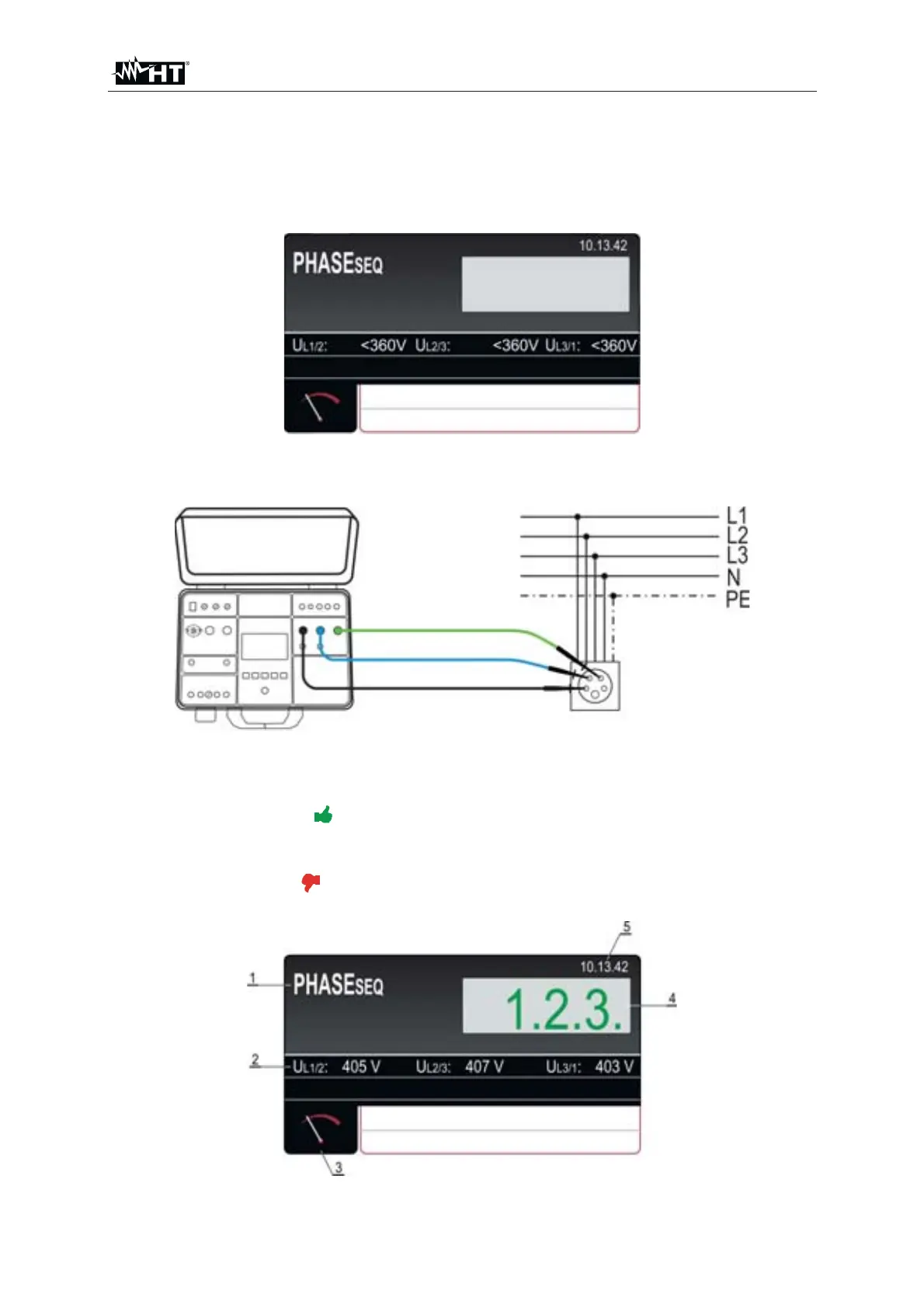
1. Press the FUNC key and select the PHASESEQ function. The following screen is
shown on the display
Fig. 65 : PHASESEQ initial screen
2. Connect the test leads to tested socket/wiring according to the Fig. 66
Fig. 66 : Connection of test leads in PHASE SEQUENCE measurement
3. Carry out the measurement by pressing the START/STOP key. The
measurement will be done and test result will be displayed in green color
equipped with green
symbol and with acoustic sound if it is in accordance with
referential direction (1.2.3. indication). If the result is not in accordance with
referential direction (2.1.3. indication) then it will be displayed in red color
equipped with red
symbol and with longer acoustic sound. See the display
outlook with test result on the
Fig. 67 : Visualization of PHASE SEQUENCE test result



 To Next Page