FULLTEST3
EN - 47
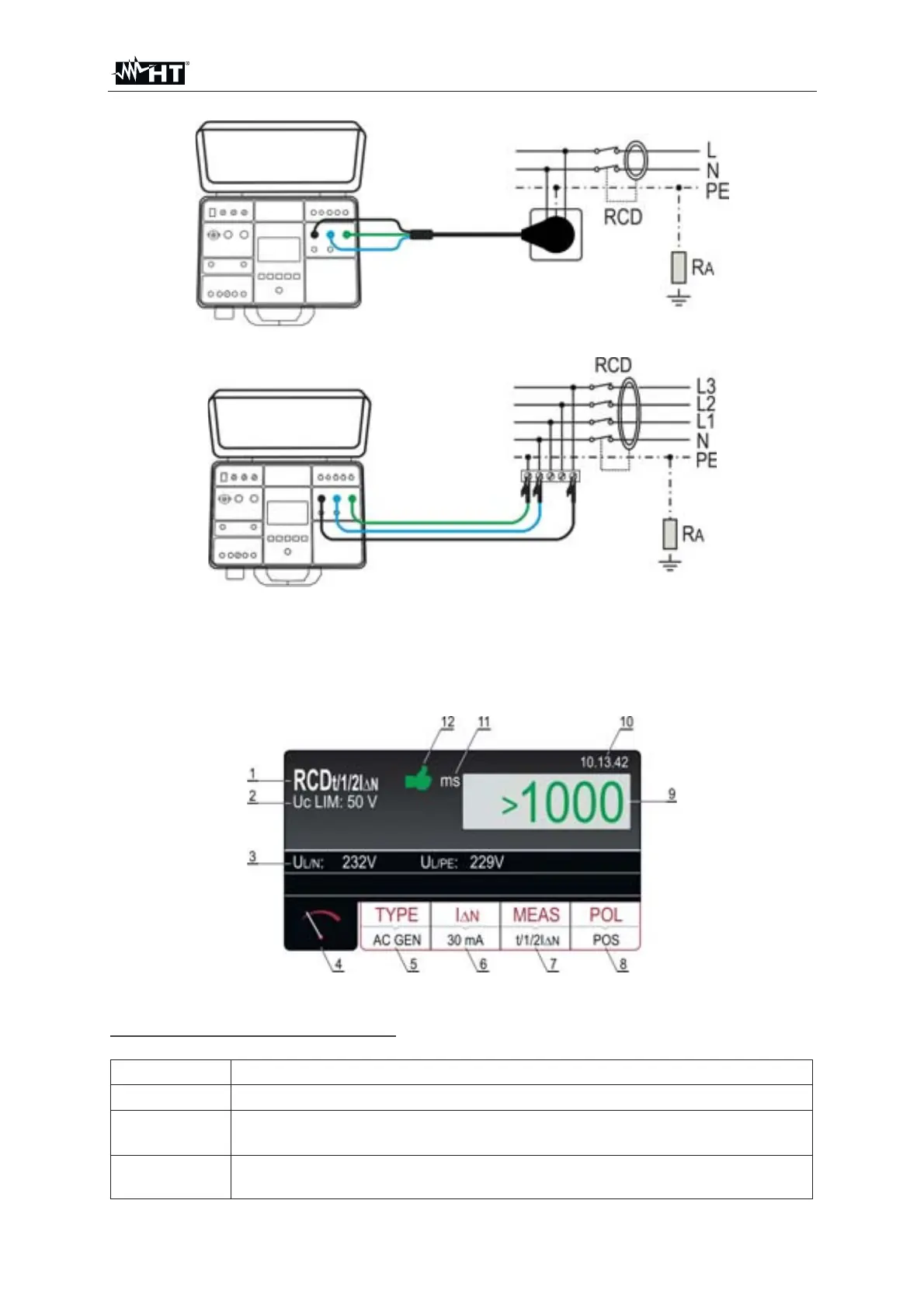
Fig. 42 : Connection of schuko test cable
Fig. 43 : Connection of test leads
9. READY message will appear as soon as the tester is properly connected to the
installation and mains voltage is present, see the “Input conditions” above
10. Press the START/STOP key to perform the measurement. The test result is
shown on the display (see Fig. 44)
Fig. 44 : Visualization of RCD test result
Meaning of symbols on the display
Item Description
1 Selected function
2
Selected limit contact voltage (25 or 50 V). It can be selected in
MENU
SETUP
CONTACT VOL. menu
3
Sub-results - mains voltages U
L/N and UL/PE at which the test was
carried out.



 To Next Page