FULLTEST3
EN - 55
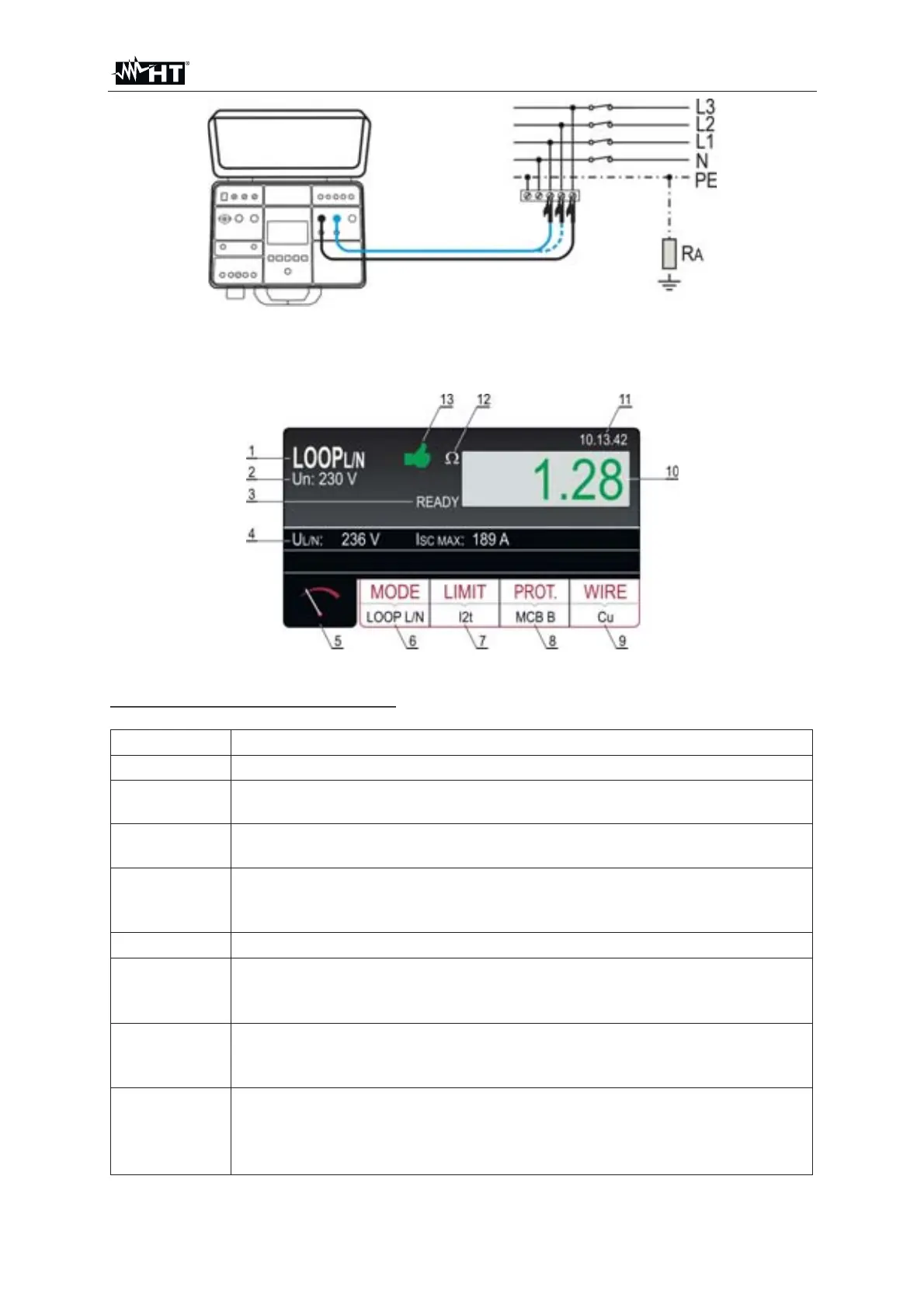
Fig. 49 : Connection with test leads for LOOP
P/P test
9. Press the START/STOP key to perform the measurement. The test result is
shown on the display (see Fig. 50)
Fig. 50 : Visualization of LOOP test result
Meaning of symbols on the display
Item Description
1 Selected function
2
Selected nominal voltage needed for calculation of short-circuit
current
3
READY message. It is displayed when present mains voltage U
L/L,
U
L/N or UL/PE within required range is present.
4
Sub-results - mains voltage U
L/PE or UL/PE or UL/L at which the
measurement has been done and calculated prospective short-circuit
current I
SC
5 Measurement screen touch-screen key
6
MODE touch-screen key to select measurement mode (LOOP L/N,
LOOP L/L, LOOP L/PE, IMP57 L/N, IMP57 L/L or IMP57 L/PE).
Currently selected mode is displayed on the bottom of the key
7
LIMIT touch-screen key to select limit mode (STD, kA, I
t, TRIP
CURR. or Ut). Currently selected mode is displayed on the bottom of
the key
8
PROT. (protection) touch-screen key to select the type of protection
(MCB B, MCB C, MCB D, MCB K, FUSE gG or FUSE aM) and
nominal current of selected protection. Currently selected type is
displayed on the bottom of the key



 To Next Page