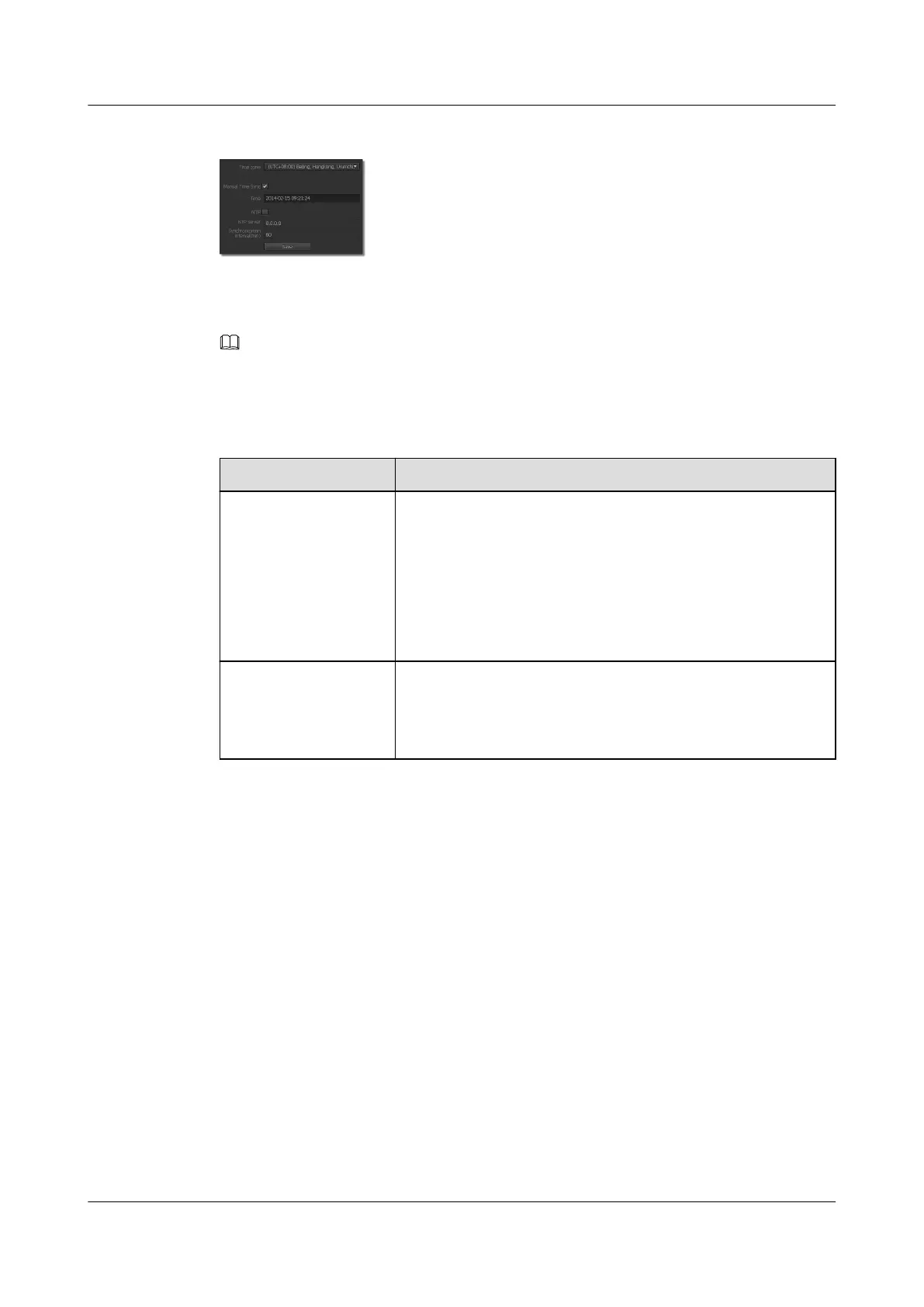
Figure 3-7 Time Configuration tab page
Step 2 Select a time zone from the Time zone drop-down list box.
Step 3 Select a time calibration mode and set related parameters. For details, see Table 3-7.
NOTE
The time calibration modes include Manual Time Sync and NTP. Manual Time Sync indicates that you can
directly set the camera time. NTP indicates that the camera can be time-synchronized with the NTP server in
the network. The two modes cannot be configured at the same time.
Table 3-7 Selecting a time calibration mode
Parameter
Description
Manual Time Sync 1. Select Manual Time Sync.
2. Click the Time text box.
The dialog box for setting the date and time is displayed.
3. Set the date and time and click OK.
The system returns to the time setting page.
NOTE
To time-synchronize the camera with the PC, click Today.
NTP 1. Select NTP.
2. Set the NTP server IP address or domain name as prompted
and set the interval for time-synchronizing the camera with
the NTP server.
Step 4 Click Save.
----End
3.5 Selecting a Stream Package
A stream package is a collection of predefined configurations of video and audio stream
parameters. By configuring and invoking a stream package, you can quickly utilize predefined
video and audio stream configurations.
Procedure
Step 1 Choose Settings > Basic Configuration > Stream Package.
The Stream Package page is displayed, as shown in Figure 3-8.
IPC6221-VRZ-SP
Configuration Guide
3 Setting Basic Parameters
Issue 02 (2016-04-06) Huawei Proprietary and Confidential
Copyright © Huawei Technologies Co., Ltd.
21


 To Next Page