7.2 Setting IP Filter Parameters
You can use the IP filter function to allow or deny the access of IP data packets coming from
a specified IP network segment, port, or using a specified protocol, to the IPC.
Context
l An IP address segment is obtained by performing a logical-AND of the IP address and
subnet mask.
l A maximum of three IP filter rules can be added.
Procedure
Step 1 Choose Settings > Network Configuration > IP Filter.
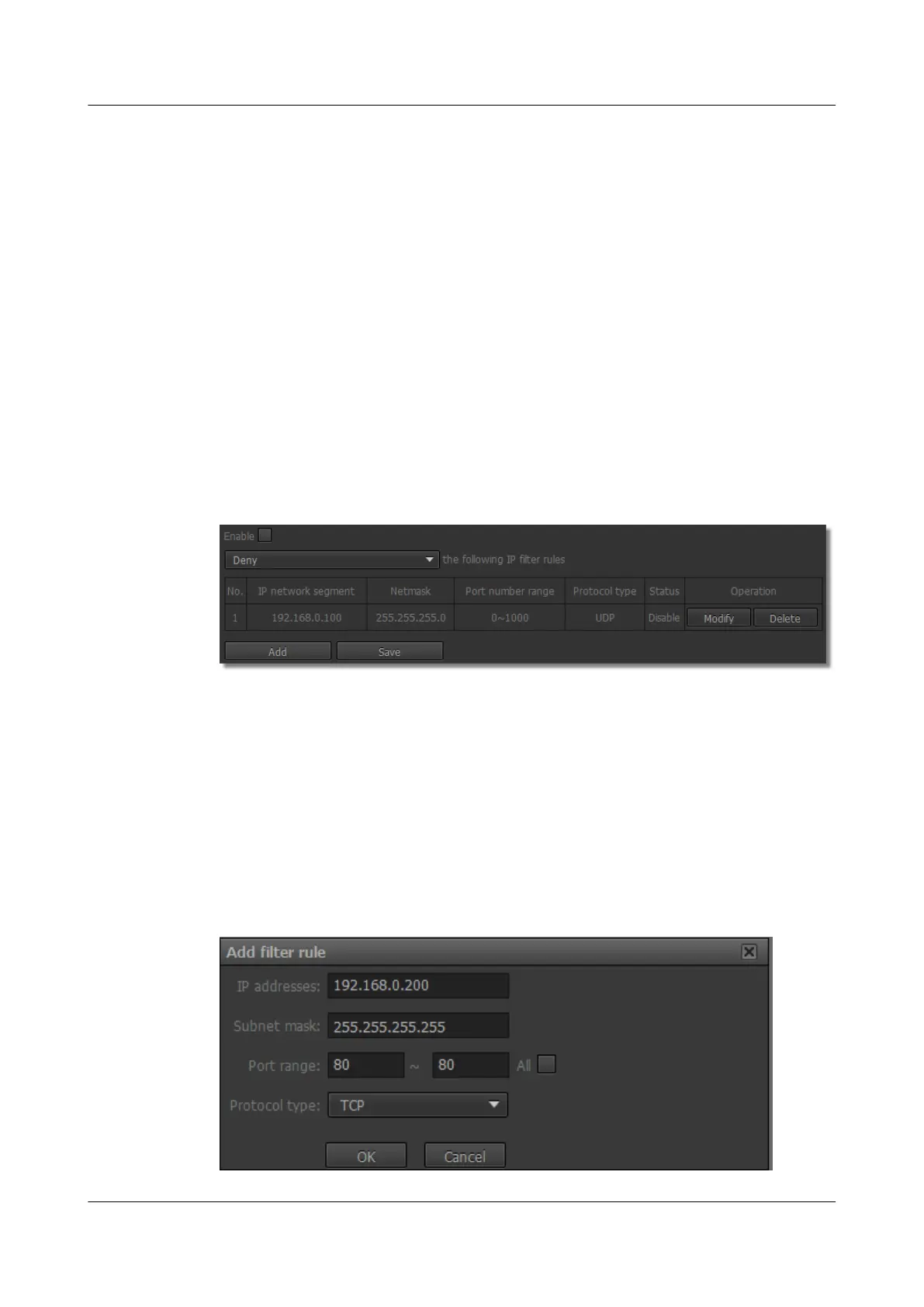
The IP Filter page is displayed, as shown in Figure 7-4.
Figure 7-4 IP Filter page
Step 2 To enable the IP filter function, select Enable.
Step 3 Select an IP filter rule as required from the drop-down list box.
The IP filter rule has two options: Deny and Allow, that is, denying or allowing the access of
IP data packets coming from a specified IP network segment, port, or using a specified
protocol, to the IPC.
Step 4 Click Add.
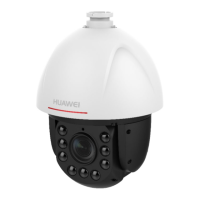
Step 5 Set IP address, Subnet mask, Port range, and Protocol type in the Add filter rule page, as
shown in Figure 7-5.
Figure 7-5 Add filter rule page
IPC6221-VRZ-SP
Configuration Guide
7 Setting Network Parameters
Issue 02 (2016-04-06) Huawei Proprietary and Confidential
Copyright © Huawei Technologies Co., Ltd.
55


 To Next Page