Parameter Description
Alarm input X deployment (X can be 1 or 2)
l Enabled: When an Alarm input X
incident (specified in Incident type)
occurs during the alarm deployment
time, an alarm is generated.
l Disabled: When an Alarm input X
incident (specified in Incident type)
occurs during the alarm deployment
time, no alarm is generated.
Step 3 Select an incident from the Incident type drop-down list box.
Step 4 Click Add Plan.
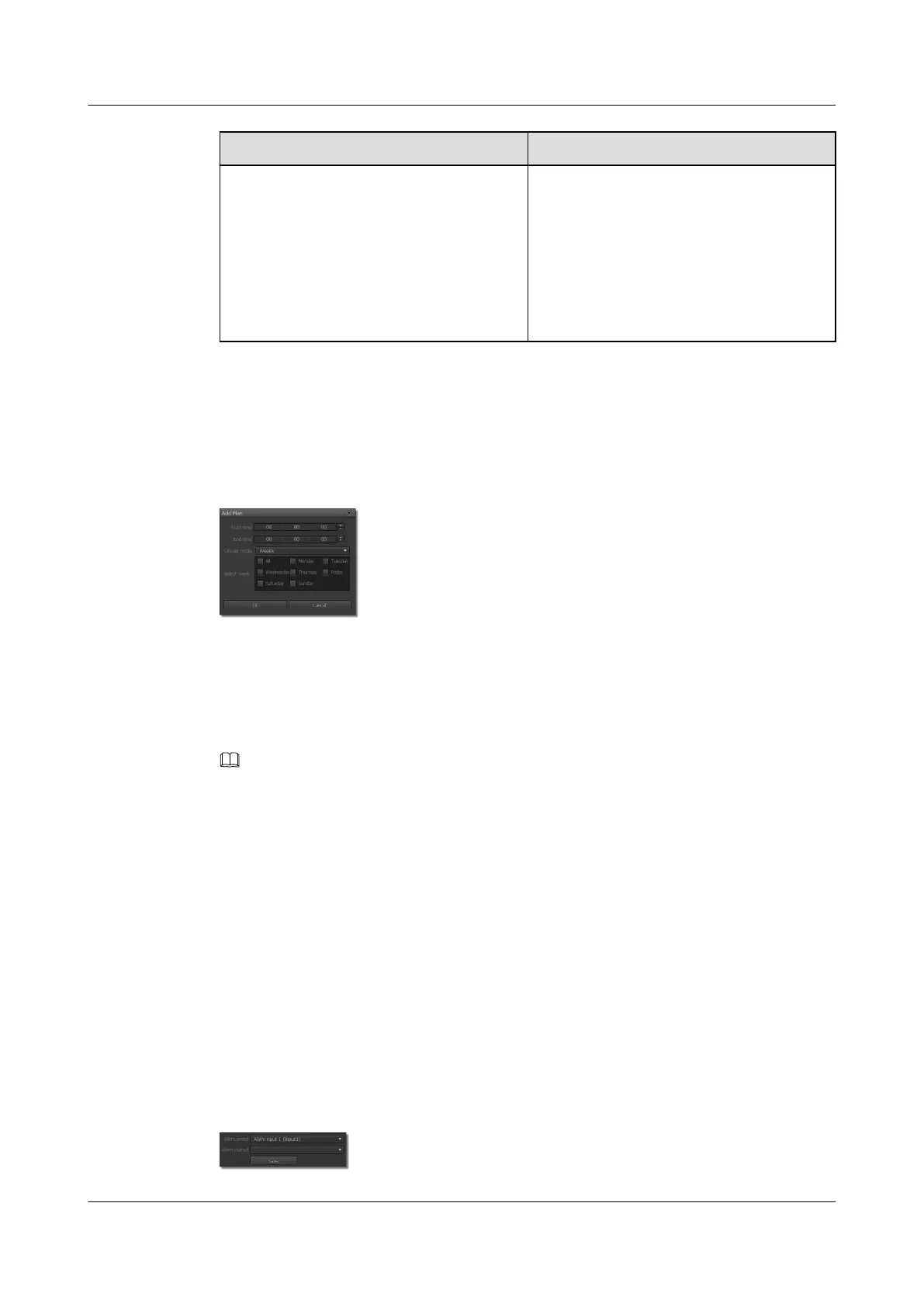
The page for adding a plan is displayed, as shown in Figure 10-4.
Figure 10-4 Add Plan tab page
Step 5 Set the start time, end time, and cyclic mode, and select weekdays.
Step 6 Click OK.
The Alarm Deployment Policy page is displayed.
Step 7 Click Save.
NOTE
You can modify or delete existing alarm deployment plans. To modify or delete an alarm deployment plan,
select the incident type to which the alarm deployment plan belongs and click Modify or Delete in
Deployment time.
----End
10.4 Setting Alarm Linkage Policy Parameters
When an exception such as lens block occurs, the system can trigger proper actions according
to the preset alarm linkage policy.
Procedure
Step 1 Choose Settings > Alarm Configuration > Alarm Linkage Policy.
The Alarm Linkage Policy page is displayed, as shown in Figure 10-5.
Figure 10-5 Alarm linkage policy tab page
IPC6221-VRZ-SP
Configuration Guide
10 Setting Alarm Parameters
Issue 02 (2016-04-06) Huawei Proprietary and Confidential
Copyright © Huawei Technologies Co., Ltd.
79



 To Next Page