Set SNMP parameters based on the site requirements.
7.6.1 Set SNMP v1/v2c parameters
When SNMP v1 or SNMP v2c is used, the NMS visits the IPC using a community name with
the read-only or read-write right.
Context
Two sets of interaction parameters have been set by default. You can use the default settings,
or click Modify or Delete to modify or delete them. When SNMP v1 or SNMP v2c is used,
you can set a maximum of three sets of interaction parameters. This section mainly describes
how to add a set of interaction parameters.
Procedure
Step 1 Choose Settings > Network Configuration > SNMP Parameters.
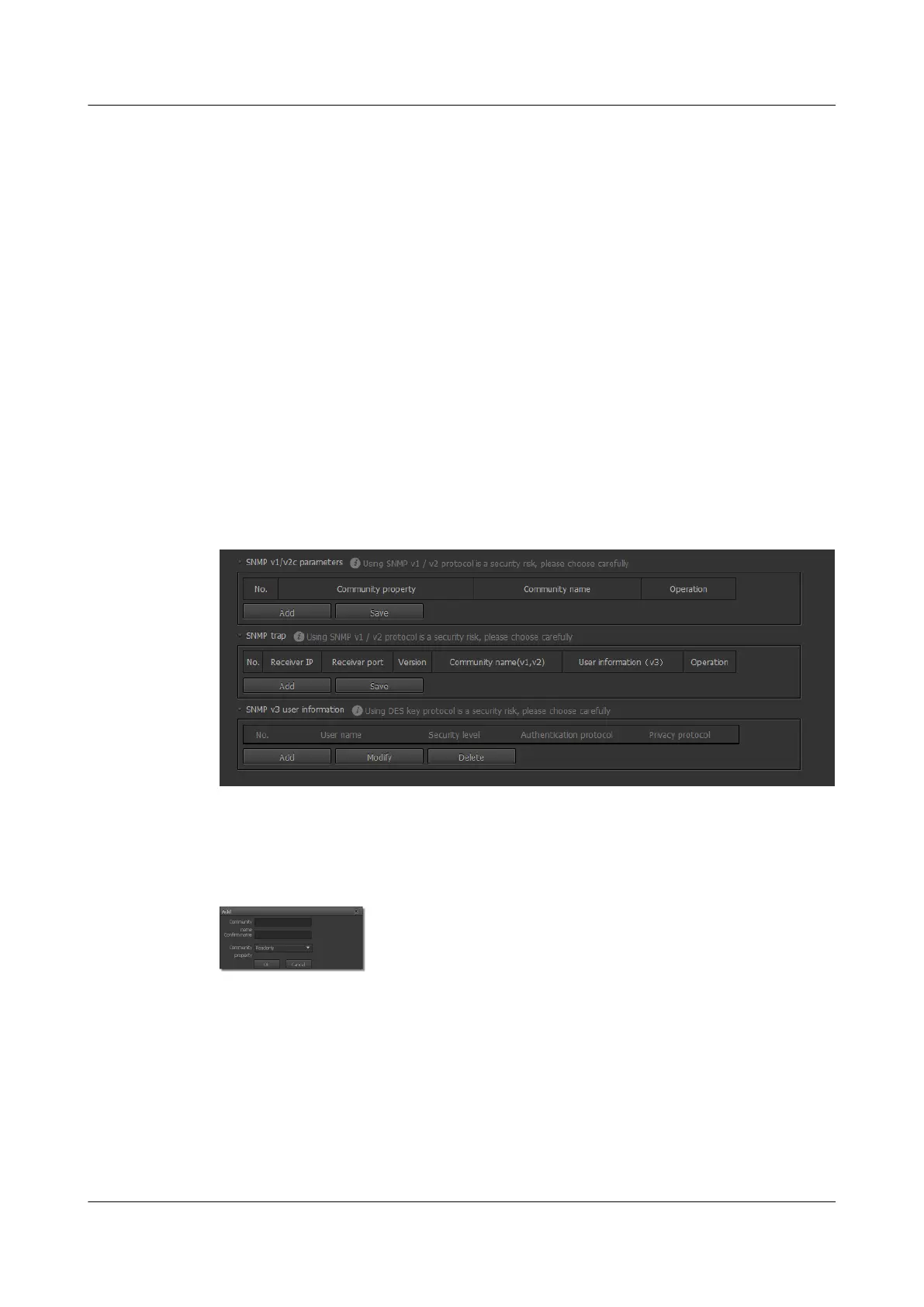
The SNMP Parameters page is displayed, as shown in Figure 7-9.
Figure 7-9 SNMP Parameters page
Step 2 Click Add in the SNMP v1/v2c Parameters area.
The page for setting interaction parameters is displayed, as shown in Figure 7-10.
Figure 7-10 Setting SNMP v1/v2c parameters
Step 3 Set Community name, Confirm name and Community property.
When Community property is set to Readonly, you can only view IPC configurations on the
NMS.
When Community property is set to Read&Write, you can view and modify IPC
configurations on the NMS.
Step 4 Click OK.
The SNMP Parameters page is displayed.
IPC6221-VRZ-SP
Configuration Guide
7 Setting Network Parameters
Issue 02 (2016-04-06) Huawei Proprietary and Confidential
Copyright © Huawei Technologies Co., Ltd.
59



 To Next Page