Step 3 Click Save.
----End
8.1.3 Setting PTZ Parameters
You can set PTZ parameters to control IPCs using the PTZ.
Prerequisites
The IPC is connected to an external PTZ, and the PTZ has been configured.
Procedure
Step 1 Choose Settings > PTZ Configuration > PTZ&Serial Port Parameters.
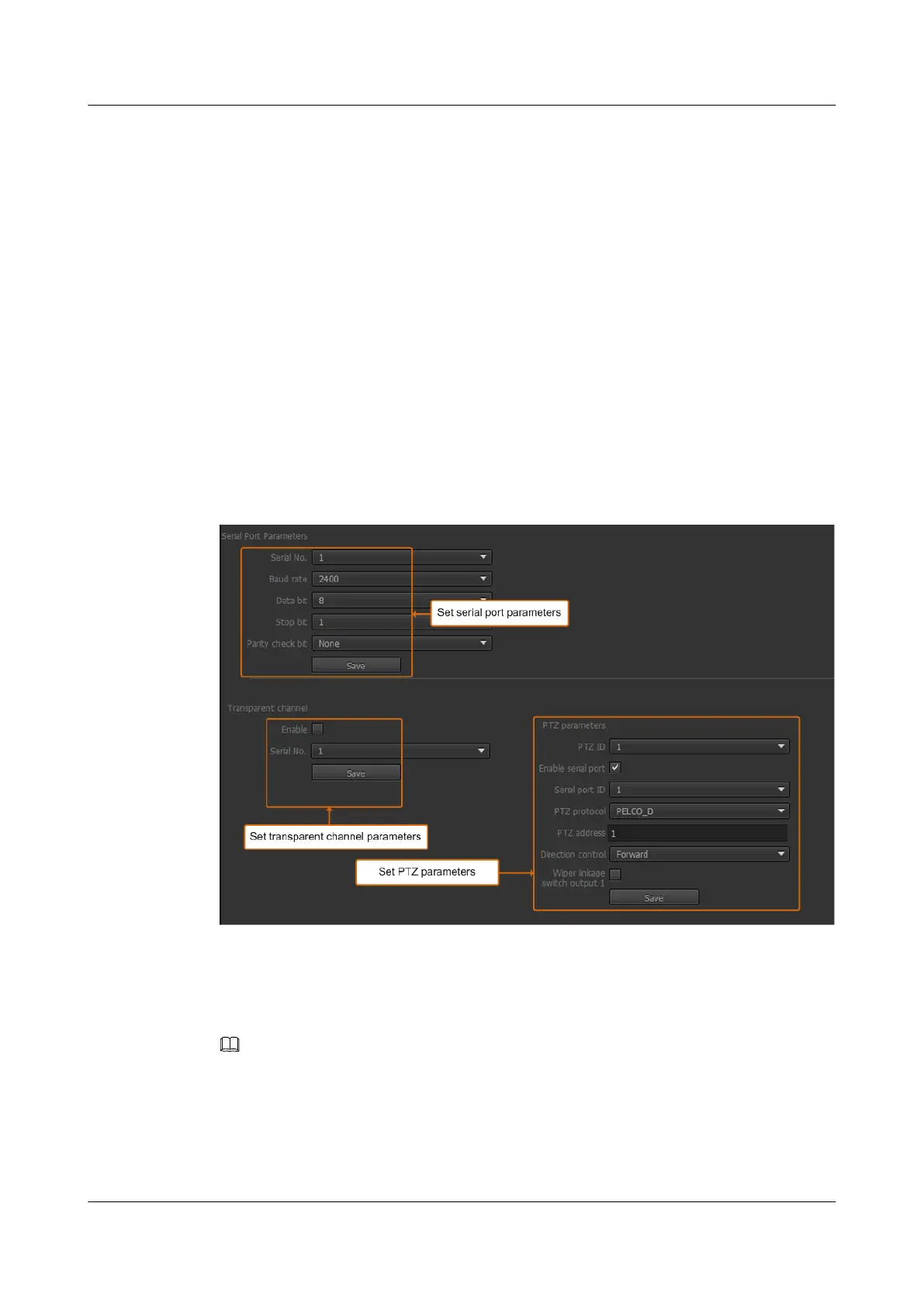
The PTZ&Serial Port Parameters page is displayed, as shown in Figure 8-3.
Figure 8-3 PTZ&Serial Port Parameters page
Step 2 Set PTZ parameters. For detailed parameter description, see Table 8-2.
Before setting PTZ parameters on the IPC web client, verify that the external PTZ is
connected and configured.
NOTE
l The PTZ parameters configured on the IPC must be the same as those configured on the external PTZ.
Otherwise, the PTZ functionality may not work properly.
l The Enable in the transparent channel and Enable serial port in the PTZ parameters area cannot be
selected at the same time.
IPC6221-VRZ-SP
Configuration Guide
8 Setting PTZ Control Parameters
Issue 02 (2016-04-06) Huawei Proprietary and Confidential
Copyright © Huawei Technologies Co., Ltd.
68



 To Next Page