Parameter Description
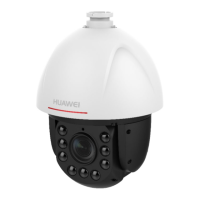
Current user password Enter the password of the user who currently logs in.
New user password Enter a password for the new user.
NOTE
The password must meet the following requirements:
l The password consists of 8 to 20 characters.
l The password contains at least two types of the following: lowercase
letters (a to z), uppercase letters (A to Z), digits (0 to 9), and special
characters (including the space character and the following: `~!@#$
%^&*()-_=+\|[{}];:'",<.>/?).
l The password must be different from the user name or the reverse
text of the user name.
Confirm Password Enter the new password again.
Multi-login Select the maximum login number of the current user.
Step 4 Click Save.
----End
13.1.2 Changing the User Password
The password of a user can be changed, but the user type and user name cannot be modified.
NOTE
l System administrators can modify all users, including themselves as well as senior operators and common
operators.
l Senior operators can modify their own or common operators' information.
l Common operators do not have the right to modify users.
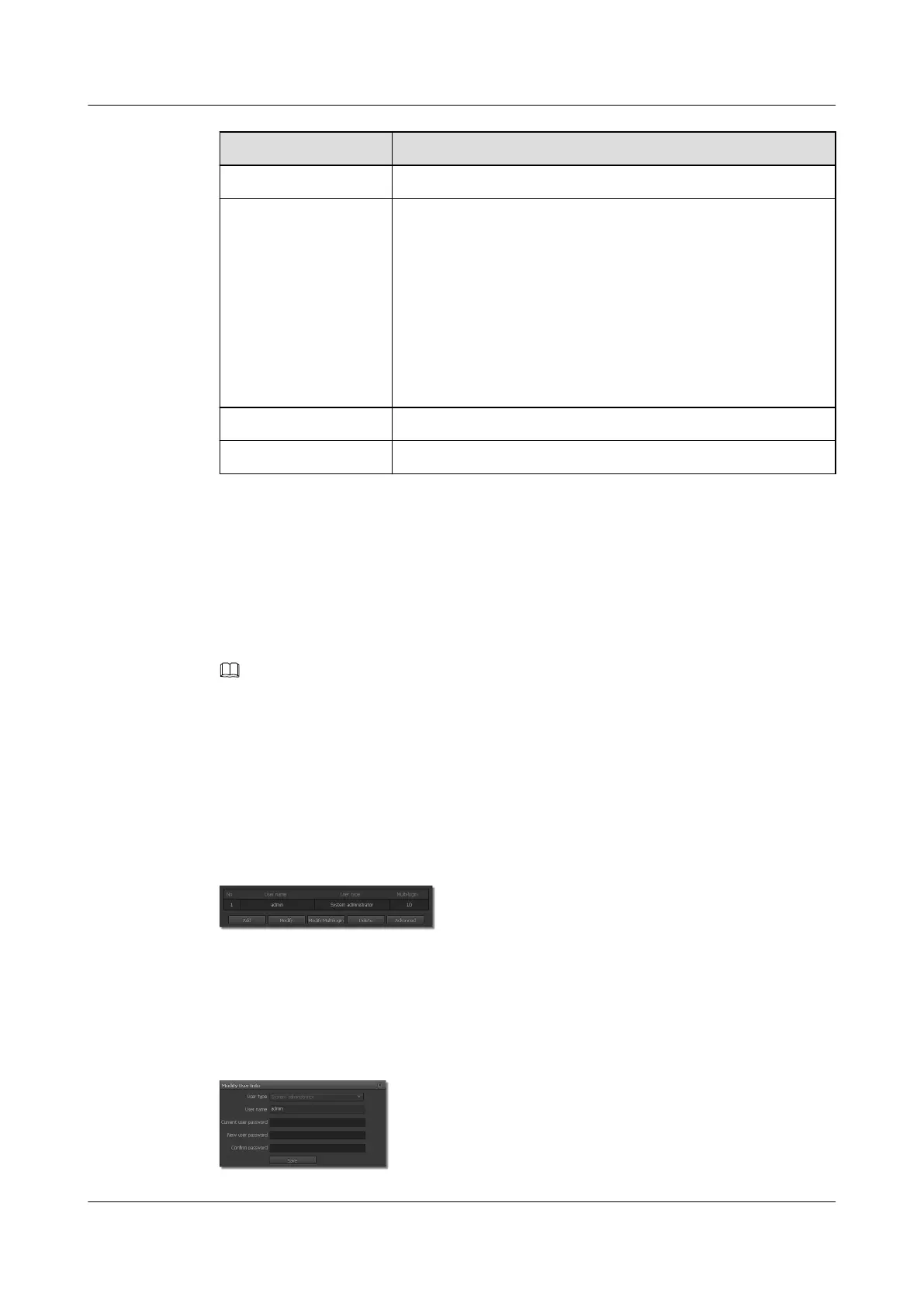
Step 1 Choose Settings > System Configuration > User Management.
The User Management page is displayed, as shown in Figure 13-3.
Figure 13-3 User Management tab page
Step 2 Select a user.
Step 3 Click Modify.
The Modify User Info page is displayed, as shown in Figure 13-4.
Figure 13-4 Modify User Info page
IPC6221-VRZ-SP
Configuration Guide
13 Managing the System
Issue 02 (2016-04-06) Huawei Proprietary and Confidential
Copyright © Huawei Technologies Co., Ltd.
88


 To Next Page