10.1 Setting Alarm Input and Output Parameters
Alarms can be linked by setting alarm input and output parameters.
Procedure
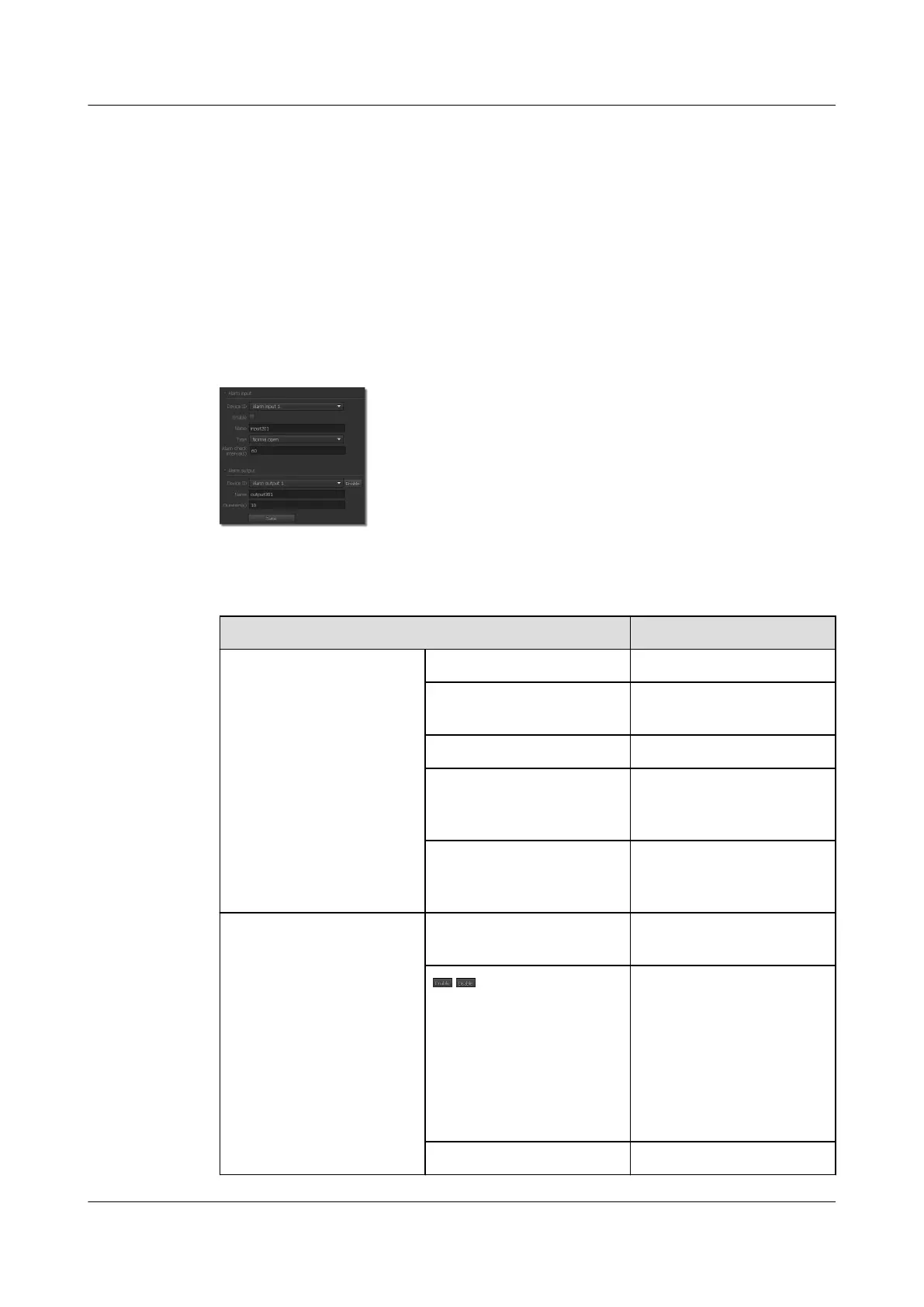
Step 1 Choose Settings > Alarm Configuration > Alarm I/O.
The page for Alarm I/O is displayed, as shown in Figure 10-1.
Figure 10-1 Alarm I/O tab page
Step 2 Set parameters. For detailed parameter description, see Table 10-1.
Table 10-1 Parameter description
Parameter
Description
Alarm input Device ID ID of the alarm input device.
Enable Indicates whether to enable
the alarm input function.
Name User-defined device name.
Type Select either Normal open
or Normal close based on
the device status.
Alarm check interval Time interval at which the
system checks for new
alarms.
Alarm output Device ID ID of the alarm output
device.
/ Manual control of the output
device status.
NOTE
This function cannot be used
with the alarm linkage
function. If the function is
used with the alarm linkage
function, the alarm linkage
actions will be affected.
Name User-defined device name.
IPC6221-VRZ-SP
Configuration Guide
10 Setting Alarm Parameters
Issue 02 (2016-04-06) Huawei Proprietary and Confidential
Copyright © Huawei Technologies Co., Ltd.
76



 To Next Page