Package Name Description
Motion capture Applies to scenes where moving vehicles and license plates need to
be captured, for example, roads and stadiums.
Step 3 Click Save.
----End
3.7 Configuring an ISP Package Plan
You can configure a daily or yearly plan for scheduled tasks of ISP packages.
Procedure
Step 1 Choose Settings > Basic Configuration > ISP Package Plan.
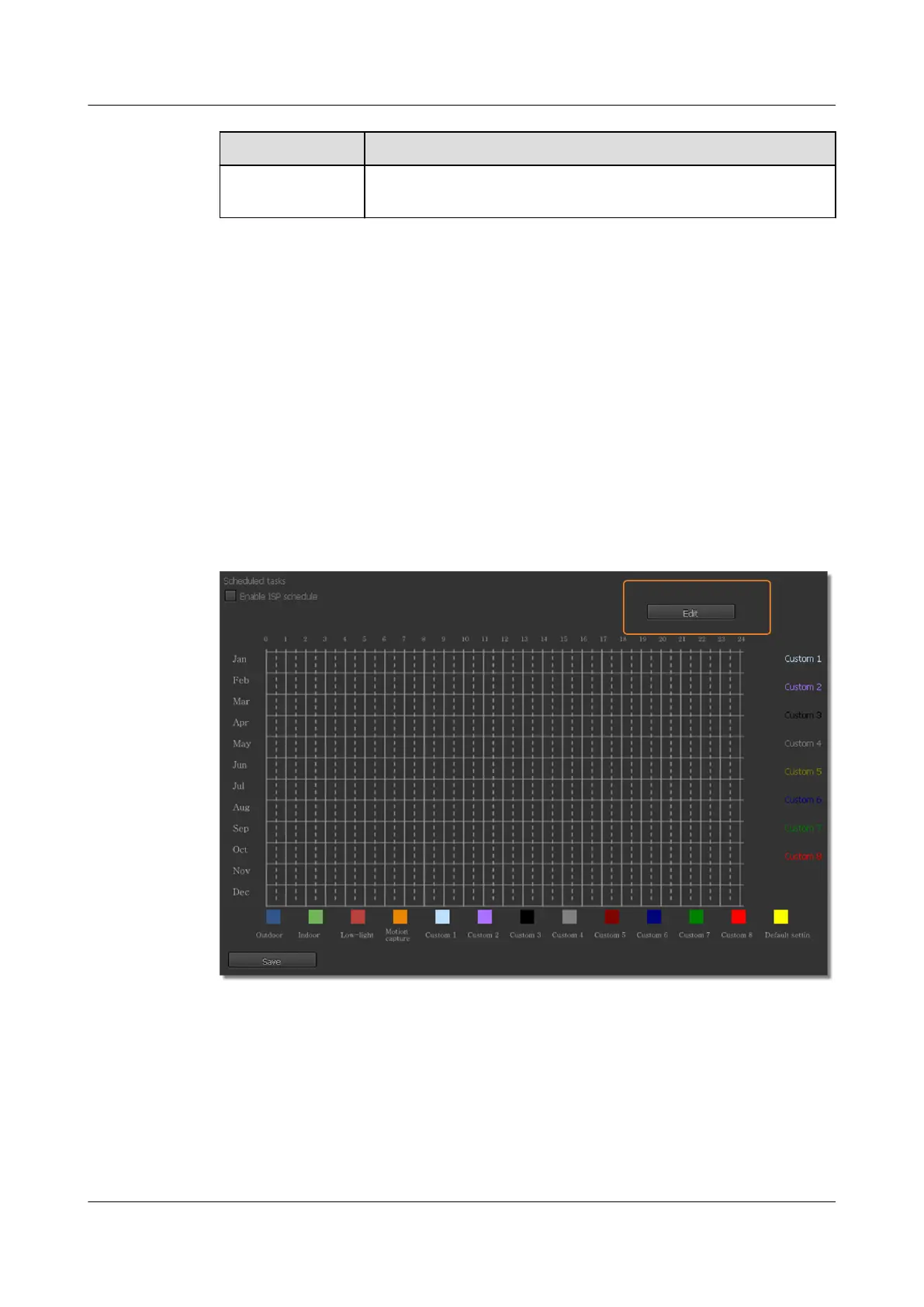
The ISP Package Plan page is displayed, as shown in Figure 3-10.
Figure 3-10 ISP Package Plan page
Step 2 Click Edit.
The Edit dialog box is displayed, as shown in Figure 3-11.
IPC6221-VRZ-SP
Configuration Guide
3 Setting Basic Parameters
Issue 02 (2016-04-06) Huawei Proprietary and Confidential
Copyright © Huawei Technologies Co., Ltd.
25


 To Next Page