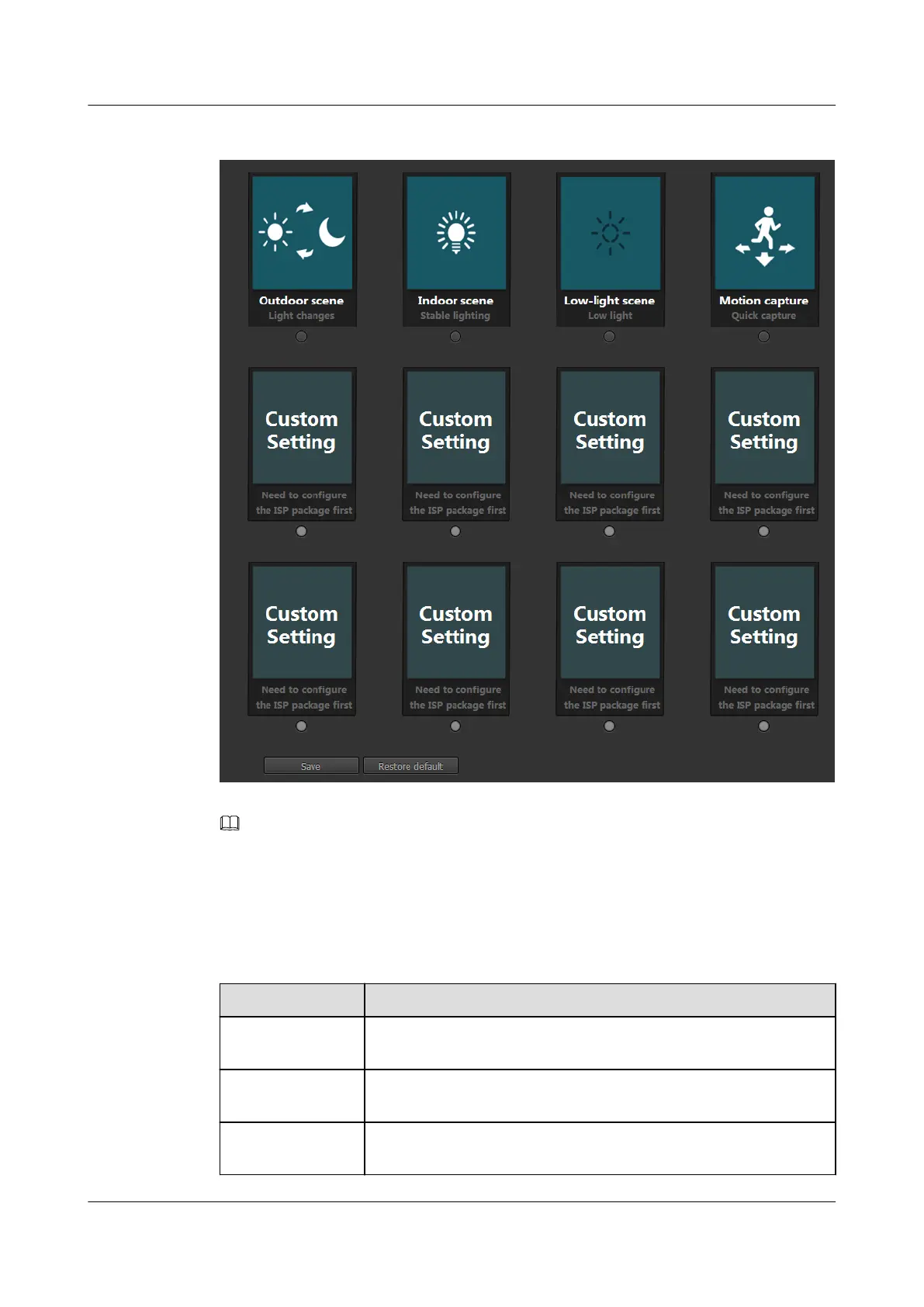
Figure 3-9 ISP Package page
NOTE
You can click Restore default to restore all ISP parameters to default settings and restore all packages to the
deselected state.
Step 2 Select a typical scenario based on the site requirements.
Table 3-9 describes the default ISP packages.
Table 3-9 Default ISP packages
Package Name
Description
Outdoor scene Applies to outdoor scenes where light changes, for example, squares
and surrounding shopping malls.
Indoor scene Applies to indoor scenes where stable illumination is available, for
example, offices and counters.
Low_light scene Applies to environments where illumination is low for long, for
example, underground parking lots and power distribution rooms.
IPC6221-VRZ-SP
Configuration Guide
3 Setting Basic Parameters
Issue 02 (2016-04-06) Huawei Proprietary and Confidential
Copyright © Huawei Technologies Co., Ltd.
24


 To Next Page