Parameter Description
I-frame interval The parameter is available only when you set Coding protocol
to H.264.
I-frame is an intra-coded frame that represents a fixed image
independent of other picture types. Each group of pictures (GOP)
begins with this type of frame.Decreasing the I-frame interval
improves the video quality but consumes more bandwidth.
NOTE
It is recommended that the I-frame interval be set to two times of the
frame rate.
JPEG quality The parameter is available only when you set Coding protocol
to MJPEG.
Increasing the JPEG quality improves the video quality but
consumes more bandwidth.
Step 3 Click Save.
----End
6.1.2 Setting Audio Stream Parameters
You can set audio parameters based on the site requirements, such as audio format, input port
type, and audio rate.
Procedure
Step 1 Choose Settings > Channel Configuration > Video&Audio Stream Parameters.
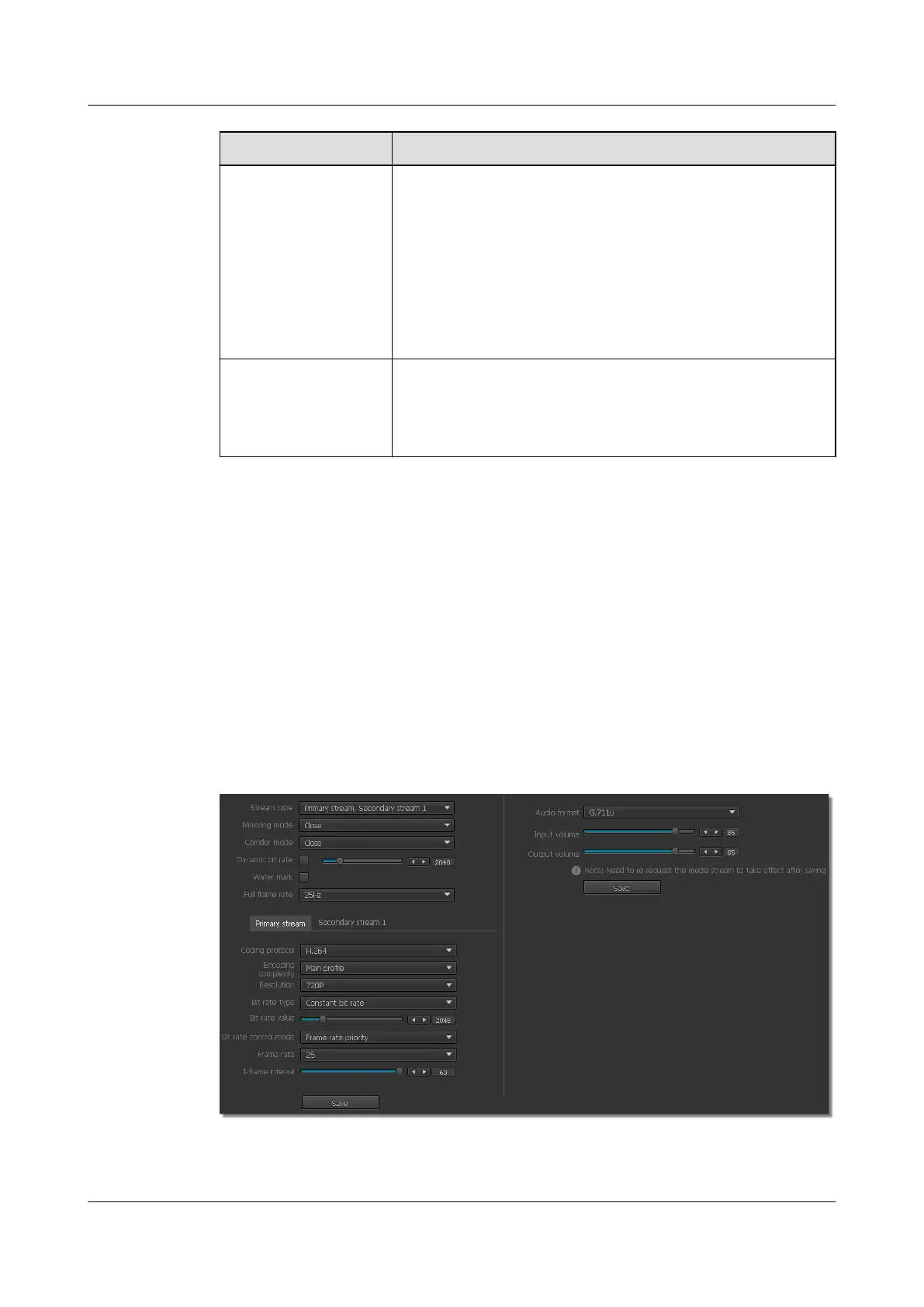
The Video&Audio Stream Parameters page is displayed, as shown in Figure 6-2.
Figure 6-2 Video&Audio Stream Parameters page
Step 2 Set audio stream parameters on the right of the page. For detailed parameter description, see
Table 6-3.
IPC6221-VRZ-SP
Configuration Guide
6 Setting Video Parameters
Issue 02 (2016-04-06) Huawei Proprietary and Confidential
Copyright © Huawei Technologies Co., Ltd.
37



 To Next Page