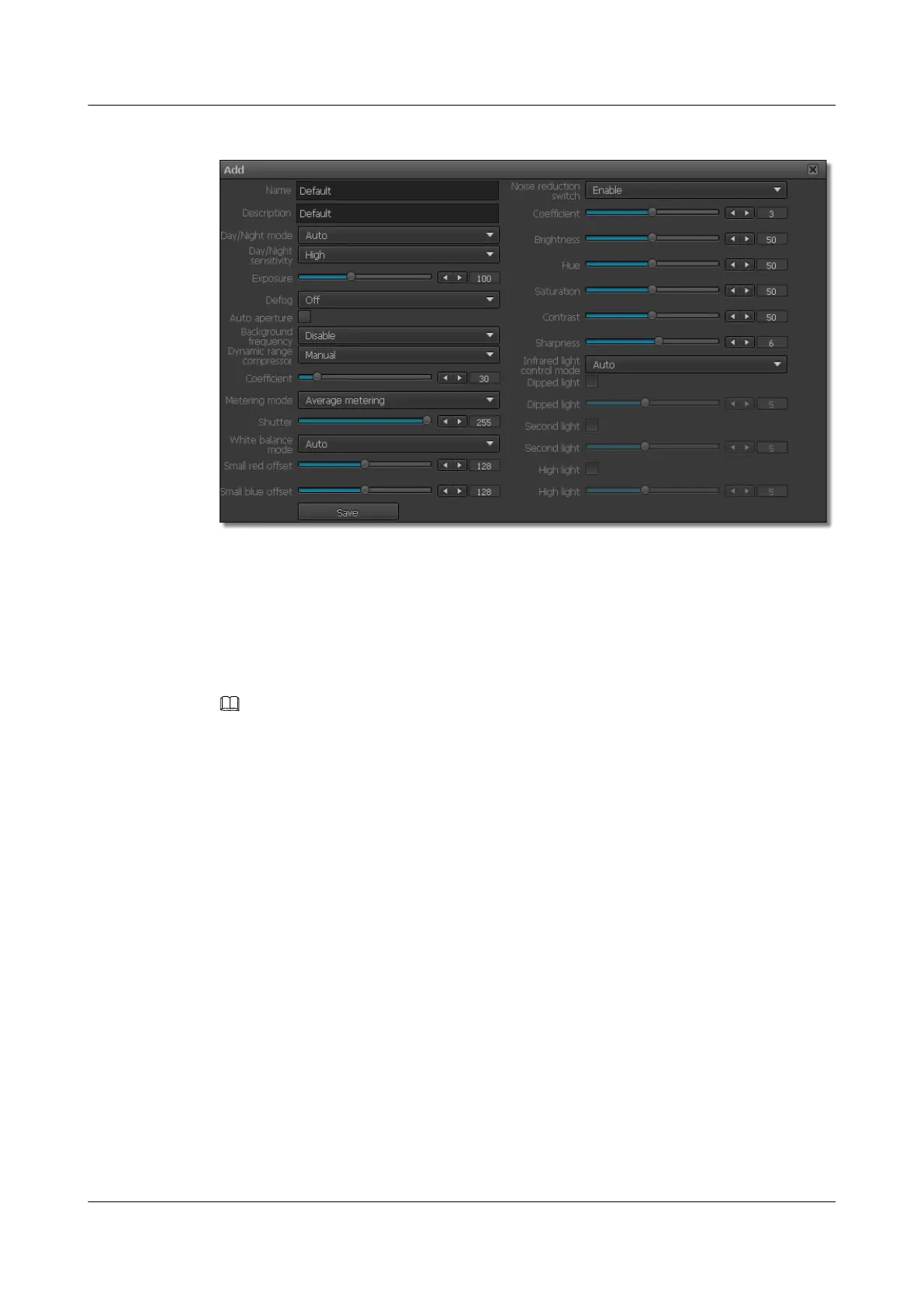
Figure 6-7 Configuring an ISP package
Step 3 Set ISP package parameters.
The ISP package parameters include an ISP package name and description as well as ISP
parameters.
For detailed parameter description, see ISP Parameter description.
Step 4 Click Save.
NOTE
l You can modify parameters of existing ISP packages except for the stream package name and description.
Select an ISP package and click Edit.
l You can also copy parameters of existing ISP packages. Select an ISP package and click Copy, and you
can then customize an ISP package based on the copied parameters.
l You can delete customized ISP packages. Select a customized ISP package and click Delete.
----End
6.5 Setting ROI Parameters
By setting a region of interest (ROI), you can set the ROI quality to differentiate the ROI from
other image regions. The ROI effect is prominent at a low bit rate.
Prerequisites
The ROI function is available only when you set Coding protocol to H.264.
Procedure
Step 1 Choose Settings > Channel Configuration > ROI Parameters.
The ROI Parameters page is displayed, as shown in Figure 6-8.
IPC6221-VRZ-SP
Configuration Guide
6 Setting Video Parameters
Issue 02 (2016-04-06) Huawei Proprietary and Confidential
Copyright © Huawei Technologies Co., Ltd.
47



 To Next Page