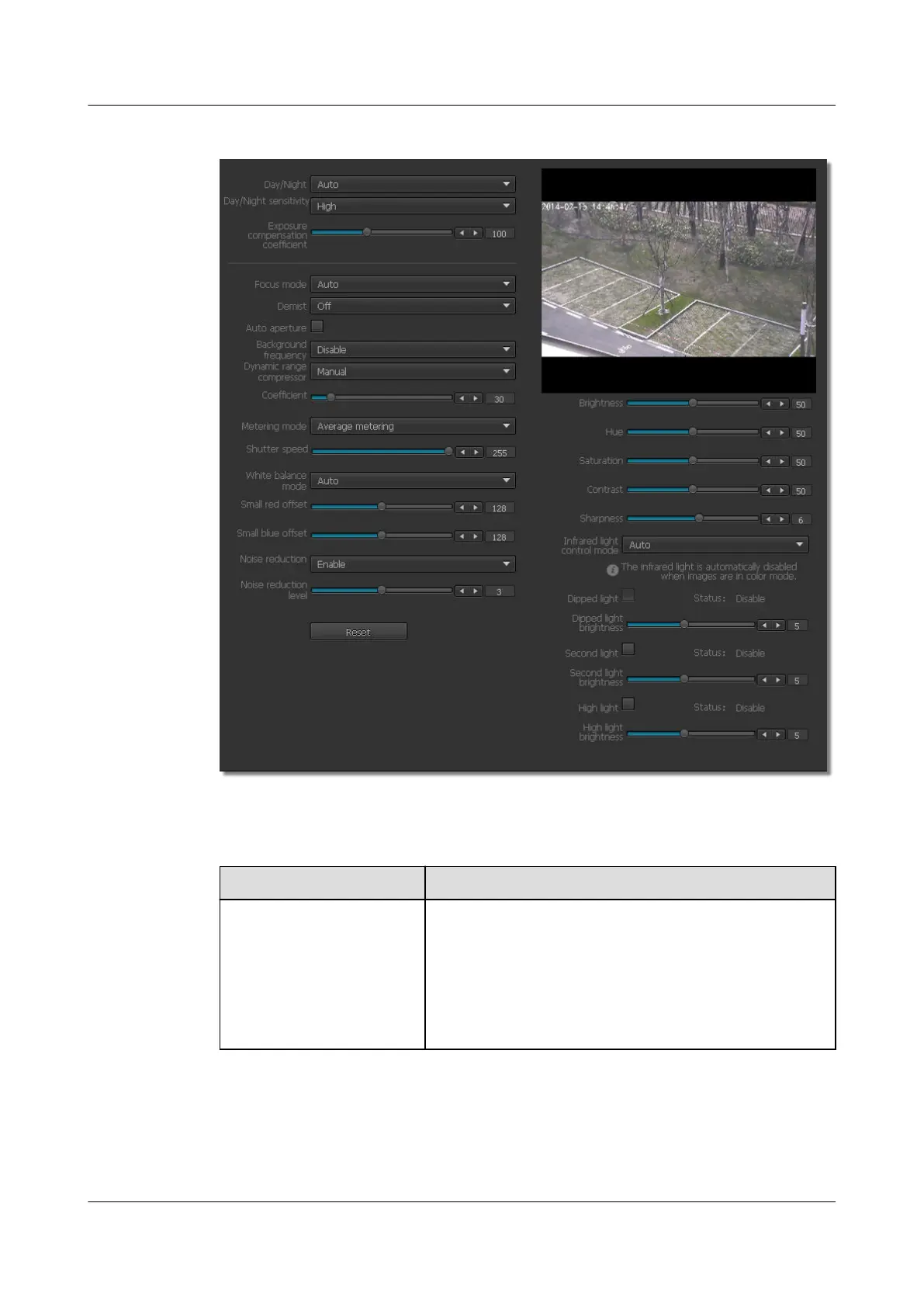
Figure 6-5 ISP Parameters tab page
Step 2 Set ISP parameters. For detailed parameter description, see Table 6-4.
Table 6-4 Parameter description
Parameter
Description
Day/Night mode The day/night mode helps the IPC to adapt to low
illumination conditions. The options are as follows:
l Auto (default): The IPC automatically switches between
day and night modes based on illumination conditions.
l Color: The IPC captures color images.
l B/W: The IPC captures black and white images.
IPC6221-VRZ-SP
Configuration Guide
6 Setting Video Parameters
Issue 02 (2016-04-06) Huawei Proprietary and Confidential
Copyright © Huawei Technologies Co., Ltd.
41



 To Next Page