Parameter Description
Status Indicates whether the infrared light is on.
Reset Used to restore the ISP parameters to default values.
----End
6.4 Configuring an ISP Package
By configuring an ISP package, you can predefine several common ISP parameters for quick
invoking in the future.
Context
An ISP package is a template containing predefined configurations of ISP streams. For details
about how to invoke an ISP package, see 3.6 Selecting an ISP Package.
Procedure
Step 1 Choose Settings > Channel Configuration > ISP Package Configuration.
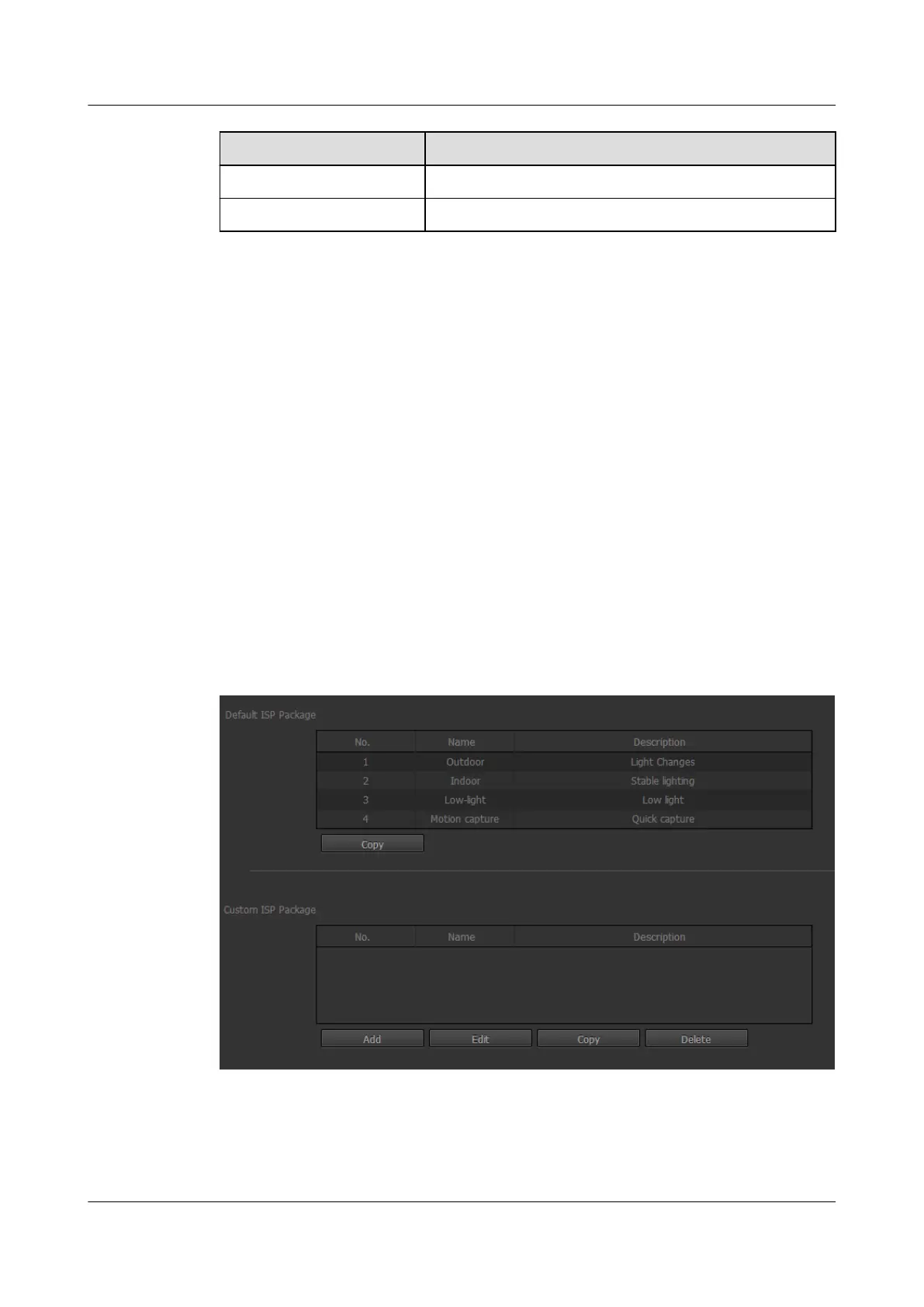
The ISP Package Configuration page is displayed, as shown in Figure 6-6.
Figure 6-6 ISP Package Configuration page
Step 2 Click Add.
The page for configuring an ISP package is displayed, as shown in Figure 6-7.
IPC6221-VRZ-SP
Configuration Guide
6 Setting Video Parameters
Issue 02 (2016-04-06) Huawei Proprietary and Confidential
Copyright © Huawei Technologies Co., Ltd.
46



 To Next Page