12 Querying Logs
Logs are the main information source for maintenance engineers to locate faults. They also
serve as the basis for terminal users to collect fault information. When a fault occurs,
maintenance engineers and terminal users can locate and rectify the fault by checking the
generated log information.
NOTE
Check the log capacity periodically. It is recommended that logs be backed up monthly.
Procedure
Step 1 Choose Maintenance > log on the main page.
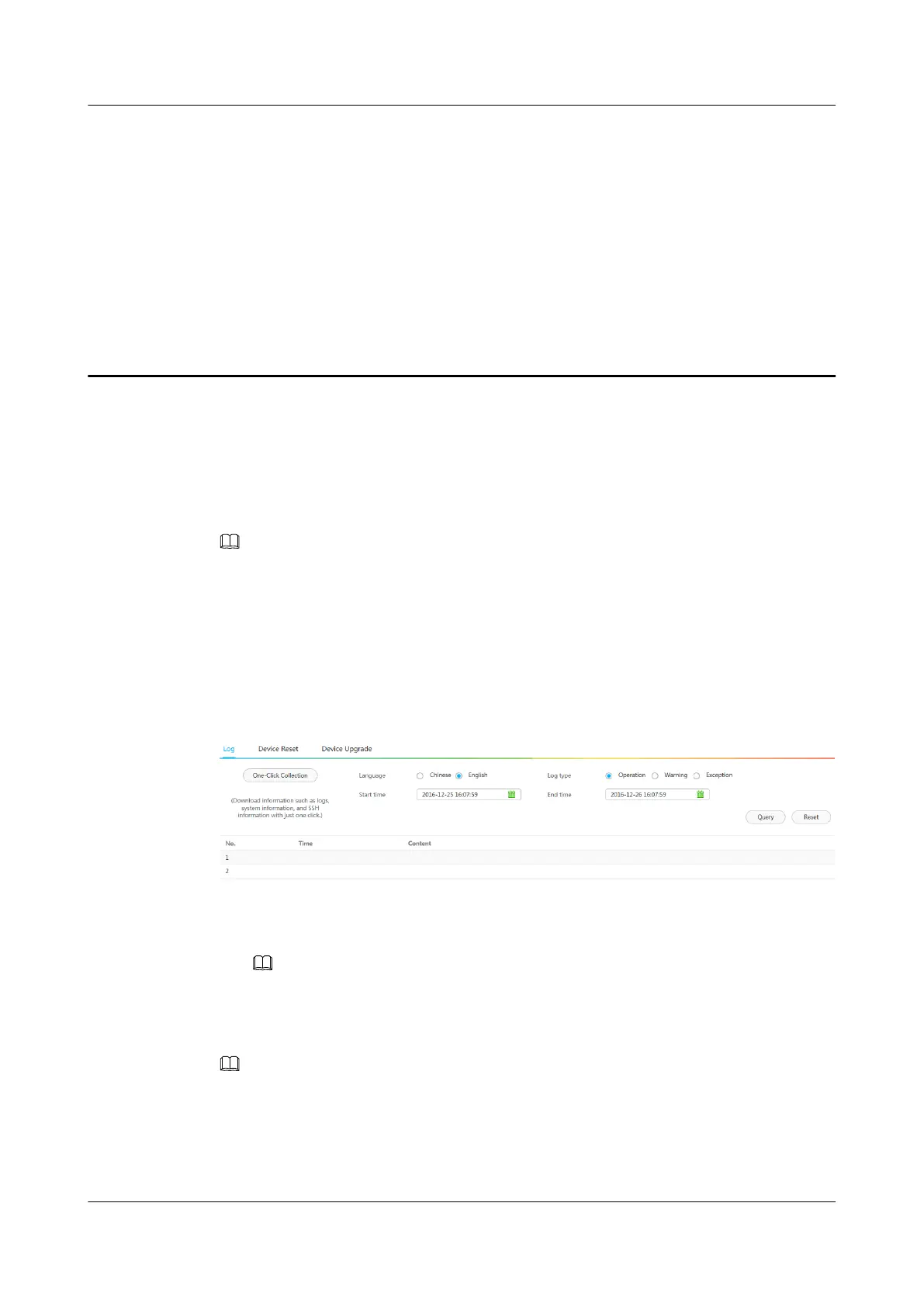
The Log page is displayed, as shown in Figure 12-1.
Figure 12-1 Log
Step 2 Query logs.
1. Select the date, start time, end time, and log type on the left.
NOTE
After Language is set, only newly generated log information is displayed in the configured language.
2. Click Query.
The results are displayed on the right.
NOTE
To query the archived logs, use the One-Click Collectionto download more logs.
Step 3 Download logs.
Click One-Click Collection and download logs to a local PC. After logs are downloaded, you
can view them using WordPad.
IPC6221-VRZ-SP
Configuration Guide
12 Querying Logs
Issue 02 (2016-04-06) Huawei Proprietary and Confidential
Copyright © Huawei Technologies Co., Ltd.
83



 To Next Page