8.3 Setting Tour Track Parameters
You can set a tour track that consists of multiple preset positions. After you enable the tour
track, the IPC shoots video along the tour track. You can set a maximum of eight tour tracks.
A maximum of thirty-two preset positions can be added to a single tour track.
Procedure
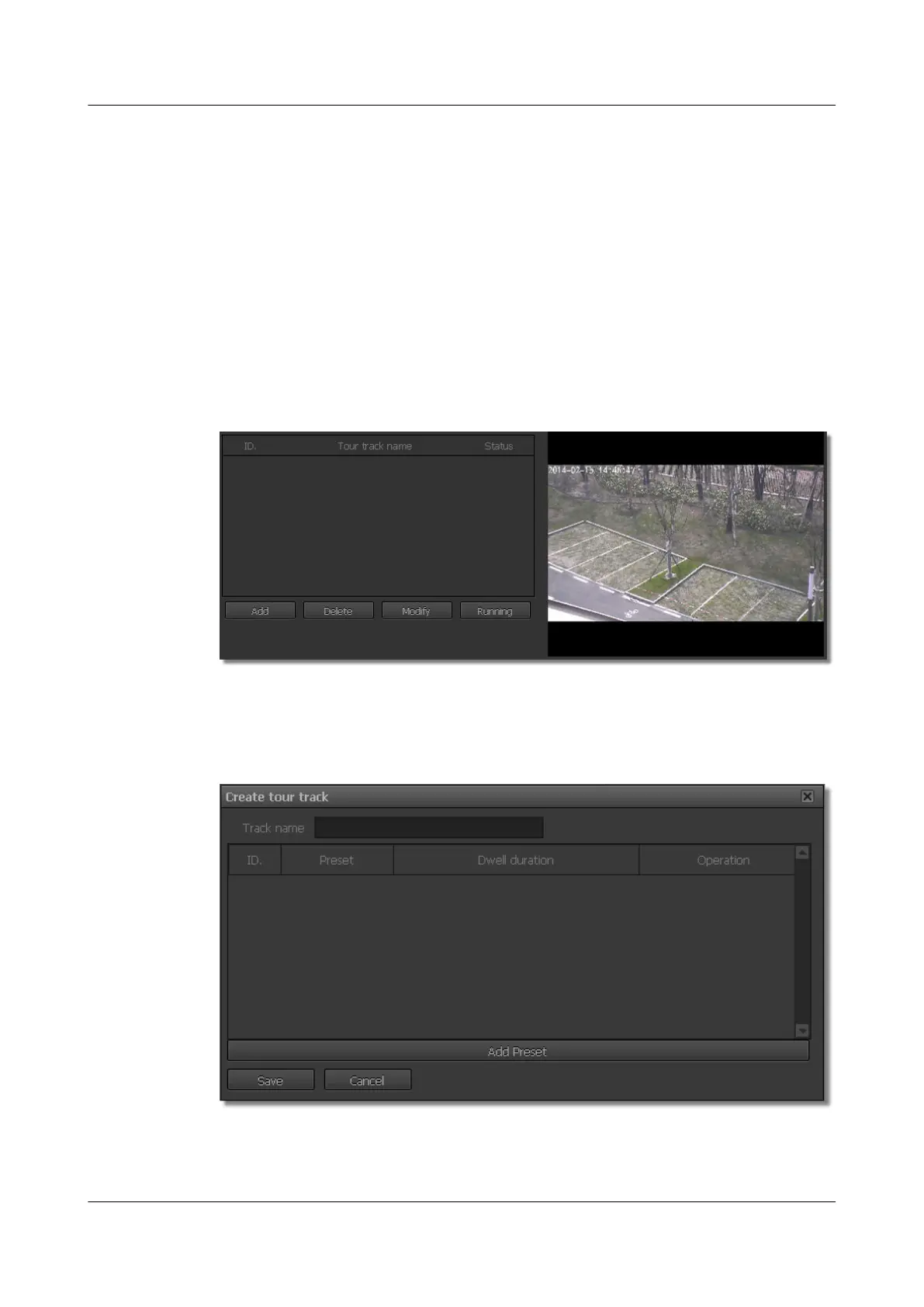
Step 1 Choose Settings > PTZ Configuration > Tour Track Parameters.
The Tour Track Parameters page is displayed, as shown in Figure 8-5.
Figure 8-5 Page for setting tour track parameters
Step 2 Click Add.
The Create tour track page is displayed, as shown in Figure 8-6.
Figure 8-6 Adding a tour track
Step 3 Set the tour track.
1. Set Track name.
IPC6221-VRZ-SP
Configuration Guide
8 Setting PTZ Control Parameters
Issue 02 (2016-04-06) Huawei Proprietary and Confidential
Copyright © Huawei Technologies Co., Ltd.
71



 To Next Page