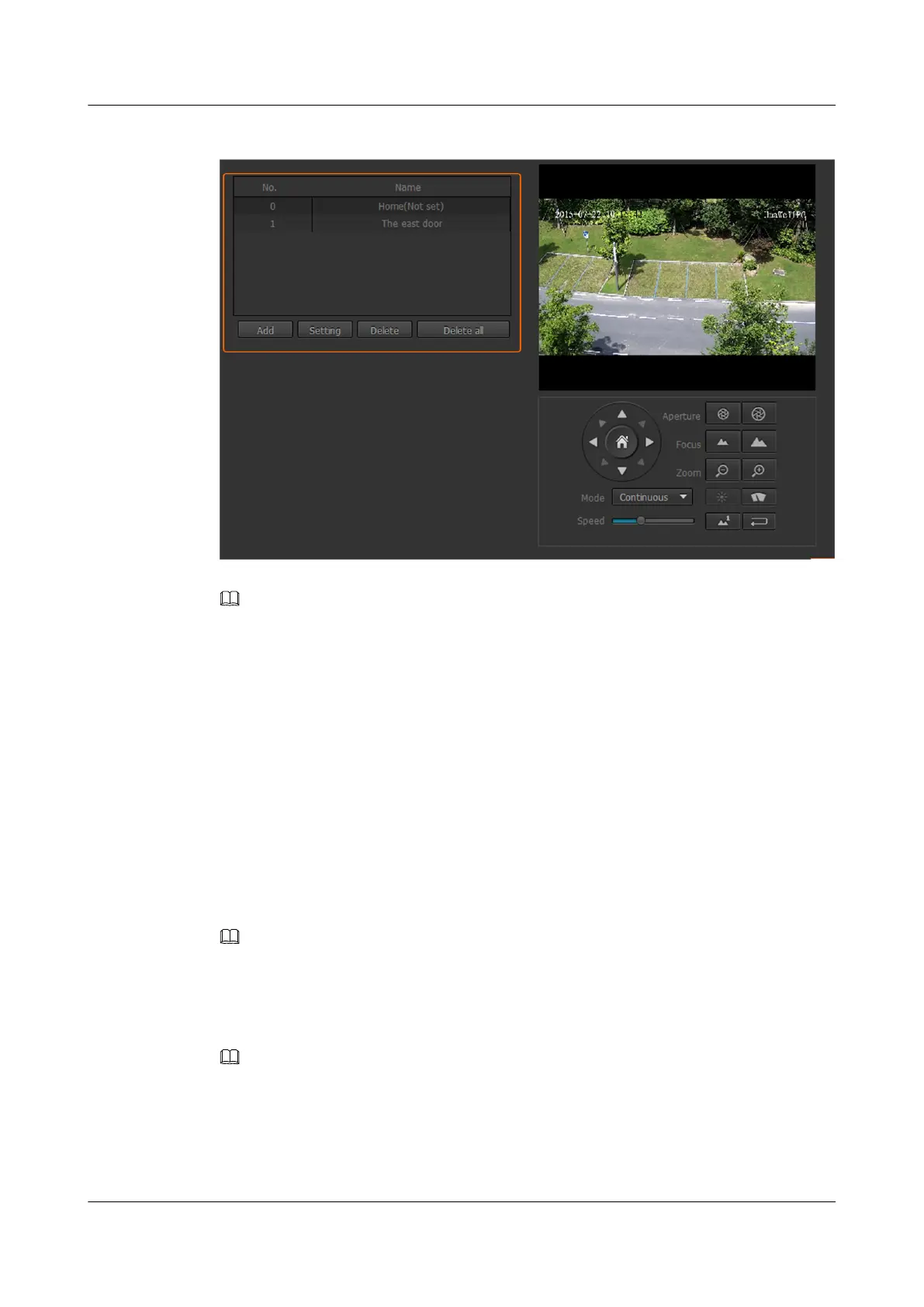
Figure 8-4 Preset Parameters page
NOTE
l Home position is a special preset to which a pan-tilt-zoom (PTZ) camera automatically rotates if users do
not control the rotation direction of the camera within a specified period.
l The preset position numbered 0 is the home position by default. You can move the camera to a specified
position through the PTZ control panel and set the position as the home position.
l If no home position is configured, the name displayed is Home (Not set). If a home position is
configured, the name displayed is Home (Custom location).
l Home position cannot be deleted.
Step 2 Adjust the PTZ and determine a preset position.
Step 3 Click Add.
The page for Add Preset is displayed.
Step 4 Select a preset number and enter a name for the preset position.
A preset name contains a maximum of 31 characters including Chinese characters, letters,
digits, and other characters visible on the keyboard.
NOTE
A Chinese word occupies three characters in this Web page. If you attempt to set the preset name to Chinese
words, the preset name can contain a maximum of 10 Chinese words.
Step 5 Click Save.
The added preset position is displayed in the preset position list.
NOTE
l To modify or delete a preset position, select it and click Setting or Delete.
l To delete all preset positions, click Delete all.
l You cannot delete an enabled home position or a preset position in a tour track.
----End
IPC6221-VRZ-SP
Configuration Guide
8 Setting PTZ Control Parameters
Issue 02 (2016-04-06) Huawei Proprietary and Confidential
Copyright © Huawei Technologies Co., Ltd.
70



 To Next Page