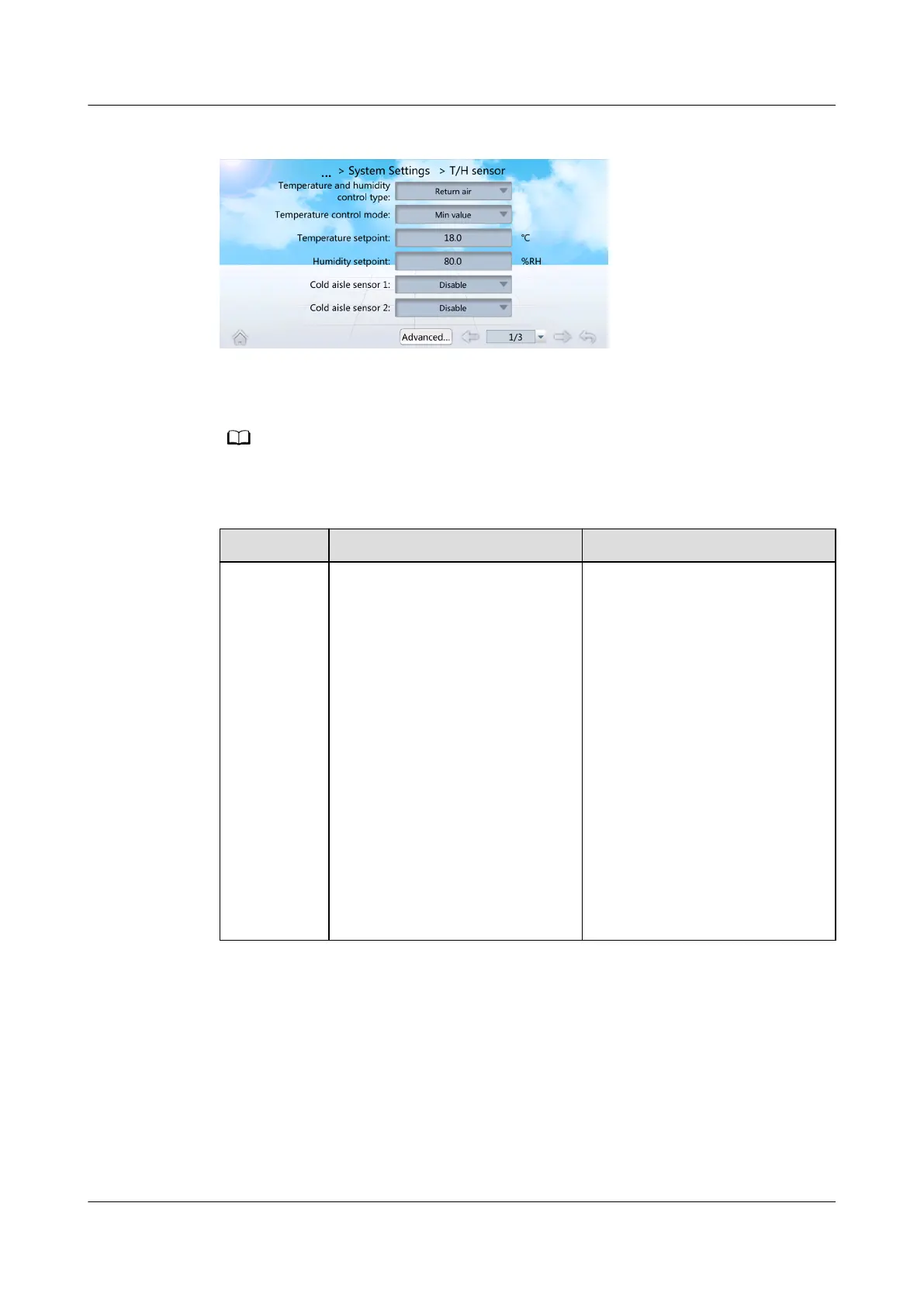
Figure 6-10 Setting temperature and humidity values
Step 2 Set Cold aisle sensor 1 to Enable.
Step 3 Set the temperature and humidity values by referring to Table 6-5.
You are not recommended to modify the parameters not listed in Table 6-5.
Table 6-5 Parameter description
Parameter Description Conguration Principle
Temperatur
e and
humidity
control type
Cold aisle, Hot aisle, Return
air, or Supply air can be set as
required. The temperature and
humidity set points correspond
to the selected control type can
be set.
● When the application
scenario is cold or hot aisle
containment, you are
advised to choose Cold aisle
if the cold aisle T/H sensors
are
congured, and choose
Supply air if the cold aisle
T/H sensors are not
congured.
● When the application
scenario is non-aisle
containment, you are
advised to choose Return
air, and choose Cold aisle if
the cold aisle T/H sensors
are
congured.
● Hot aisle is not
recommended.
NetCol5000-A050 In-row Air Cooled Smart Cooling
Product
User Manual 6 Power-On Commissioning
Issue 08 (2021-09-17) Copyright © Huawei Technologies Co., Ltd. 140



 To Next Page