Install the fan support by following the consequence on the label of fan support, to avoid
reverse installation.
Step 7 Power on the device and choose Maint > Diagnostic Mode > Enter on the home
screen. Manually start the electric heater, and check that the electric heater works
properly. Then exit from the diagnostic mode.
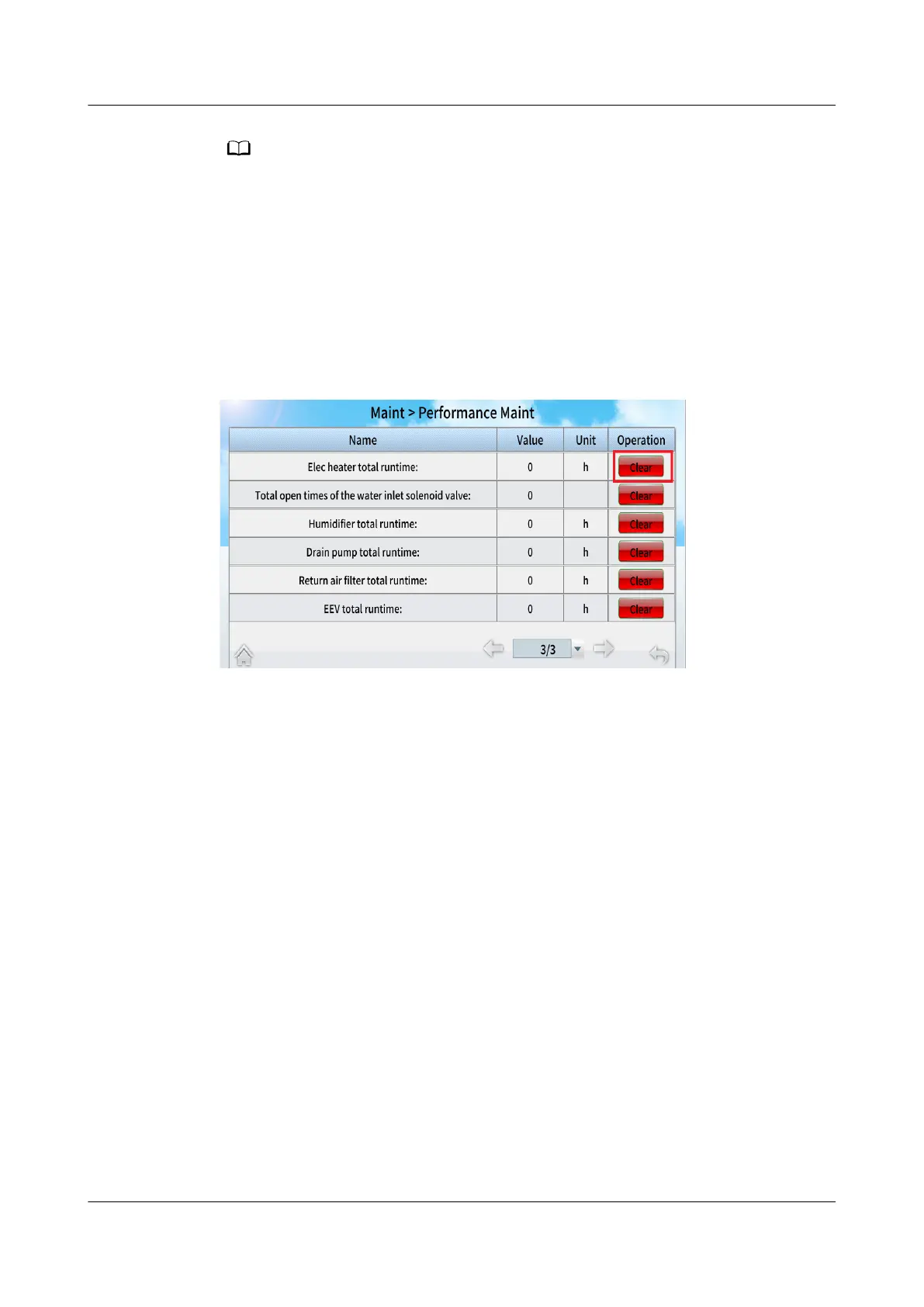
Step 8 Power on the device, choose Maint > Performance Maint on the home screen to
access the performance maintenance screen, and clear the runtime of the electric
heater.
Figure 11-50 Performance maintenance
Step 9 Tap Start on the home screen. Ensure that the smart cooling product is running
normally without any alarms.
----End
NetCol5000-A050 In-row Air Cooled Smart Cooling
Product
User Manual 11 Parts Replacement
Issue 08 (2021-09-17) Copyright © Huawei Technologies Co., Ltd. 291



 To Next Page