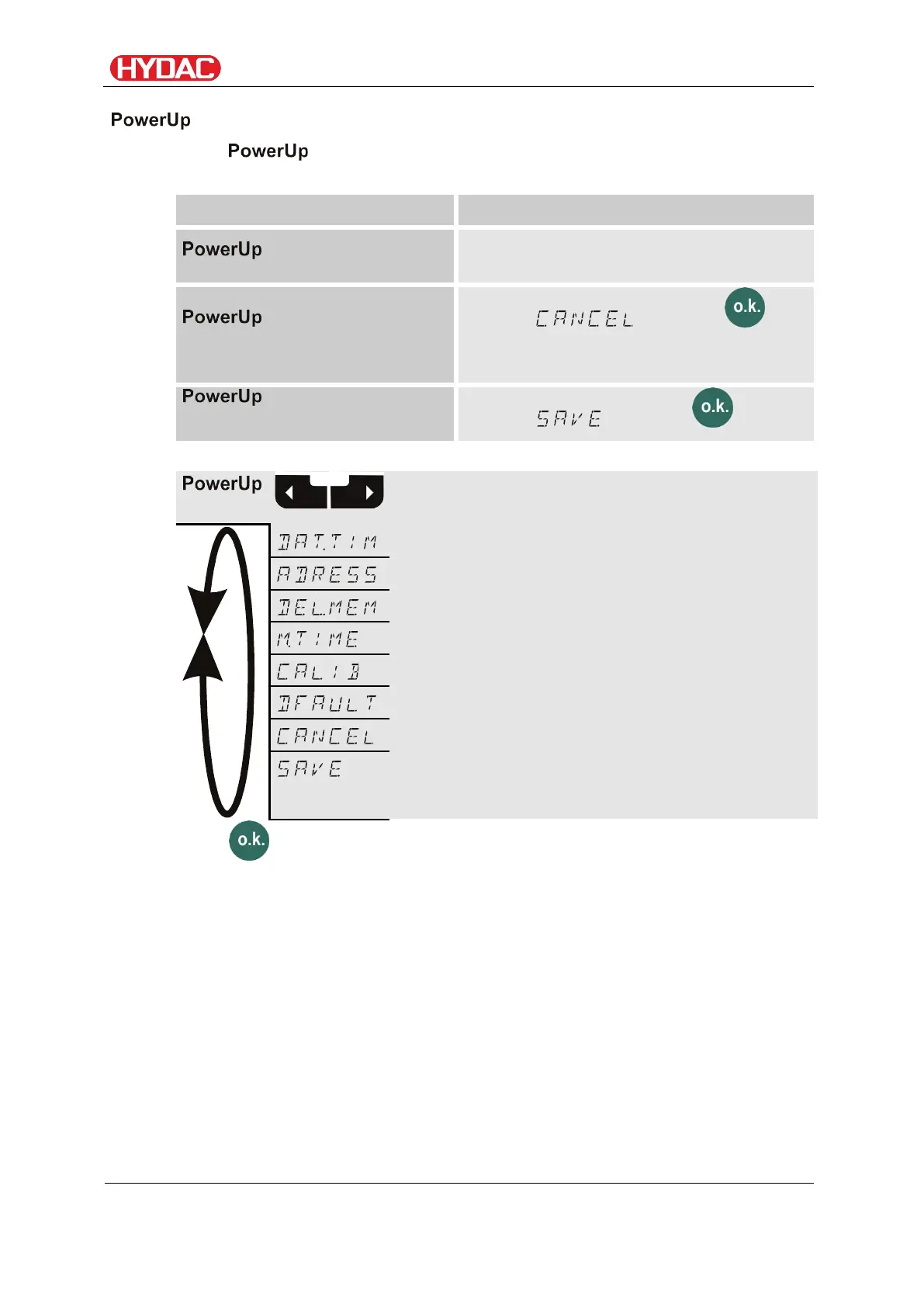
Select operating level / configuration menu
Operate / Set up menu
In the menu, the basic settings for the operation of the FCU are
made.
Start menu
Press any button and hold it down while
switching on the supply voltage.
Exit the menu without
saving
Scroll to and press , or
the option will be selected automatically
after 30 seconds
Save
Scroll to and press
see page:
Reset to factory defaults
Press to change to a sub-menu.
FCU1310
en(us)
Page 56 / 124
BeWa FCU1310 V300 3371346f en-us 2017-01-27.docx 2017-01-27


 To Next Page