Select operating level / configuration menu
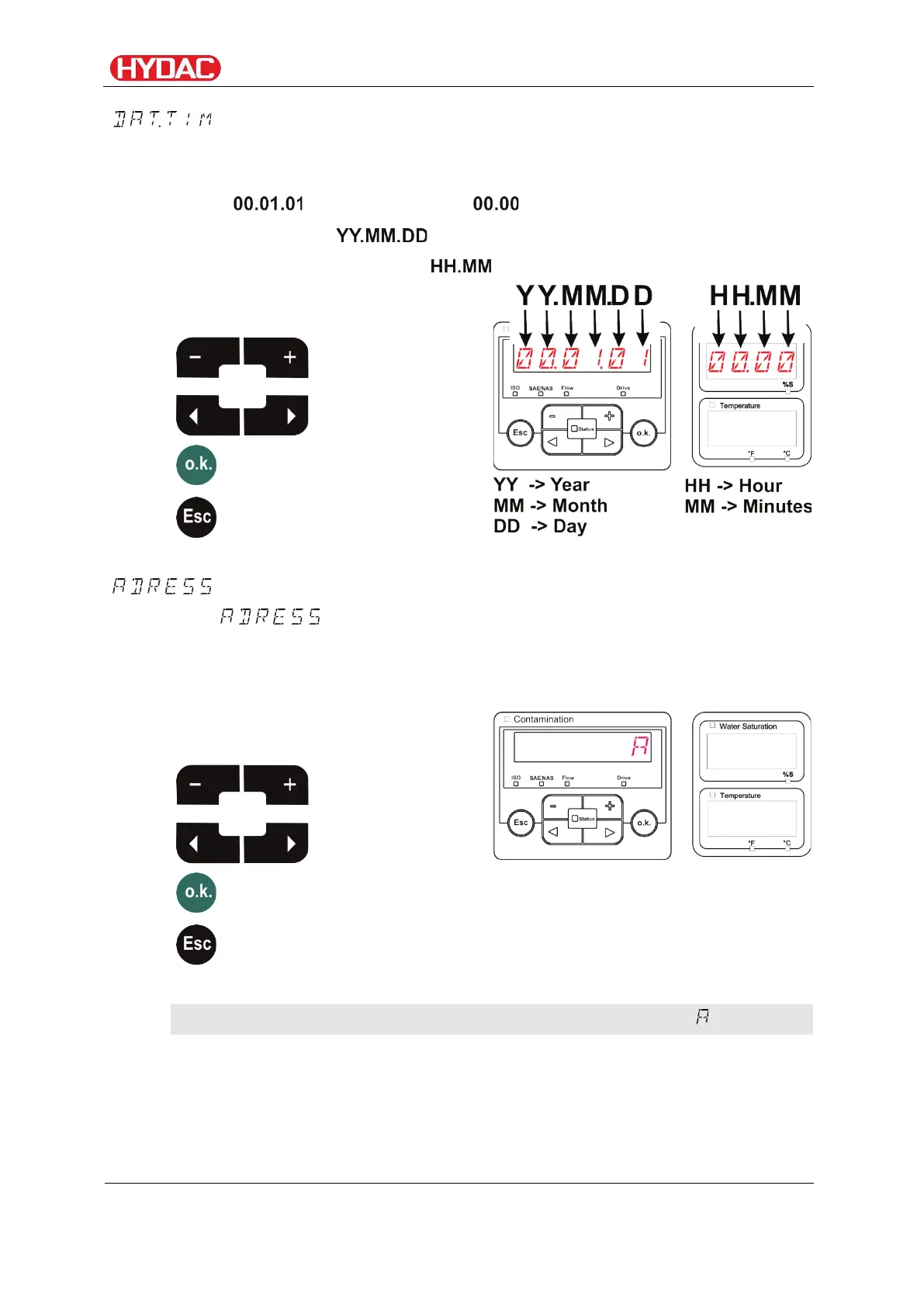
– Setting date/time
In this option you can set or alter the system date / time.
If the date has never been set, or if the buffer battery is flat , the system date
will be and the time will be .
The date format is: => year / month / day.
The time uses 24 hour format: => hour / minute.
Use the following buttons to set the
date and time:
value
change
- Set bus address
With , you set the bus address to transmit the measurements
over the data interface, using the HSI protocol.
There are 26 bus addresses available, from A - Z. Please note that each
address may occur only once on any bus.
Use the following buttons to set the
address:
value
change
The factory setting of the bus address is:
FCU1310
en(us)
Page 57 / 124
BeWa FCU1310 V300 3371346f en-us 2017-01-27.docx 2017-01-27


 To Next Page