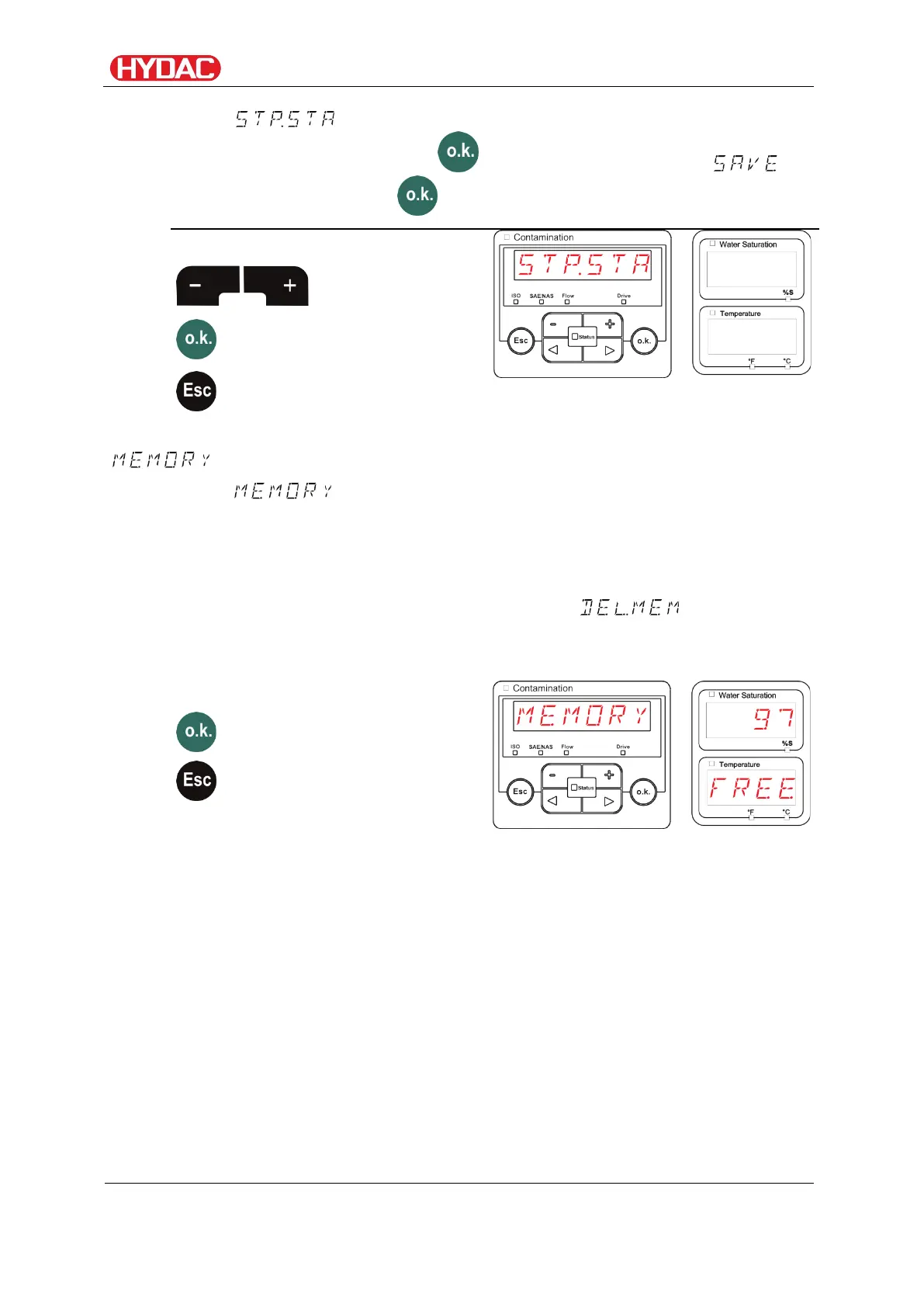
Select operating level / configuration menu
Select to create a new file in the internal FCU memory under the
new measurement point. Press and the display will jump to .
Confirm again by pressing .
Use the following buttons:
selection
change
- Display free memory
Under , you can check the current free internal memory capacity
of the FCU in %. If there is no more memory available, no measurement
records can be saved.
Copy the measurement records that you have already read out as described
on page 71 in chapter "Reading out USB interface measured values". Then
delete those records in the internal memory with as described
on page 58.
For example: 97% free memory.
Use the following buttons:
FCU1310
en(us)
Page 63 / 124
BeWa FCU1310 V300 3371346f en-us 2017-01-27.docx 2017-01-27


 To Next Page