Evaluating measurement records
Opening measurement reports
The file containing the measurement reports has a file extension e.g. ".026".
This extension may not be recognized by your PC. This means that you must
tell your PC that, in future, you would like to open this file with MS Excel.
Open the file with MS excel by right-clicking on it and then selecting "Open".
A window will open where you will be asked to choose which program should
open the file.
In principle, you can do this for every extension from "000" to "999".
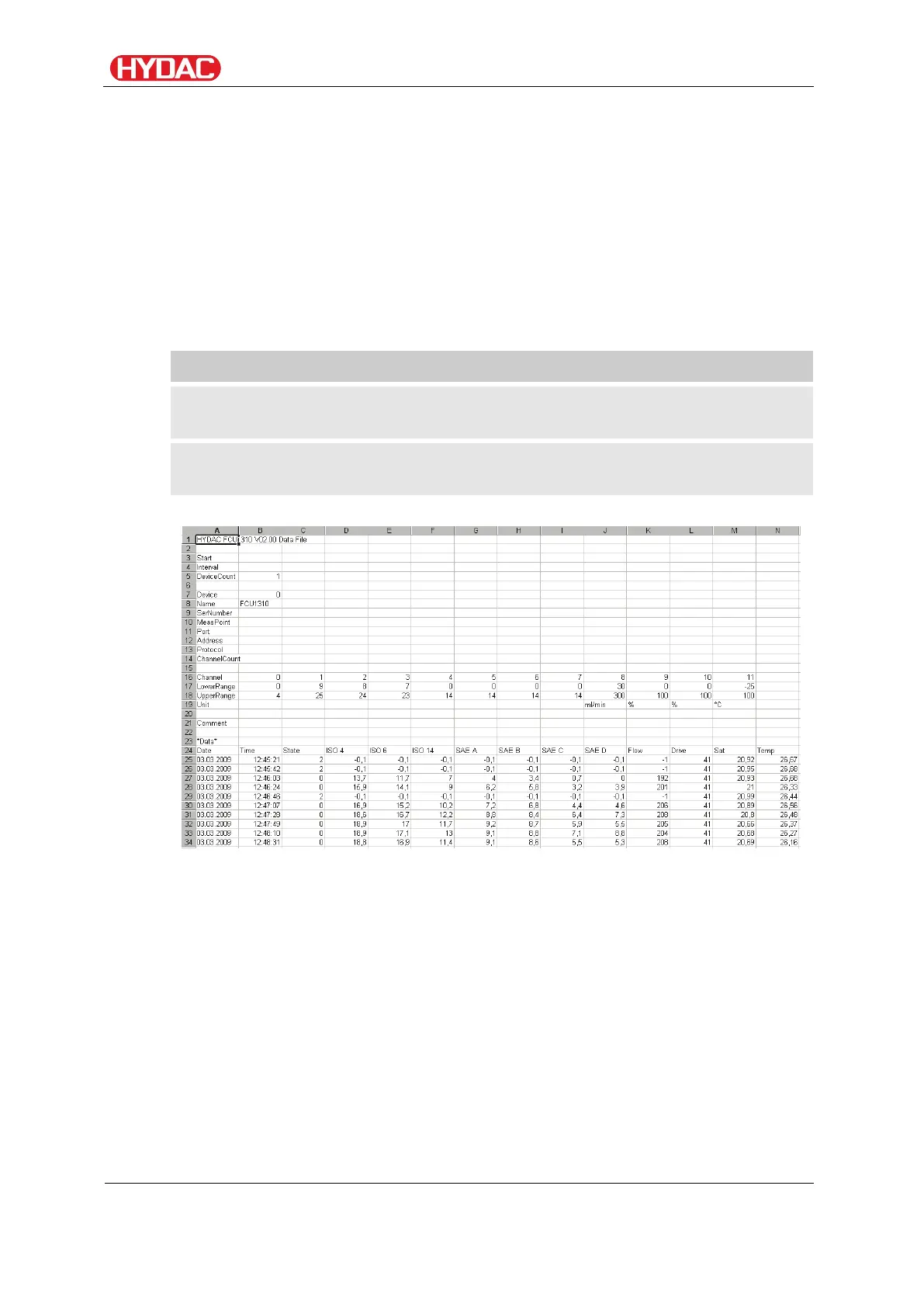
A measurement file consists of two parts:
General information about the data collected, sensors and
equipment.
After the word *Data,* the actual measurement data is shown, line
by line. The first line contains the column titles.
Faults are shown as negative values, e.g. –0.1 or –1.
FCU1310
en(us)
Page 78 / 124
BeWa FCU1310 V300 3371346f en-us 2017-01-27.docx 2017-01-27


 To Next Page