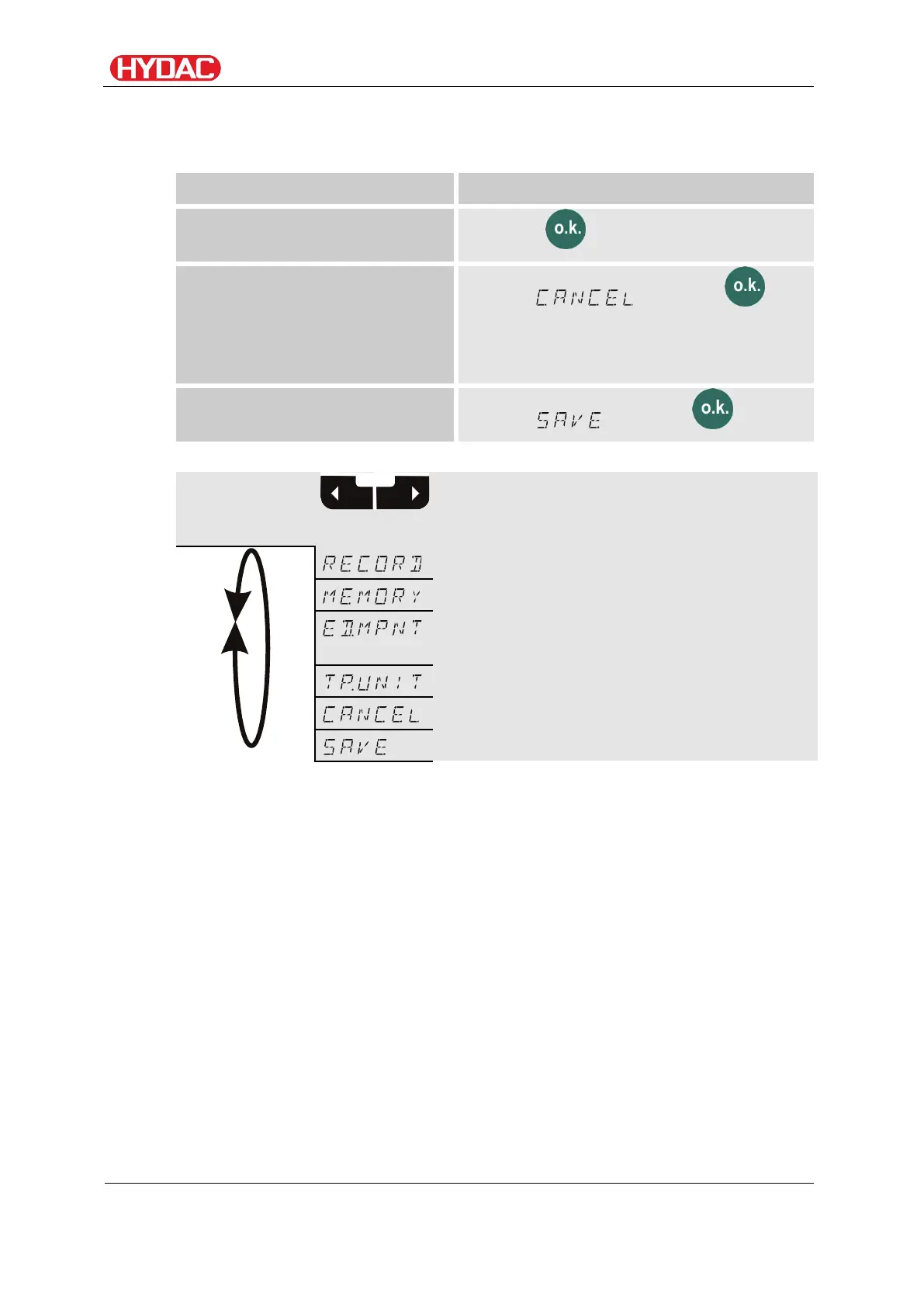
Select operating level / configuration menu
Operating/Setting measuring menu
The Measuring Menu allows you to change settings during operation.
Start the measuring menu
Press the button
Exit the measuring menu
without saving
Scroll to and press or
wait for 30 seconds with no further action
and the FCU will automatically switch to
display mode.
Save and exit the measuring
menu
Scroll to and press
Menu
details,
see page
Change measurement location
name
FCU1310
en(us)
Page 61 / 124
BeWa FCU1310 V300 3371346f en-us 2017-01-27.docx 2017-01-27


 To Next Page