Reading internal measurement memory
Reading out USB interface measured values
Copying measurements onto a USB data stick
Compatibility with other USB memory sticks cannot be guaranteed as the
FCU communicates directly with the microprocessor. This means that
communication errors cannot be corrected in software, like, for example, on a
PC with an operating system.
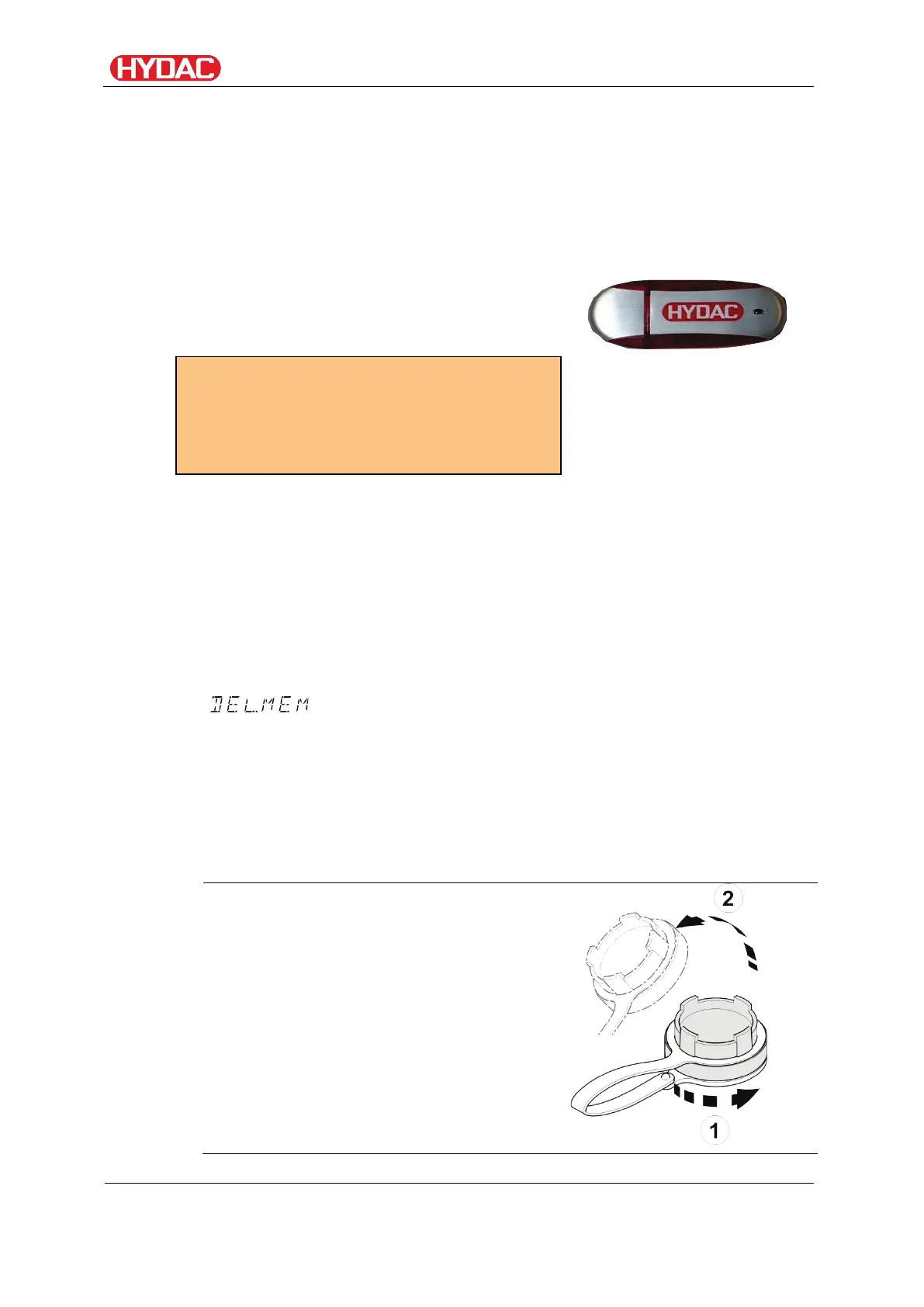
We recommend using the HYDAC USB
memory stick, which we successfully tested
for many PC/operating system combinations.
(looks something like this)
For HYDAC part no., see
page 105, chapter "Selecting
accessories"
We accept no guarantee or liability for the
functionality and compatibility of the USB
memory stick with your system. We do
not offer support or replacements in this
case
Saved measurements can be copied to the USB memory stick supplied with
the unit. After copying to the USB stick, the data still exists in the internal
memory.
During the download, no measurement data are stored in the internal
memory.
After another download, the measuring data for the duration of the download
are missing.
You have to explicitly delete the data in the internal memory of the FCU. See
the menu option on page 58.
Before using the USB stick for the first time, we recommend that you format
it. To do that, insert it into a free USB port on your PC. Then change to the
file manager (e.g. Explorer) and format the stick in FAT32 format. You will
find details of this in the documentation of your operating system.
There must be at least 10 MB of free memory available on the USB stick.
To save your measurements on the USB memory stick, proceed as follows:
Open the cover to the USB
connection by turning it
counterclockwise (1) and then lifting
it (2).
FCU1310
en(us)
Page 71 / 124
BeWa FCU1310 V300 3371346f en-us 2017-01-27.docx 2017-01-27


 To Next Page