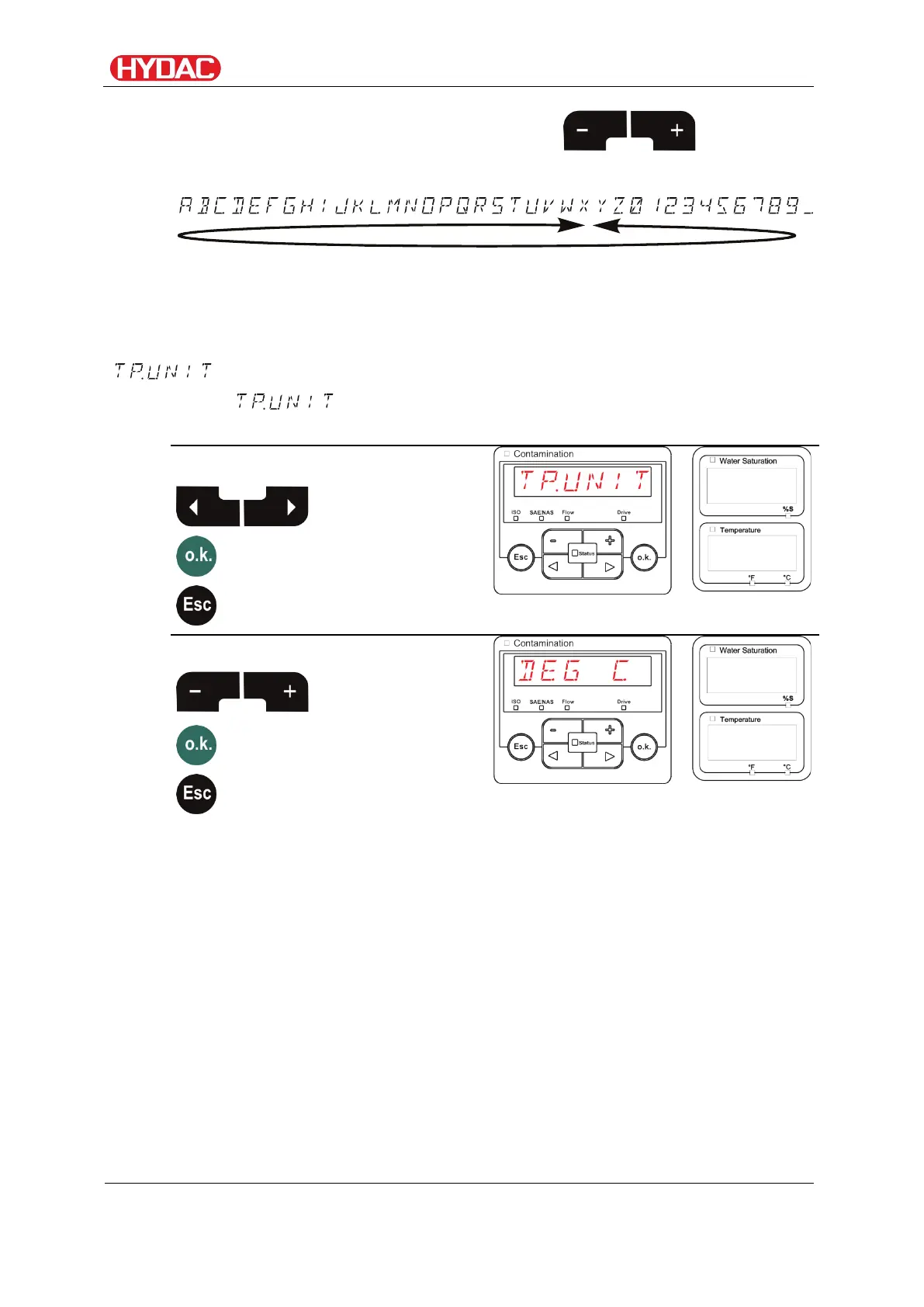
Select operating level / configuration menu
The following characters will appear, when the button is
pressed, wrapping around at the end.
The empty space is located between 9 and A and can be adjusted only from
the 6th position to the left. This means that you can enter a name with less
than 6 characters.
- Set temperature unit
Under you set the units for displaying the fluid temperature. You
have the choice between degrees Celsius °C and degrees Fahrenheit °F.
Use the following buttons:
option in the menu
Use the following buttons:
selection
FCU1310
en(us)
Page 65 / 124
BeWa FCU1310 V300 3371346f en-us 2017-01-27.docx 2017-01-27


 To Next Page