EasyManua.ls Logo

IBM TS4300 - User Manual

IBM TS4300
324 pages
Print Icon
To Next Page IconTo Next Page
Loading...
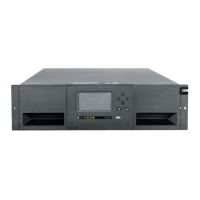
IBM TS4300 Tape Library
Machine Type 3555
User's Guide
IBM
IBM Condential
SC27-4629-08

Table of Contents

Other manuals for IBM TS4300

Questions and Answers

  • D
    David MeyerSep 8, 2025
    Why is Attention LED lit but not Cleaning LED after cartridge load on IBM Network Hardware?
    • C
      Christopher StephensonSep 8, 2025
      If the Attention LED is lit but the Cleaning LED isn’t lit after a cartridge load on your IBM Network Hardware, it means the library couldn't complete the requested operation with the selected tape cartridge. Ensure you're using cartridges compatible with the drive type and the correct type for the operation, such as a cleaning cartridge for cleaning. Make sure you’re using a Universal cleaning cartridge.
  • L
    Lauren TaylorAug 22, 2025
    How to unlock user account on IBM Network Hardware?
    • S
      stanleyrodriguezAug 22, 2025
      To address a locked user account on your IBM Network Hardware, navigate to the Configuration > User Accounts > Access Recovery page. From there, you can obtain a temporary administrator password for logging into the Management GUI, which is valid for two hours.
  • B
    brett68Sep 5, 2025
    How to remove a cartridge that is stuck in IBM Network Hardware?
    • T
      Tasha LawrenceSep 5, 2025
      To address an IBM Network Hardware cartridge that can’t be removed from the storage slot, first unlock the magazine and extend it to access the slot. Grasp the cartridge and try removing it. If it's stiff, insert and remove it several times to condition it for easier movement. Check the bar code label to ensure it’s secure and inspect the cartridge for any damage.
  • A
    andersonmichaelSep 3, 2025
    Why is the Cleaning LED lit after cleaning cartridge use in IBM Network Hardware?
    • D
      David ThompsonSep 4, 2025
      If the Cleaning LED is lit after using a cleaning cartridge in your IBM Network Hardware, it likely means the cleaning cartridge is expired, as they expire after 50 cleaning cycles. Replace the cleaning cartridge to resolve this.
  • H
    Holly BenderSep 2, 2025
    What to do if IBM Network Hardware can’t write to or read from tape?
    • D
      Dennis McclainSep 2, 2025
      To resolve the issue of being unable to write to or read from tape in your IBM Network Hardware, ensure the cartridge isn’t a WORM cartridge that has already been used. Verify the cartridge is write-enabled by moving the write-protect switch to the enabled position. Confirm the data cartridge is compatible with the drive model. Ensure you're using an LTO cartridge that hasn't been degaussed, and avoid degaussing LTO cartridges. Check that the cartridge hasn't been exposed to harsh conditions or physical damage. If using a cartridge created with a different backup application, try an erase, format, or label operation. Understand any data protection or overwrite protection schemes your backup application uses. Retry with a known good tape and clean the tape drive.
  • S
    Steven JohnsonSep 1, 2025
    Why does my IBM Network Hardware display 2 base units or connection lost to module?
    • G
      garciajohnSep 1, 2025
      To resolve the issue of an IBM Network Hardware library displaying behaviors such as: GUI Library Dashboard displaying 2 base Units, Library boot hangs on "Configuring Drives (Unconfigured Offline)," Library Status Pod showing “Connection lost to module” (Unconfigured Offline), Event 2004 – Library startup process failed, pop-up message: "Unconfigured module found," or Event 4163 Drive Sled discovery timeout, check if a 21U Library Controller Card (LCC) has been put into a 48U Library. If so, power down the system and replace the 21U LCC with a 48U LCC CRU. After powering the system back up, if some drives don't come ready, power down the system again and power it back up to ensure all drives are ready.
  • C
    Courtney DeleonAug 30, 2025
    How to troubleshoot SAS connection problems in IBM Network Hardware?
    • K
      Kirk OneillAug 30, 2025
      To address SAS connection problems in your IBM Network Hardware, check the Drive Status screen for your tape drive's connection. Run a drive Wrap Test for each available port: unplug the SAS cable, plug in the SAS wrap tool, and run the SAS wrap test via Library > Actions > Tests > Drive test. If the test fails, consult the “Pre-call checklist” on page 110. If the SAS Wrap Test passes, verify that the cables aren’t damaged and are securely connected at both ends. Also, verify host connectivity and use ITDT to debug the problem.
  • E
    Elizabeth DavisAug 29, 2025
    How to solve Fibre Channel connection problems IBM Network Hardware?
    • K
      kimberlywarnerAug 29, 2025
      To resolve Fibre Channel connection problems with your IBM Network Hardware, check the Drive Status screen for the tape drive's link connection. Run a drive Wrap Test for each available port by unplugging the Fibre Channel cable, plugging in the Fibre Channel wrap tool, and running the Fibre Channel wrap test via Library > Actions > Tests > Drive test. If the drive test fails, consult the “Pre-call checklist” on page 110. If the FC Wrap Test passes, ensure the Fibre Channel speed matches the HBA/switch speed or is set to Automatic. Verify cables aren’t damaged and are securely connected. Also, verify host connectivity and use ITDT to debug the problem.
  • U
    usantosAug 27, 2025
    What to do if IBM Network Hardware device doesn't power off?
    • K
      Kathy MoralesAug 27, 2025
      If your IBM Network Hardware device doesn't power off, first press and hold the power button for 5 seconds. Check if the green LEDs on the power supplies are off; if not, press and hold the power button for 10 seconds. If that still doesn't work, disconnect the AC power cable on the base unit.
  • D
    Diane GreeneAug 26, 2025
    How to troubleshoot IBM Network Hardware device doesn’t power on?
    • R
      Rachel KennedyAug 27, 2025
      To troubleshoot IBM Network Hardware that doesn't power on, start by checking all power cord connections and the LEDs on the power supplies. Ensure the power button on the front panel is pressed and the green Ready LED is lit. Verify the outlet has power by trying another working outlet. If none of these steps work, replace the power cord.

IBM TS4300 Specifications

General IconGeneral
Product TypeTape Library
Form FactorRack-mountable
Host Interface8 Gb Fibre Channel, 6 Gb SAS
Humidity20% to 80% non-condensing
Number of Drives SupportedUp to 3
Drive Type SupportedLTO Ultrium 8, LTO Ultrium 7
EncryptionYes
Remote ManagementYes (web-based interface)
Supported MediaLTO Ultrium 8, LTO Ultrium 7
Power Supply100-240 VAC, 50/60 Hz

Related product manuals