Section 5 - Commissioning
COMMISSIONING
60 Installation and Maintenance
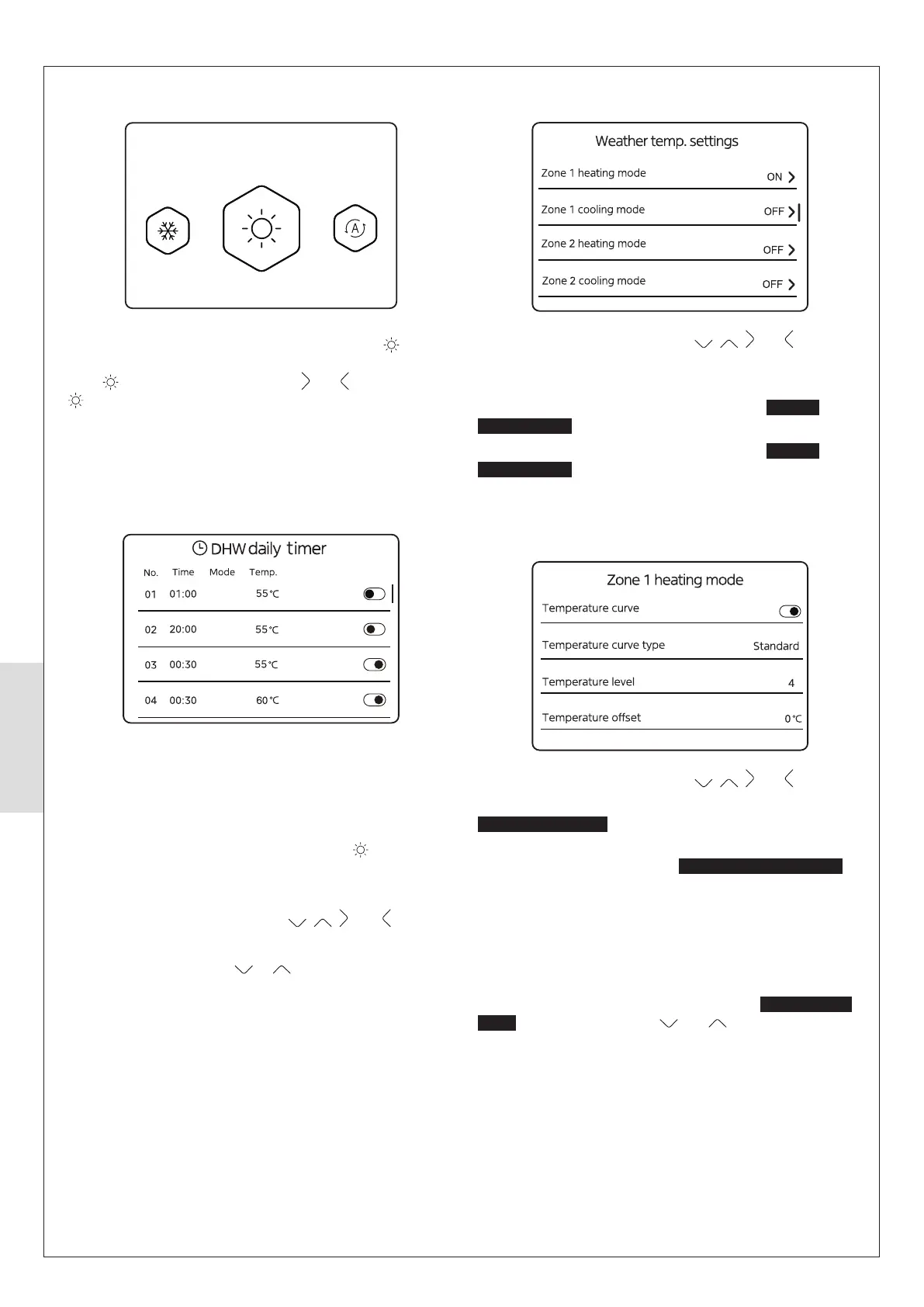
5.8.3 Weather temp. settings
To scroll through the options press , , and .
ⓘ NOTE: The cooling modes are not available.
To select Zone 1 heating mode, press O when
Zone 1
heating mode is illuminated (refer to 5.8.3.1).
To select Zone 2 heating mode, press O when
Zone 2
heating mode is illuminated (refer to 5.8.3.1).
5.8.3.1 Weather temp. settings, Zone 1 / Zone 2
heating mode
To scroll through the options press , , and .
To enable/disable Weather Compensation, press O when
Temperature curve is illuminated.
To change the Temperature curve type between Standard,
Custom and Eco, press O when
Temperature curve type is
illuminated.
ⓘ IMPORTANT: Do not change this setting from
Standard for optimum appliance operation.
To change the Temperature level, press O when Temperature
level is illuminated, the screen shown below can be viewed.
Temperature
illuminated. Then use and to change the value.
For the standard radiator curve (1.5) use Temperature
Temperature level 4. These settings can be customised using
the Custom Curve function (see next page).
Weather compensation settings should always be checked
requirements.
5.8.1 Set Operating Mode
Heating
DO NOT change the settings for Heating. Heating ( ) is the
ONLY option available on the Heat Pump at this time.
If the
is not illuminated then select and until the Heating
is illuminated.
5.8.2 Schedule, DHW daily timer
To change the setting:
To set the option to OFF, press O.
To set the option to ON, press O.
ON
OFF
ON
ON
happen.
The second column is the time at which the events will
happen.
The third column shows if the hot water demand is ON, or
OFF, it should only be ON for this application (
).
The fourth column is the target hot water temperature.
To scroll through the options, press
, , , and .
To select an option, press O.
To change a setting, press
or .



 To Next Page