Section 5 - Commissioning
COMMISSIONING
61
Installation and Maintenance
Custom curve
Set temp
T1SetH1
T1SetH1
-51⁰C 30⁰C -5⁰C 15⁰C
T1SetH2
T1SetH2
T4H1
T4H1
T4H2
T4H2
Ambient
To set an option Press O. To scroll through settings, use or
. To change the settings use and ..
For radiators (outdoor sensor curve 1.4) the settings listed
below should not be used:-
-
-
- T4H1 (minimum outside temperature) -15 °C
- T4H2 (maximum outside temperature) +15 °C
outdoor sensor curve 0.9) the settings
listed below should not be used:-
-
-
- T4H1 (minimum outside temperature) -20 °C
- T4H2 (maximum outside temperature) +15 °C
required will be delivered, with the room thermostat ensuring
that the desired room temperature is achieved.
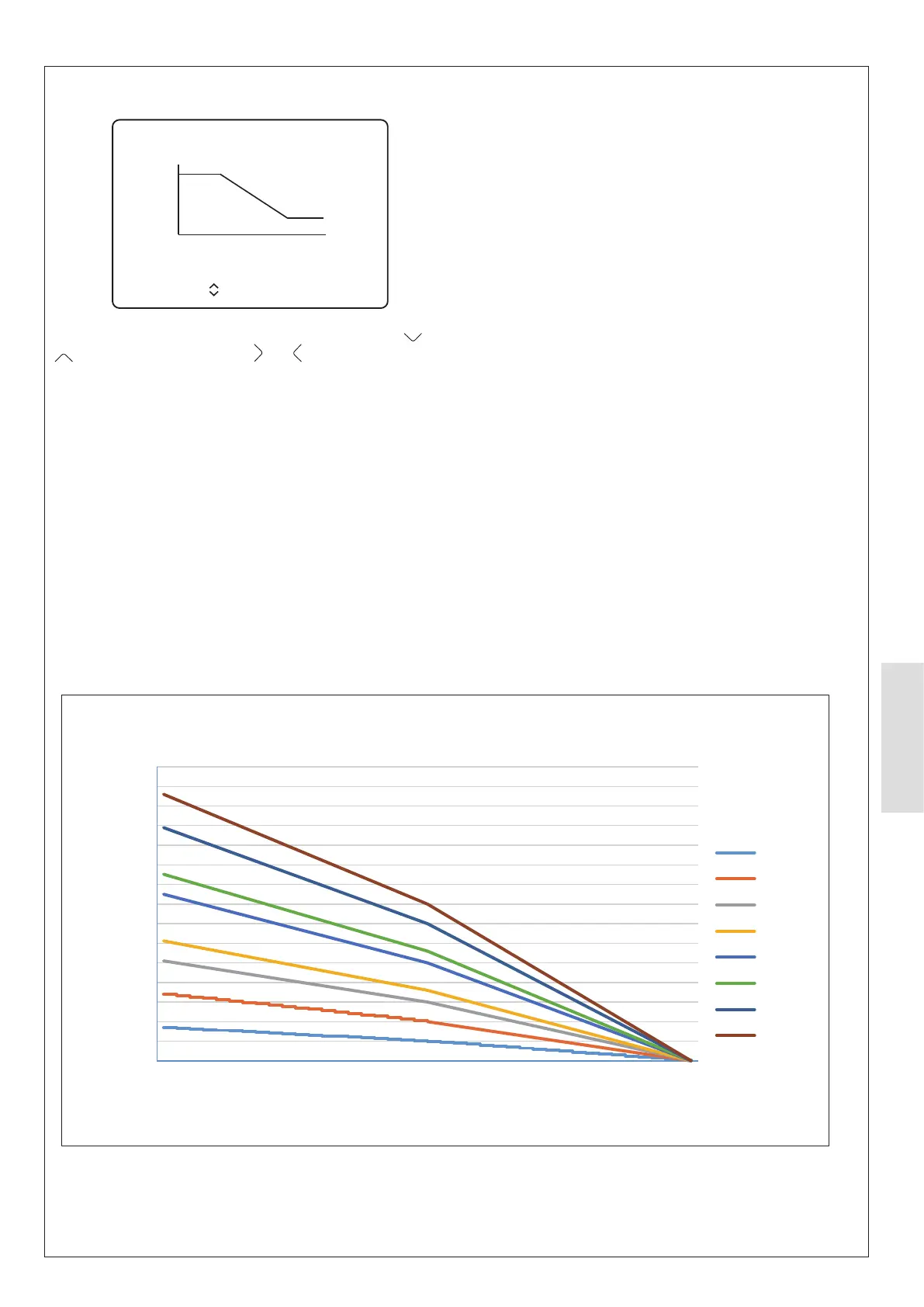
Figure 60. HP290 Standard curve graph
20.0
25.0
30.0
35.0
40.0
45.0
50.0
55.0
60.0
65.0
70.0
75.0
80.0
85.0
90.0
95.0
- 20 - 10 0 10 ≥ 20
Set temp.
Ambient temp.
Standard curve - Heating
1- T1S
2- T1S
3- T1S
4- T1S
5- T1S
6- T1S
7- T1S
8- T1S



 To Next Page